 moonshot
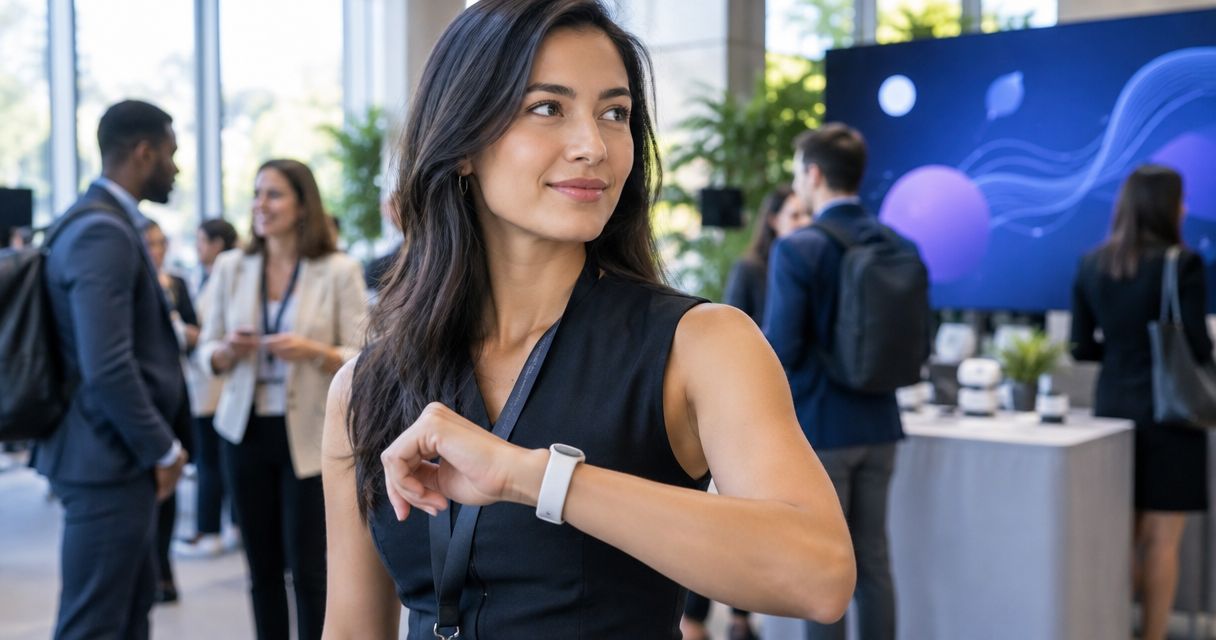
AI wearables for event planners are wearable tools for capturing and working with information, with the aim of helping planners carry useful details into their next decision. Your work crosses client conversations, venue checks, and supplier handoffs; the useful device supports your follow-through without becoming an unofficial record of everyone around you.
- AI wearables for event planners belong beside approved event records, not in place of them.
- Moonshot is best for event planners who want to talk through their own day and choose one next step.
- Start with written notes, set consent boundaries, and test personal follow-through before considering a wearable.
- A captured conversation, a confirmed instruction, and an inference are different kinds of information.
Why wearables matter for event planners
A venue walk ends. You remember the loading entrance, but also something less tidy: you agreed to check a detail and never decided who would do it. The problem is not a lack of information. It is the gap between noticing something and giving it a place in your working day.
In 2026, evaluate a wearable against that gap, not against a promise to remember everything. A useful personal reflection is different from a client-approved production schedule. Keep those roles separate.
Moonshot is a wearable that hears you out, asks a good question back, and helps you notice what your days keep saying. Moonshot is best for event planners who want to talk through their own day and choose one next step. Treat that as a personal use case, not evidence of event-management integrations or client-record functions.
The distinction matters when people depend on your instructions. A question can help you decide what to check. It cannot turn an unconfirmed detail into an agreed requirement.
A practical workflow for 2026
Start with a notebook or a written note on your phone. Establish what you want to carry forward, what belongs in the event record, and what requires permission before choosing a device.
Choose one follow-through problem
Pick a moment that regularly leaves something unfinished. Perhaps you leave site visits with questions scattered across your notes. Perhaps a supplier conversation ends without a clear owner for the next check. Choose one problem, not your entire working day.
Write down what a useful result would look like. For example: after a venue visit, you identify the question you need to send to the venue contact. That is a bounded task you can assess without giving a device access to every conversation.
Use a 2-minute review as a starting routine, not a performance claim. Read your note, identify what remains uncertain, and decide whether anything needs to happen. If the manual version has no clear purpose, adding a wearable will not clarify it.
- Name the moment you want to improve, such as the end of a site visit.
- Write the unfinished question in your own words.
- Define a useful result that you can observe.
- Keep unrelated client information out of the trial.
Separate reflection from the event record
Your personal account of a conversation is not the same as an approved instruction. A client saying they like an outdoor reception does not establish a weather plan. Your impression that a supplier sounded confident does not confirm the delivery arrangement.
Keep the authoritative details in the record your team has agreed to use. Use a separate reflection note to identify what you need to verify. A public venue description belongs in a third category: source material that still needs checking against the event's actual arrangements.
Label the distinction before you act. Facts need a source; inferences need a check. A captured conversation records what was said in that context. It does not establish that every statement is accurate, current, or approved for action.
- Mark confirmed instructions with their source and approval status.
- Keep your interpretations visibly separate from confirmed details.
- Identify public information as public-source material.
- Move a detail into the event record only after the required check.
Talk through your own part first
Before capturing anyone else's words, try describing your own experience after the conversation. Say it once: what happened, what you understood, and what still needs checking. This gives you a useful starting point without treating another person's speech as material you automatically have permission to capture.
Here is an illustrative scene, not a product demonstration. Earlier, you wrote that the venue's access arrangement was unclear. Before sending your next message, you revisit that note and ask: what exactly needs confirmation? The useful result is a focused question about access, not a reconstructed account of the whole visit.
Moonshot offers a wearable route to this kind of personal reflection: it hears you out and asks a good question back. Its stated purpose fits the conversation about your day. Do not extend that description into claims about transcripts, calendar access, or event-system connections.
- Start with your own account after the meeting has ended.
- Include only the detail needed to explain your question.
- Remove unnecessary names and identifying information.
- Keep the original source available when a factual check matters.
Set permission boundaries before capture
An event brings together people who have different expectations about information. A private planning discussion, a supplier briefing, and a public presentation are not interchangeable settings. Decide what is appropriate before any capture begins.
Ask permission where capture involves other people, and check the rules that apply to the setting and jurisdiction. A visible device does not establish consent. Neither does a general assumption that everyone at the event is comfortable with recording.
For your 2026 evaluation, examine the actual controls and terms available at the time. Choose your priorities yourself and grant each source separately wherever source access is offered. Do not treat a planned capability as a shipped one, or permission for one source as permission for another.
- Check the venue, client, employer, and jurisdiction requirements.
- Explain the intended capture before asking for permission.
- Leave sensitive conversations outside the trial.
- Review how to stop capture and remove information before use.
Choose the next step yourself
A useful question narrows the decision without making it for you. If your reflection is that a handoff remains unclear, the next step is not automatically to send a message. You first decide what needs confirmation and who should receive the question.
Keep 1 next step per review during the trial. This is a suggested limit, not a device specification. It makes the outcome easy to inspect: did you choose something relevant, and did you follow through?
Moonshot's stated approach turns one thing into a next step, with your yes on each one. It makes no calls and moves no money. Keep that boundary clear: choosing to call a supplier is different from a device placing the call.
- Write the next step as a specific action you own.
- Check the supporting detail before communicating it.
- Give your yes to the particular action, not a vague category.
- Record completion in the working system your team uses.
Review usefulness before expanding use
At the end of your first week, compare your chosen actions with what actually happened. Did the routine help you ask a clearer question? Did it produce another note that you never revisited? Both outcomes tell you something useful about the fit.
Set aside 10 minutes for the review. This is an optional evaluation routine, not a promised time saving. Look at the actual notes and actions rather than how interesting the device felt when you first tried it.
Keep the scope narrow in 2026. A successful personal trial does not establish suitability for confidential client discussions or team-wide deployment. Expand only when the next use case has its own purpose, permission boundaries, and confirmed product support.
- Compare the chosen next step with the completed action.
- Identify information you captured but did not need.
- Keep the manual method if it serves the task better.
- Stop any use case whose permission boundaries remain unclear.
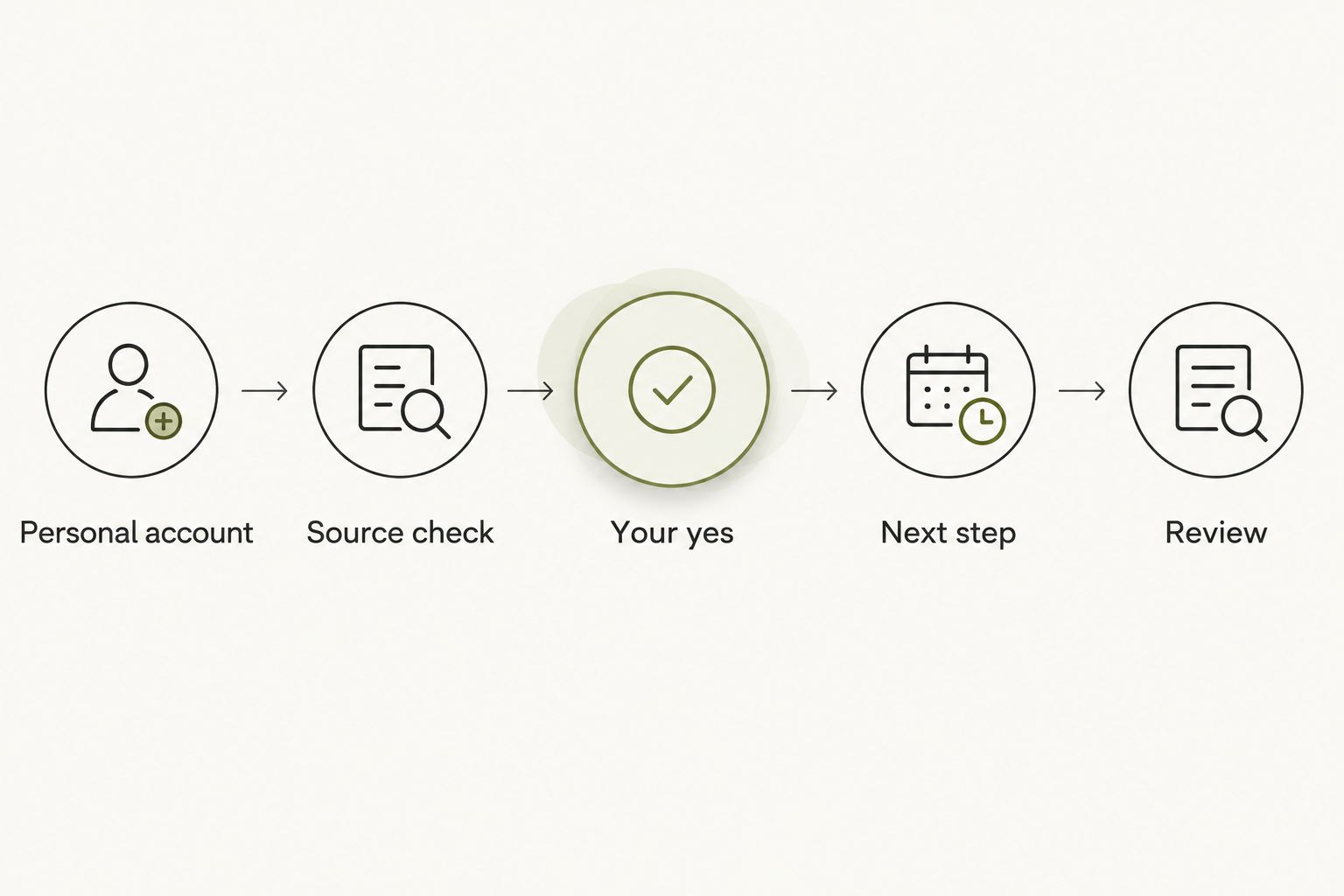
The workflow stays simple: Personal account, Source check, Your yes, Next step, Review. Each stage answers a different question. What happened? What is confirmed? What do you choose? What will you do? Was it useful?
Options for event planners
Choose the format that fits the job. A notebook supports deliberate written notes. A voice note lets you talk it through in your own words. An approved event record holds the instructions your team needs. A reflective wearable serves a different purpose again.
For a 2026 purchase decision, compare confirmed functions rather than product-category expectations. Preorder status is not proof that a capability is ready to use. Check the current product information before depending on any function during an event.
| Option | Best for | Main advantage | Key limitation |
|---|---|---|---|
| Notebook or written phone note | Planners testing a personal review routine | You choose exactly what to write and revisit | You must return to the note and decide what matters |
| Personal voice note | Planners who prefer to talk through their own account | You can describe the uncertainty in your own words | A recording still needs review; it is not an approved instruction |
| Approved event record | Teams coordinating confirmed decisions | It keeps agreed instructions in the team's chosen place | It serves coordination, not necessarily personal reflection |
| Moonshot | Planners seeking a question back about their own day | It hears you out and helps you choose a next step | The supplied description does not establish event-management functions; it is offered for preorder |
Keep the event record authoritative and the reflection personal. These options are not substitutes for one another. Use the simplest method that serves the task, and add a wearable only when its confirmed purpose fits a need you have already identified.
Common mistakes event planners make
Treating a remembered preference as an instruction
A client's passing comment can inform a follow-up question without becoming a production decision. Check what was approved before changing the plan. Personal reflection should help you spot the need for confirmation, not bypass it.
Capturing the room instead of your question
A supplier briefing can contain details unrelated to your personal review. Start with your own account afterward. If capturing other people is necessary, establish permission and scope first rather than recording broadly and sorting it out later.
Expecting a wearable to become the event record
A device that helps you reflect does not automatically provide approved schedules, shared ownership, or version control. Assess those requirements separately. Keep the team's working record in the system chosen for that purpose.
Turning every observation into a task
Not every detail deserves follow-through. You can notice that a conversation felt rushed without creating another obligation. Choose the next step because it matters to the event or to you, not because information was captured.
FAQ
What's the best way to use AI wearables for event planners?
Use a wearable for a bounded personal reflection task, not as the authoritative event record. Start by talking through your own account, checking uncertain details, and choosing one next step.
Is Moonshot suitable for an event planner?
Moonshot fits an event planner seeking personal reflection and a good question back. Its stated purpose does not establish event-management integrations or team-record functions.
Should I record client meetings with a wearable?
Do not begin capturing a client meeting without establishing permission and checking the applicable rules. Describing your own experience afterward is a separate use case and still requires care with confidential details.
Is a wearable better than a notebook for planning events?
A wearable is not automatically better than a notebook. Written notes suit deliberate review, while a reflective wearable fits someone who wants to talk it through and receive a question back.
Can Moonshot call suppliers or make payments?
Moonshot makes no calls and moves no money. You choose the next step, and each one requires your yes.
What should I check before preordering a wearable in 2026?
Check the current product description, capture controls, information handling terms, and confirmed functions. Separate planned capabilities from shipped ones before relying on a device for any event-related task.
How do I know whether a wearable is helping?
Judge whether the routine helps you choose and complete a relevant next step. Review the actual notes and outcomes rather than the amount of information captured.
One last thing
The most useful detail is sometimes the question you did not answer. Before your next site visit, write down what still needs confirmation from the last one. Bring that question, not a larger pile of notes.
That is a practical way to learn from your own life in 2026. Choose what deserves your attention, check what is true, and show up for the next step you agreed to take.


