 moonshot
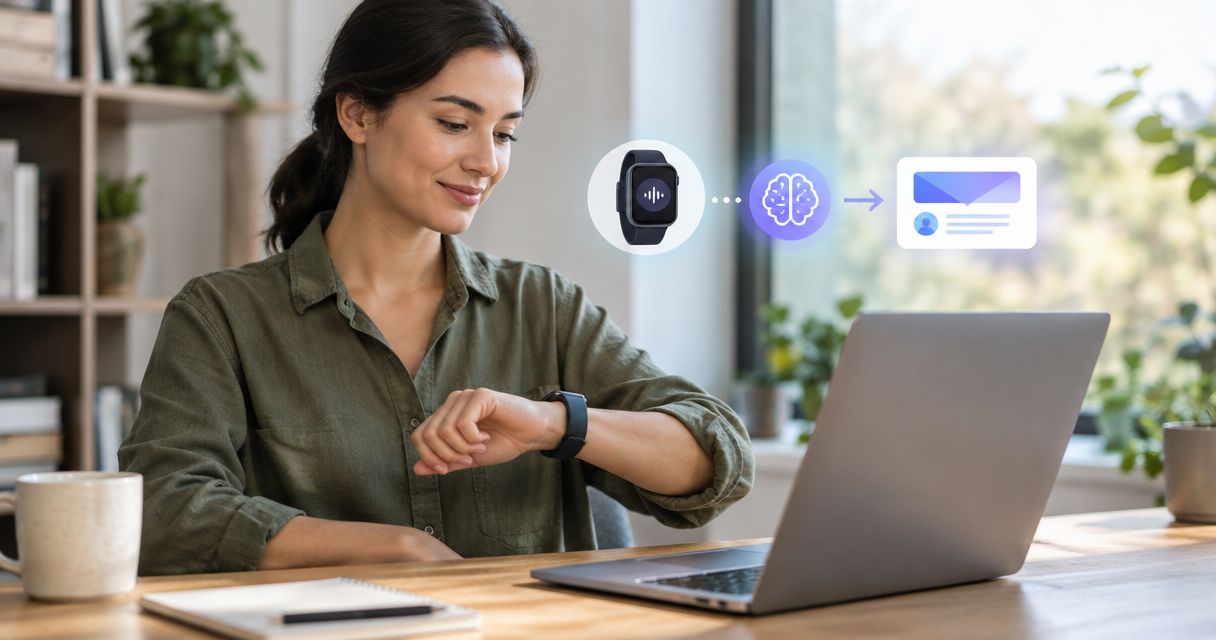
Instead of manually reconstructing a meeting before every follow-up, use a permission-based workflow that turns a usable meeting note into an email draft you check before sending. Start with what was actually said, separate suggestions from commitments, and keep the next step subject to your yes.
- To draft follow-up emails from ai wearable meetings, use approved meeting notes and review every commitment before sending.
- Moonshot hears you out; email drafting and inbox connections are separate capabilities to verify.
- Keep captured conversation, public sources, and your interpretation separate in meeting summaries.
- A draft is not permission to send. Approve the recipient, wording, and next step separately.
Why this matters
A useful follow-up lets someone recognize the conversation and understand what happens next. It should not turn an idea into a promise or make a tentative date look settled. The most important check is whether the email says something the meeting did not.
Moonshot is a wearable for people who want to talk it through and learn from your own life. It hears you out and asks a good question back. That is different from establishing an email connection or sending a message in your name; treat those as separate decisions, not implied features.
Meet Moonshot for its stated product offering. The workflow below explains how to prepare and review a meeting follow-up without assuming a particular export format, inbox connection, or automatic drafting feature.
For your 2026 workflow, define success narrowly: a draft that accurately reflects one meeting and gives you a clear approval point. A polished paragraph is not enough if the recipient, responsibility, or timing is wrong.
Before you start
- A permitted source: Use meeting material you are authorized to capture and reuse. Tell participants about recording or transcription, obtain the permissions required for the situation, and respect requests to stop.
- A drafting destination: Have access to your email account and a place to review the draft. If you use a separate writing tool, check whether the meeting material is appropriate to share with that tool.
- A source-to-draft check: Confirm that the meeting material can actually reach your chosen drafting process. A wearable is not automatically an inbox integration; verify transfer, account access, and approval controls before building around them.
Decide what stays out before you start. A personal aside can help you understand a conversation without belonging in the follow-up. Permission to capture a meeting does not make every detail suitable for another audience.
Best for: People who already have a permitted meeting note and want a repeatable review process. Limit: This guide does not establish a product-specific automatic email connection.
Meeting source
The first configuration unit is the source itself. Before drafting, establish which material belongs to this meeting and what it proves.
- Choose one meeting. Keep its notes separate from earlier conversations, unrelated messages, and material found elsewhere.
- Identify the source. Mark whether each relevant point came from a captured conversation, your written recollection, or a public source.
- Preserve uncertainty. Keep tentative language tentative. A discussion about a possible introduction is not an agreement to make it.
- Remove unnecessary personal detail. Include only the information needed to explain the follow-up.
- Check attribution. If you cannot establish who offered to do something, leave ownership unresolved rather than assigning it.
Expected result: You have a meeting-specific note whose origin and limits are clear. You can point to the material supporting each proposed statement.
For example, imagine a meeting about a short project outline. The conversation includes an offer to share a draft, a question about scope, and a possible review date. Those are different kinds of information. The offer supports an action; the question remains open; the date needs its own confirmation.
A public article mentioned during that meeting is another source, not another participant. Do not let a drafting tool present the article's claim as something everyone agreed with. If the follow-up needs the article, identify it separately and check the claim before including it.
Draft instructions
Once the source is ready, define what the draft should do. This instruction belongs in your chosen writing process; it is not a claim about a particular product's controls.
- State the purpose. Ask for a follow-up email based only on the supplied meeting material.
- Set the boundaries. Require the draft to preserve uncertainty and leave unsupported commitments out.
- Name the audience. Identify the intended recipient yourself. Do not ask the drafting process to guess from a first name in the notes.
- Define the next step. Include an agreed action, or ask a question when the action is unresolved.
- Keep delivery separate. Request draft text for review, not an instruction to send.
Use this instruction as a starting point:
Create a follow-up email using only the meeting note below. Summarize the agreed point briefly. Include responsibilities and dates only when the note explicitly establishes them. Do not turn suggestions into commitments. Keep public-source information separate from the conversation. Flag unresolved details outside the email. Return a draft for my review; do not send it.
Expected result: You receive a draft and a separate set of unresolved details, rather than confident wording that conceals gaps.
For a short exchange, try a 3-sentence draft: acknowledge the conversation, state the agreed point, and give the next step. This is a writing constraint, not a performance claim. Expand it when the recipient needs context; shorten it when the meeting settled only a single question.
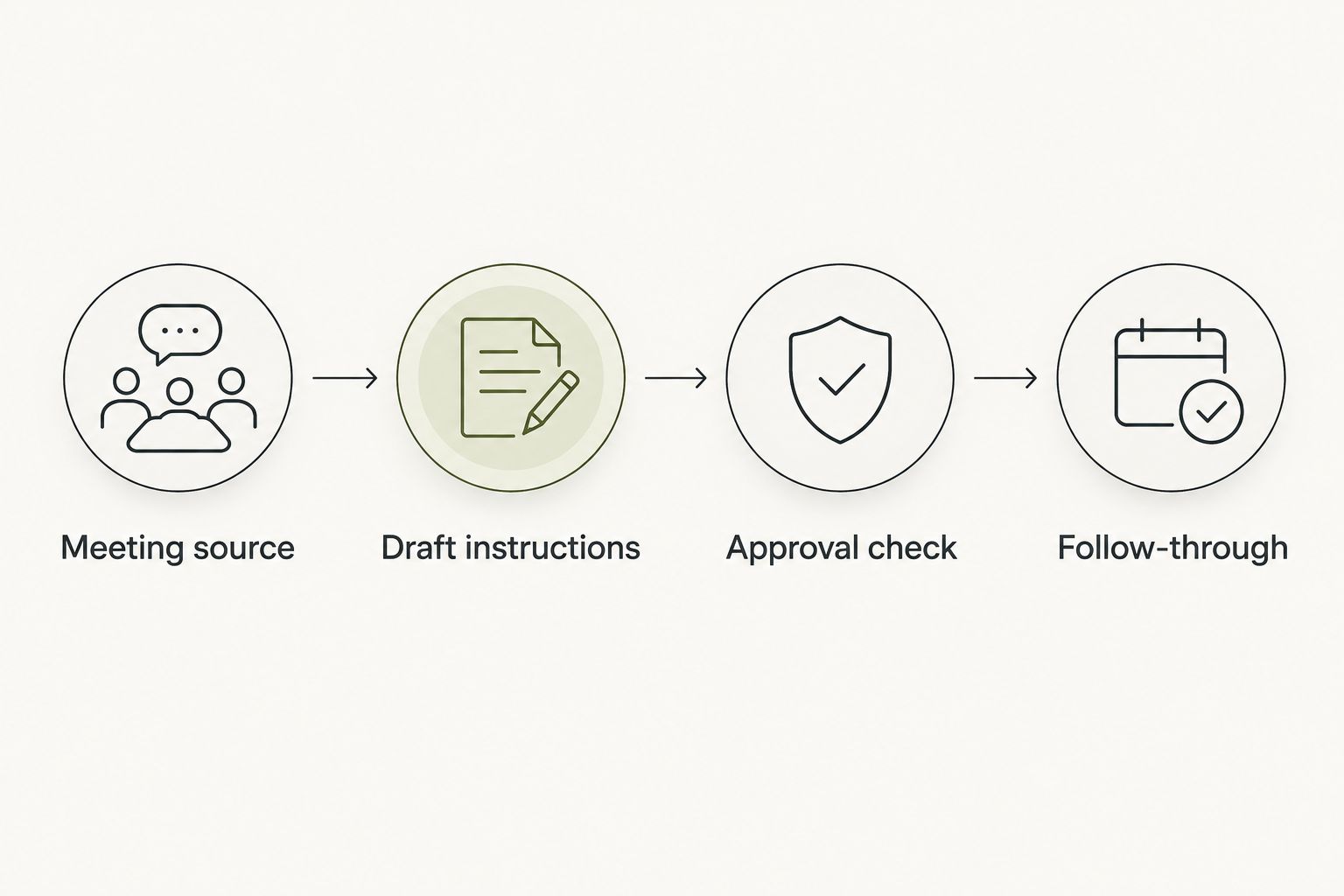
Approval check
Approval means more than liking the tone. Check whether the draft accurately represents your intent and the other person's words.
- Verify the recipient. Check the full address and every copied recipient. Similar names are not enough.
- Compare commitments with the source. Locate support for each responsibility, deadline, and promised attachment.
- Read the uncertainty aloud. Make sure proposed work still sounds proposed. Remove language that implies agreement where none exists.
- Check attachments separately. A sentence promising an attached outline does not establish that the correct document is attached.
- Give your yes to the final version. Approve the wording and destination together. If either changes, check again before sending.
Expected result: The reviewed email says what you intend, goes to the intended audience, and contains no unsupported promises.
Consider this illustrative draft for a meeting in June 2026:
Subject: Project outline follow-up — June 2026
Thanks for talking through the outline. I’ll share the draft we discussed, with the scope question marked for review. Would you confirm the review date before I add it to the plan?
That wording fits only if the meeting established your offer to share the draft. If no one agreed to share anything, change the message to a question. Do not retain a commitment just because it makes the email sound more complete.
Your approval must apply to the actual message, not merely the idea of following up. A correct summary can still have the wrong recipient or an attachment that should not leave your organization.
A corrected-note workflow
Sometimes the useful second workflow is not drafting after another meeting. It is revising a draft after the original note changes.
A corrected name, responsibility, or date changes the basis of the email. Treat that as a fresh review event, even when most of the wording stays the same.
| Workflow | Best for | Advantage | Limitation |
|---|---|---|---|
| Draft after meeting | An initial follow-up from a checked note | Keeps the email tied to a defined source | Errors in the note still require your review |
| Revise after correction | A note with corrected commitments or details | Lets you align an unsent draft with the correction | Earlier approval no longer covers changed wording |
- Identify the correction. Record which source detail changed and why.
- Replace the working source. Keep the corrected note distinct from the earlier version.
- Revise the unsent draft. Remove wording that depends on the superseded detail.
- Repeat the approval check. Recheck recipients, commitments, and attachments before sending.
Expected result: The unsent email reflects the corrected source without carrying forward the old commitment.
If you already sent the email, revising a local draft does not correct what the recipient received. Decide whether a separate correction is needed, and approve that message on its own. Do not quietly treat a changed note as a changed conversation.
For a 2026 meeting record, use the actual meeting date and a clear correction note. The purpose is traceability: you should know which version supported the message you approved.
Troubleshooting
The draft invents a deadline
Remove the deadline and check whether the meeting established one. If timing remains open, ask the recipient to confirm it rather than substituting a plausible date.
Add an explicit drafting instruction: include dates only when supported by the source. Check relative wording such as next Friday against the actual meeting date before sending.
The wrong person receives an action
Return to the source and verify who made the commitment. Do not infer ownership from job title, speaking order, or who appeared most interested.
If ownership is unresolved, make it a question. A follow-up can ask who will prepare the outline without assigning the work to someone who never accepted it.
A private aside appears in the email
Remove the aside from the draft and from any unnecessary drafting input. Then review the rest of the message for indirect references that still reveal it.
Separate capture permission from sharing permission. Someone agreeing to a meeting record does not mean their personal circumstances belong in a message to the wider group.
The source cannot reach the drafting process
Check the supported transfer method before changing account permissions. Do not grant broader access just to work around an unclear connection.
Where permitted, you can prepare a short written note yourself and use that as the drafting source. Keep that recollection labeled as your account, not a verbatim conversation record.
A revision reintroduces an old commitment
Start from the corrected source and identify the obsolete statement explicitly. Check the entire draft, including the subject line and closing sentence.
Then repeat approval. A previous yes does not cover a revised deadline, a different recipient, or a newly added attachment.
Customize your workflow
Make the workflow useful by changing the review questions, not by granting more access than the task needs. A project discussion needs a commitment check. A sensitive conversation needs a stricter decision about what belongs in writing at all.
Keep your reusable 2026 drafting instruction separate from meeting-specific content. The instruction can stay consistent while recipients, permissions, and commitments change each time. Review it when your process changes rather than assuming an old instruction still fits.
Moonshot's invitation to learn from your own life starts with your priorities. Say it once, then choose what deserves follow-through. In this workflow, that choice becomes a practical boundary: which point should become a message, and which should remain outside it?
Do not turn every captured thought into an outgoing task. Sometimes the useful next step is to clarify what you meant before asking someone else to act. You can show up to the next conversation with a better question instead of another email.
FAQ
How do I draft follow-up emails from wearable meeting notes?
Start with a permitted meeting note, request a draft based only on that source, and review it before sending. Check the recipient, every commitment, and any attachment separately.
Does Moonshot automatically draft and send meeting follow-ups?
Do not assume automatic email drafting or sending from Moonshot's stated wearable purpose. Verify drafting, transfer, and inbox capabilities separately; nothing should go out in your name without your yes.
What should a meeting follow-up email include?
Include the relevant agreed point and the next step supported by the meeting. Add responsibilities and dates only when the source establishes them; ask a question when they remain unresolved.
Can I use a captured conversation without telling the participants?
Do not build this workflow around undisclosed capture. Tell participants about recording or transcription, obtain the permissions required for the situation, and respect requests to stop.
What if my meeting note has no agreed next step?
Ask a clarifying question instead of inventing a commitment. The follow-up can establish who owns an action or whether a proposed date works.
Should a corrected meeting note update an approved email draft?
A corrected source should trigger another review of an unsent draft. Earlier approval does not cover changed commitments, recipients, or attachments.
Can public information go into a meeting follow-up?
Yes, when it is relevant and checked, but identify it separately from the captured conversation. Do not present a public-source claim as something the participants said or agreed.
One last thing
The sentence most worth checking is often the smallest promise: I'll send it. Before that line leaves your draft, confirm that you mean it and know what it refers to.
For your next meeting in 2026, choose 1 follow-up that deserves your attention. Let the draft help you express that choice. Keep the choice itself yours.


