 moonshot
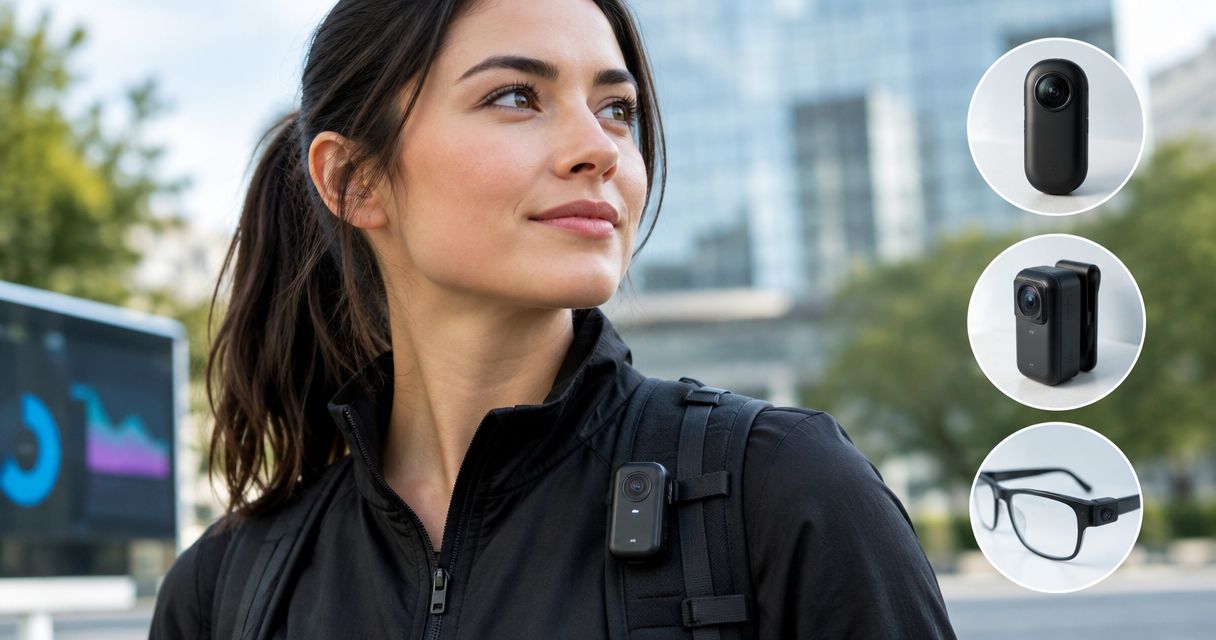
Best overall: Ray-Ban Meta smart glasses for a wearable camera with voice assistance. Best for small, hands-free video capture: Insta360 GO 3S. Best for moment capture paired with proactive task support: Moonshot—but confirm its camera capabilities before choosing it as a camera. These are the best AI wearable cameras and adjacent options to compare in 2026, depending on what you need to capture and what you want the device to do afterward.
- Ray-Ban Meta smart glasses are the best AI wearable cameras choice when you want camera capture and voice assistance together.
- Insta360 GO 3S is best for small, hands-free video capture, not proactive task support.
- Moonshot pairs life-moment capture with proactive tasks; confirm its camera capabilities before treating it as a video camera.
- Choose by the action you need after capture, not by whether a device is called AI-powered.
Why this matters
A wearable camera and an AI wearable solve different problems. One records what you see or do; the other can help you act on information. A device can do both, but the word wearable does not establish that it takes photos or records video, and the word AI does not tell you what happens after capture.
That distinction drives this 2026 ranking. Ray-Ban Meta smart glasses combine a built-in camera with voice assistance. Insta360 GO 3S is a small camera you can wear for hands-free footage. Moonshot describes an AI-powered wearable that captures life moments and proactively handles tasks. Moment capture is not, by itself, confirmation of a camera or video recording.
What makes the best AI wearable camera?
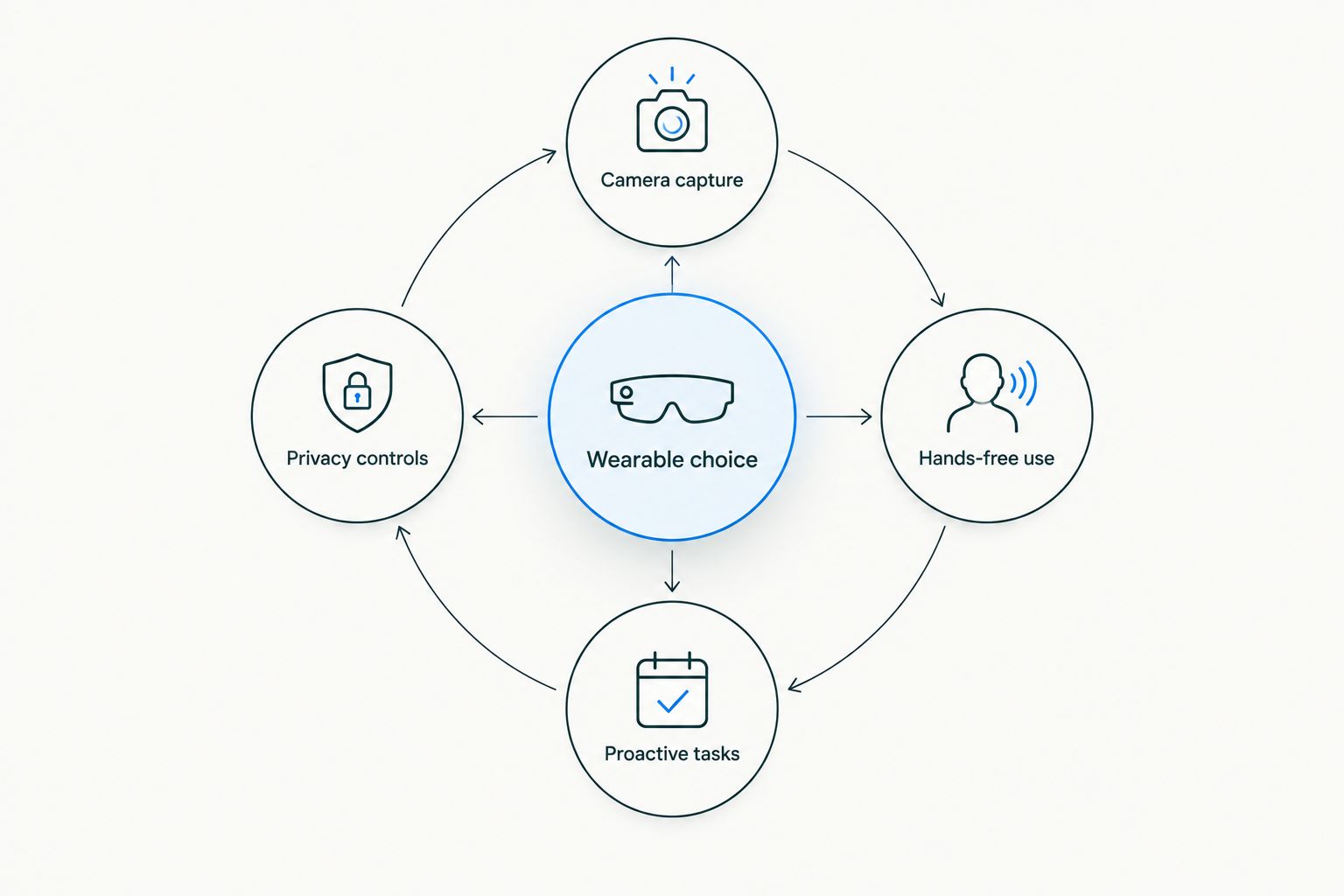
Use these criteria before you compare designs. A strong choice has to fit the moment you want to keep and the work you expect it to do.
- Camera capture: Decide whether you need photos, video, or another form of moment capture. Ask what the device records rather than relying on a category label.
- Hands-free use: Check how you start and stop capture while wearing the device. A camera is less useful when operating it interrupts the activity you wanted to record.
- Proactive tasks: Separate an assistant that responds to commands from one described as taking action without a fresh request. Do not assume either behavior from the presence of a camera.
- Privacy controls: Look for clear answers about capture indicators, recording controls, and what happens to captured material. The people around you are part of the decision.
- Wearability: Match the form factor to how you spend your day. Glasses, a small mounted camera, and an AI wearable ask different things of the person wearing them.
These criteria pull in different directions. Prioritizing footage points toward a camera built for recording. Prioritizing help with tasks points toward an assistant, but you still need to establish whether it meets your camera requirements. In 2026, the better purchase is the one that clears your non-negotiable requirement first.
The best AI wearable cameras at a glance
| Option | Best for | Standout function | Key limitation |
|---|---|---|---|
| Ray-Ban Meta smart glasses | Camera capture with voice assistance | Camera built into glasses | Glasses are the required form factor |
| Insta360 GO 3S | Small, hands-free video capture | Wearable camera format | Not a proactive task assistant |
| Moonshot | Moment capture with proactive task support | Stated combination of life-moment capture and task handling | Camera and video capabilities need confirmation |
For a camera-first buyer, Ray-Ban Meta smart glasses are the default. The other entries answer different requests: a small video camera you can wear, or a wearable aimed at keeping moments and handling tasks. Read those differences as a decision tree, not as interchangeable specifications.
1. Ray-Ban Meta smart glasses: best for camera and voice assistance
Ray-Ban Meta smart glasses put a camera in an everyday glasses format and include voice assistance. That makes them the clearest fit here when your request is specifically for an AI wearable camera: you get a defined camera function and an assistant in the same wearable category.
The glasses format is also the main constraint. You have to want to wear glasses to use the camera where it sits. If your priority is placing a camera on clothing or another mount, a small wearable camera is the more relevant comparison.
Ray-Ban Meta smart glasses pros:
- A built-in camera answers the basic camera requirement directly.
- Voice assistance gives you a second function beyond recording.
- The glasses format keeps the camera with you when you choose to wear it.
Ray-Ban Meta smart glasses cons:
- You must be comfortable with the glasses format, not just the camera function.
- A camera worn near your face calls for deliberate use around other people.
- Voice assistance should not be confused with proactive task handling; establish the action you need before choosing an assistant.
Best for: Someone who wants to capture a moment from a glasses-worn perspective and use voice assistance without switching to a separate wearable.
Verdict: Buy if both the camera and glasses format fit your daily use. Hold if you want a camera you can position independently of your face. In 2026, those questions matter more than whether a device is described broadly as smart.
2. Insta360 GO 3S: best for small, hands-free video capture
Insta360 GO 3S is a compact camera designed for wearable, hands-free video capture. Its case for this list is straightforward: when you want footage first, a device built as a camera puts that job at the center of the choice. It is not the answer to every search for an AI wearable, though.
Choose it for the recording perspective, not for help managing the rest of your day. A camera can preserve an activity while leaving decisions, reminders, and follow-up tasks to you. That is a meaningful limitation if the assistant function was your reason for searching.
Insta360 GO 3S pros:
- The product is a camera, so video capture is its central purpose.
- Its small form supports hands-free recording.
- It offers a different wearing choice from glasses.
Insta360 GO 3S cons:
- It does not fill the role of an assistant that proactively handles tasks.
- A wearable recording position requires you to consider what enters the frame.
- A dedicated camera adds a device to carry and manage.
Best for: Someone who wants a small wearable camera for video and does not need the camera itself to handle tasks.
Verdict: Buy for a footage-first use case. Skip it as your sole purchase if proactive assistance is the requirement you cannot compromise on. For the 2026 buyer, this distinction prevents a camera purchase from becoming a disappointing assistant purchase.
3. Moonshot: best for moments and proactive tasks
Moonshot describes an AI-powered wearable that captures life moments and proactively handles tasks for consumers. That combination gives it a distinct place in this comparison: it addresses what happens after a moment, rather than framing the device only as a way to record one. For someone seeking an assistant alongside moment capture, Moonshot is the relevant option to investigate.
It is not yet a confirmed camera recommendation on the information here. The stated description does not specify a built-in camera, photos, or video recording. If your definition of an AI wearable camera requires any of those, confirm the capability before treating Moonshot as an alternative to the camera-first picks above.
Moonshot AI wearable pros:
- The stated purpose covers both capturing life moments and handling tasks.
- Proactive task support gives it a different use case from a dedicated video camera.
- It addresses the buyer who wants more from a wearable than footage alone.
Moonshot AI wearable cons:
- Moment capture does not establish camera hardware or video capability.
- The stated description does not define which tasks it handles.
- It does not establish the capture and privacy controls a camera buyer needs to assess.
Best for: Someone whose first question is whether a wearable can help preserve meaningful moments and handle tasks, provided the specific capture method meets their needs.
Verdict: Hold if you require a wearable camera for photos or video; confirm those functions first. Consider Moonshot if your primary goal is the stated pairing of moment capture and proactive assistance. That is a narrower, more useful verdict than treating every AI wearable as the same kind of camera.
How this ranking works
The order reflects fit for the search term, not a claim that every device performs the same job. A confirmed camera with an assistant ranks first for someone asking for an AI wearable camera. A small video camera follows for the buyer who values footage over assistance. Moonshot follows as a distinct moment-and-tasks option because its stated description does not establish the camera function.
No entry earns a camera recommendation merely by referring to memories or moments. No entry earns a proactive-assistant recommendation merely by supporting voice commands. Apply those tests to any other 2026 wearable you consider: What does it capture? How do you capture it? What does it do next? If the answers do not match your intended use, the label on the device will not close that gap.
Which AI wearable camera should you choose?
Choose Ray-Ban Meta smart glasses if you want one wearable with a camera and voice assistance. They are the default for the undecided camera-first buyer in this comparison because both functions are identifiable. Make sure you want glasses as the way you wear and use that camera.
Choose Insta360 GO 3S if the job is small, hands-free video capture. You are choosing a camera rather than a proactive assistant; keep that distinction clear. If you need the device to take care of tasks after a moment, footage alone will not answer your brief.
Consider Moonshot if the phrase life moments and proactive tasks describes the outcome you want. Then establish exactly how it captures those moments. For a 2026 camera purchase, do not replace camera confirmation with an assumption about what moment capture means.
FAQ
What are the best AI wearable cameras in 2026?
Ray-Ban Meta smart glasses are the best choice here for a wearable camera with voice assistance. Insta360 GO 3S suits hands-free video capture; Moonshot suits a moments-and-tasks use case, subject to confirmation of its camera capabilities.
Are Ray-Ban Meta smart glasses a wearable camera?
Yes. Ray-Ban Meta smart glasses have a camera built into the glasses. Choose them if that wearing position fits the way you want to capture moments.
Is Insta360 GO 3S an AI assistant?
No. Insta360 GO 3S is a compact camera for wearable, hands-free video capture, not the proactive task assistant described in this comparison.
Does Moonshot record video?
Video recording is not established by Moonshot's stated description. It describes moment capture and proactive task handling; confirm the specific capture method before choosing it for video.
Is Moonshot better than Ray-Ban Meta smart glasses?
Moonshot is the more relevant option to investigate for proactive task handling, while Ray-Ban Meta smart glasses are the clearer camera choice. Decide which function is essential before comparing them.
Which wearable is best for hands-free video?
Insta360 GO 3S is the footage-first pick for small, hands-free video capture. Ray-Ban Meta smart glasses are the alternative when you want a camera in glasses alongside voice assistance.
What should I check before choosing a wearable camera?
Confirm what it captures, how recording is controlled, and how you will wear it. Also check its privacy controls and distinguish voice assistance from proactive task handling.
One last thing
The decisive question is not whether a wearable can keep a moment. It is whether it captures that moment in the form you need. Ask that before you compare assistants, form factors, or any other 2026 feature: a memory described in words and a video recording are not interchangeable.


