 moonshot
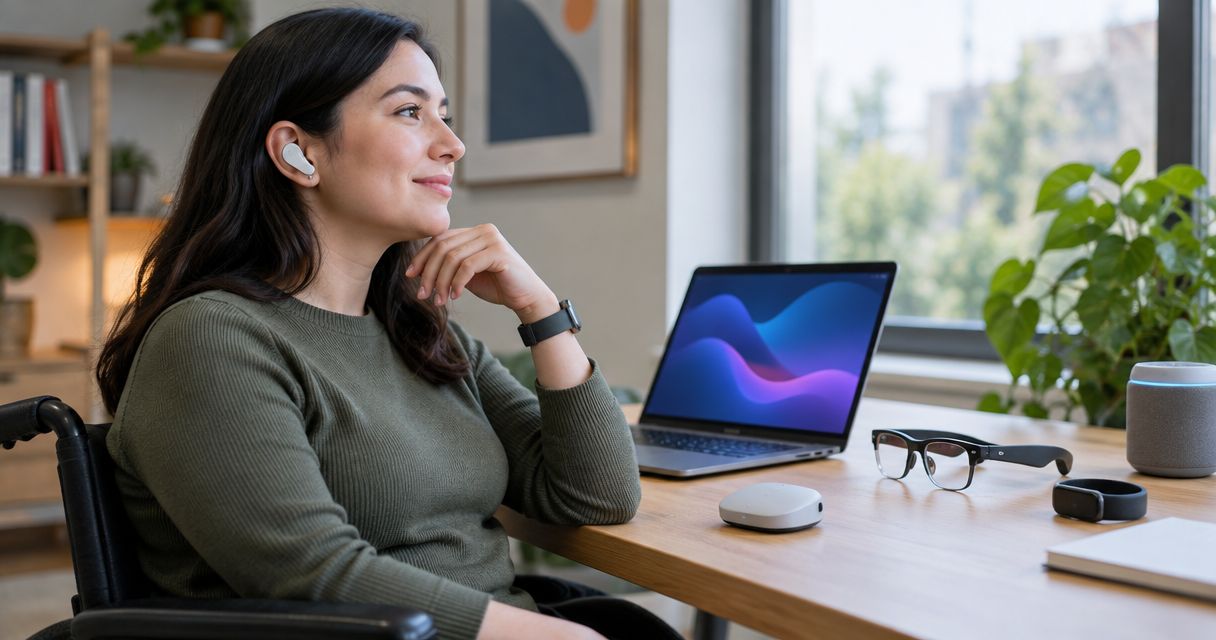
Best overall: a wearable matched to your specific access need. Best for hearing access: hearing aids. Best for hands-free visual information: accessibility-focused smart glasses. Best for talking through a next step: Moonshot. The best AI wearables for accessibility in 2026 are not interchangeable; choose the task first, then the device.
- The best AI wearables for accessibility address a specific barrier, not the broadest feature list.
- Hearing aids and visual-access glasses serve different needs; neither replaces the other.
- Moonshot is best for talking through a next step, not as a substitute for dedicated access equipment.
- Check accessible controls, source permissions, and the exact functions shipping before you choose.
Why this matters
A wearable can make one activity easier while making another harder. Hands-free use does not guarantee accessible setup. Spoken output does not help everyone, and a small touch surface can become its own obstacle.
For an accessibility purchase in 2026, begin with a concrete scene. You want to follow a conversation at dinner, read a printed notice, receive a directional cue, or act on an idea you said earlier. Those are different jobs.
Treat the word AI as a description of how a function works, not proof that the function suits you. Some established assistive wearables belong in this comparison even when their useful feature does not depend on it.
What makes the best wearable for accessibility
Use these criteria before considering a product's broader promises:
- Task fit: Name the activity you want to make accessible. Reading a label and following speech require different support.
- Accessible input: Check whether you can start, stop, correct, and dismiss the device using an input you can use consistently.
- Usable output: Choose sound, text, vibration, or another output according to your own access needs.
- Source clarity: Distinguish a captured conversation from a public source, and a stated fact from an inference.
- Permission control: Choose priorities yourself and grant each source separately. Nothing should go out in your name without your yes.
- Current function: Separate what ships from what is planned. A demonstration is not a substitute for a working task.
Judge the device at the point where you need it, not only at the point where you can configure it. If setup requires help, establish whether everyday use still gives you the control you want.
Accessibility wearables at a glance
The order below follows distinct use cases, not a claim that one category outperforms every other category. Each option has a different job.
| Option | Best for | Standout function to check | Key limitation |
|---|---|---|---|
| Hearing aids | Access to speech and environmental sound | Hearing support matched to your needs | Do not provide visual information or physical controls |
| Visual-access smart glasses | Hands-free access to printed or visual information | A supported reading or description function | Generated descriptions require verification when accuracy matters |
| Haptic navigation wearables | Receiving directional cues through touch | Distinct, understandable vibration cues | Directional cues do not establish that a route is safe |
| Wearable switches and controls | Operating a paired device through a usable physical input | A press or movement you can perform consistently | Compatibility and setup determine what you can control |
| Moonshot | Talking through something you want to act on | Hears you out and asks a good question back | Does not replace dedicated hearing, vision, or mobility equipment |
1. Hearing aids: best wearables for hearing access
Hearing aids are the first category to consider when your main barrier is hearing speech or other sounds. They amplify and process sound; suitability depends on your hearing needs and the particular device.
Start with the conversation you want to hear. A quiet room and a busy restaurant place different demands on hearing support. A feature label alone does not tell you whether speech becomes usable in either setting.
Hearing aid pros:
- Address hearing access directly rather than through a general-purpose wearable.
- Leave your hands available during conversation.
- Support an assessment centered on your hearing needs.
Hearing aid cons:
- Hearing support does not resolve every difficulty understanding speech.
- Fit, controls, and maintenance need to work for you, not only for the person setting them up.
- Hearing aids do not read printed material or identify obstacles.
For your 2026 shortlist, ask about the exact listening situation you want to improve. Check whether you can adjust the device, recognize its status, and handle its care routine.
Best for: People whose primary access need concerns hearing speech and sound.
Verdict: Buy for hearing access after appropriate assessment and a practical fit check; skip as a solution to unrelated access needs.
2. Visual-access smart glasses: best wearables for visual information
Accessibility-focused smart glasses are a category to investigate when you want hands-free access to text or visual descriptions. Choose a device with an explicitly supported function for your task; do not assume all smart glasses provide reading or description features.
Printed text and an interpreted scene are different outputs. Reading a notice calls for the words on the notice. Describing a scene involves interpretation, which needs a different standard of checking.
Visual-access smart glasses pros:
- Put a supported visual-access function in a hands-free format.
- Let you assess reading and scene description as separate tasks.
- Offer an alternative to holding a device when that movement is difficult.
Visual-access smart glasses cons:
- Descriptions can contain errors or omit relevant details.
- A device with visual input needs clear capture controls and permission boundaries.
- Audio-only output does not suit every reader.
Ask how you stop capture, repeat an answer, and correct a misunderstanding. Check those actions yourself. Do not use an interpreted description as the sole basis for crossing a road, identifying medicine, or another safety-critical decision.
Best for: People seeking a supported hands-free way to access printed text or non-critical visual information.
Verdict: Buy only when the specific reading or description task works for you; skip models that leave input or output inaccessible.
3. Haptic navigation wearables: best wearables for tactile directions
Haptic navigation wearables communicate cues through vibration or touch. Consider this category when tactile directions suit you better than repeatedly checking a screen or listening to spoken instructions.
The essential question is not whether the wearable vibrates. It is whether you can distinguish its cues and understand what action each cue requests while moving.
Haptic navigation wearable pros:
- Provide a tactile output channel.
- Let you assess directions without relying solely on a visible screen.
- Keep navigation cues distinct from spoken conversation when the design supports that use.
Haptic navigation wearable cons:
- Cues are useful only if you can feel and distinguish them reliably.
- Route guidance does not establish that a crossing, surface, or obstacle is safe.
- Pairing and route entry introduce additional access requirements.
Check the complete route process: selecting a destination, starting guidance, recognizing a turn, and stopping. A tactile cue at the end cannot repair an inaccessible setup at the beginning.
Use familiar surroundings for an initial check. Keep the mobility techniques and equipment you already rely on; do not treat a navigation wearable as their automatic replacement.
Best for: People who want understandable tactile directions alongside their existing mobility practices.
Verdict: Buy when the cues and route controls are usable; skip if the vibration language is difficult to distinguish.
4. Wearable switches: best wearables for accessible physical control
Wearable switches and controls are worth considering when the difficult part is operating another device. The useful feature is a physical input you can perform consistently, connected to an action you actually need.
Do not start with the number of functions. Start with the movement. A control that requires an awkward press does not become accessible because it can trigger many actions.
Wearable switch pros:
- Center the choice on a usable physical input.
- Allow a specific action to be assessed separately from a whole interface.
- Provide an alternative when a screen gesture is unsuitable.
Wearable switch cons:
- Supported actions depend on the paired device and its configuration.
- Placement, accidental activation, and repeated movement need practical checks.
- A working button does not make every connected application accessible.
Ask to try the complete action rather than the switch alone. Can you start it, confirm what happened, and recover from an accidental press? Recovery is part of accessibility, not a minor extra.
For a 2026 purchase, confirm compatibility with your current setup. A planned integration should remain outside your decision until it ships.
Best for: People who need an alternative physical input for a particular supported action.
Verdict: Buy when the movement and connected action both work; hold when compatibility remains unconfirmed.
5. Moonshot: best wearable for talking through a next step
You said earlier that you wanted to call a friend. Later, you talk it through and choose what you want to do about it. That is the kind of everyday follow-through this wearable is designed around, rather than hearing amplification, visual description, or navigation.
Moonshot hears you out, asks a good question back, and helps turn one thing into the next step, with your yes on each one. Moonshot is best for people who want a wearable to talk through a next step.
Moonshot pros:
- Gives talking something through a defined purpose: choosing a next step.
- Puts your yes between a suggestion and an action.
- Centers the experience on what you choose to notice and follow through on.
Moonshot cons:
- Is not a substitute for dedicated hearing, vision, or mobility equipment.
- Makes no calls and moves no money.
- Needs an input and output check against your particular access requirements before you commit.
The useful question is whether this interaction fits you. Do not infer accessible controls, captions, tactile output, or a particular way of asking back from the word wearable.
Best for: People who want to learn from your own life by talking through something specific and choosing what happens next.
Verdict: Hold until the current preorder details and interaction fit your access needs; skip if your main need is a dedicated assistive function.
How the categories are ranked
This guide ranks categories by their clearest use case. Hearing access comes first, followed by visual information, tactile directions, physical control, and reflection that leads to a chosen action.
The criteria are task fit, accessible input, usable output, source clarity, permission control, and current function. This is a selection framework, not a claim of hands-on product testing or a device-level performance ranking.
A practical access check
Use 3 everyday tasks to define your shortlist. Write them as actions: follow a conversation, read a notice, or operate a paired control. Choose tasks from your life, not from a demonstration script.
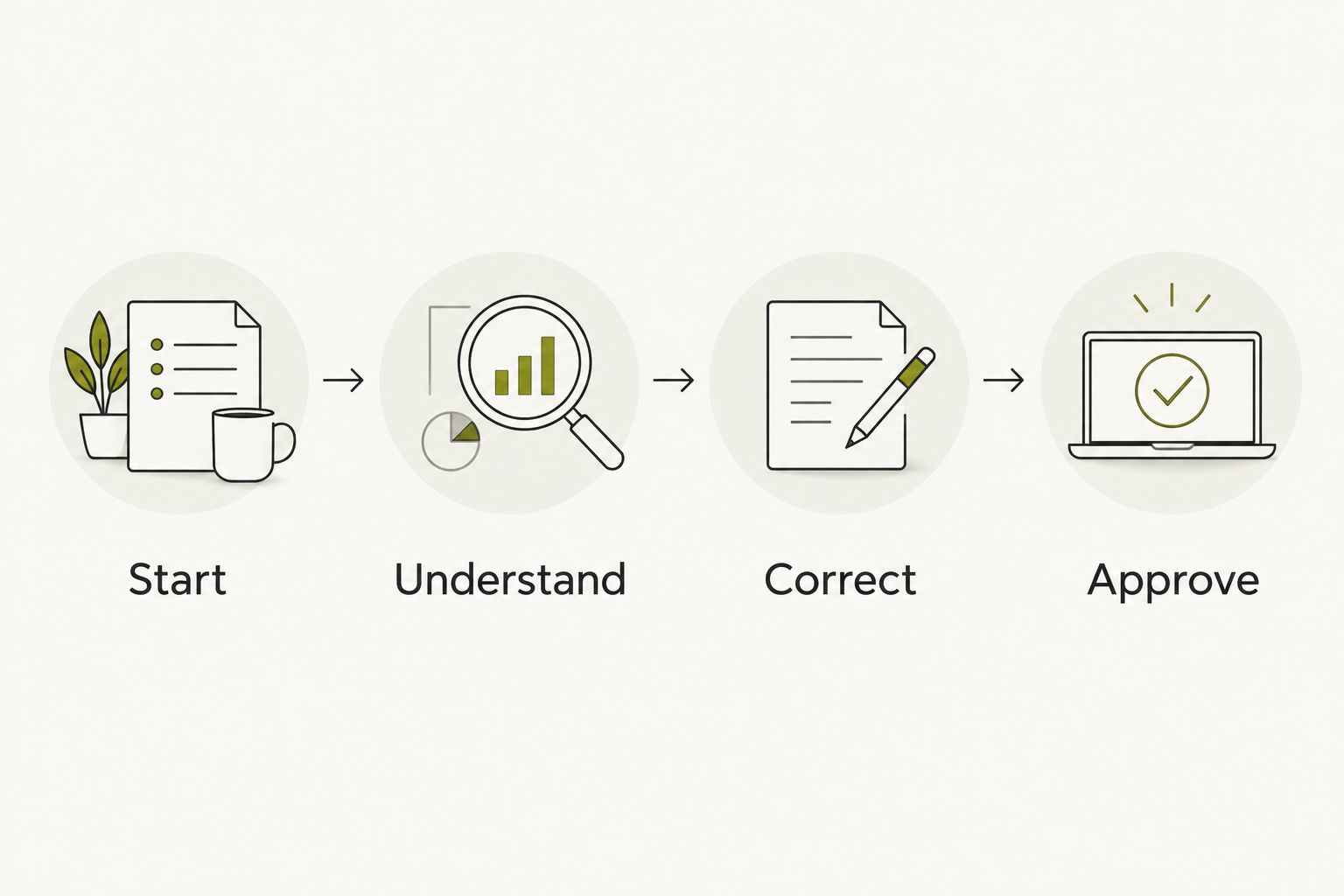
For each task, check the same sequence:
- Start: Can you begin without an inaccessible step?
- Understand: Can you perceive the output and distinguish a fact from an interpretation?
- Correct: Can you repeat, change, or stop what happens?
- Approve: Does an outward action wait for your yes?
Compare 2 input methods where the device supports alternatives. That is a practical check, not a requirement that every wearable offer two methods. Your reliable method matters more than the length of the options list.
Then choose 1 next step: investigate a device, arrange an appropriate assessment, or rule out a category. You do not need to settle every access need with one purchase.
Which accessibility wearable should you choose?
Choose the category that directly addresses your main barrier. Hearing aids belong on a hearing-access shortlist. Visual-access glasses belong on a reading or description shortlist. Tactile navigation and wearable controls serve different jobs again.
For 2026, exclude planned functions from the deciding comparison. Keep permission checks separate from convenience checks. A useful answer does not justify access to every source, and a suggested action does not authorize sending it.
If your goal is to talk through an idea and choose what to do, consider the reflection category. If your goal is to hear, read, navigate, or operate a device, start with equipment designed for that task.
FAQ
What's the best AI wearable for accessibility in 2026?
The best wearable is the one that addresses your specific access need with usable controls and output. Start with hearing, visual information, tactile directions, physical control, or reflection rather than treating all wearables as substitutes.
Are smart glasses better than hearing aids for accessibility?
Smart glasses and hearing aids address different tasks. Consider supported visual-access glasses for reading or descriptions and hearing aids for hearing access; choose according to the barrier you want to address.
Is Moonshot a replacement for dedicated accessibility equipment?
Moonshot is not a substitute for dedicated hearing, vision, or mobility equipment. It hears you out, asks a good question back, and helps you choose a next step with your yes.
Can I choose an accessibility wearable from a demonstration?
A demonstration alone is not enough to establish that a wearable fits your access needs. Check the exact shipping function and try starting, understanding, correcting, and stopping the task.
Do tactile navigation wearables tell me whether a route is safe?
Directional cues do not establish that a route is safe. Keep your existing mobility practices and assess whether you can distinguish the wearable's cues and use its route controls.
What should I check before preordering an accessibility wearable?
Check current functions, accessible setup, usable output, and control over permissions before preordering. Keep planned capabilities separate from the functions you are choosing today.
Does an accessibility wearable need access to all my sources?
Grant each source separately according to the task you choose. A captured conversation and a public source serve different purposes, and nothing should go out in your name without your yes.
One last thing
Try the stop control before the most impressive feature. If you cannot dismiss an answer, halt capture, or recover from an accidental input, the useful part of the device comes with a barrier of its own.
For your 2026 decision, bring one ordinary task to the evaluation. Pick the wearable that helps you do that task on your terms, then decide whether anything else earns a place.


