 moonshot
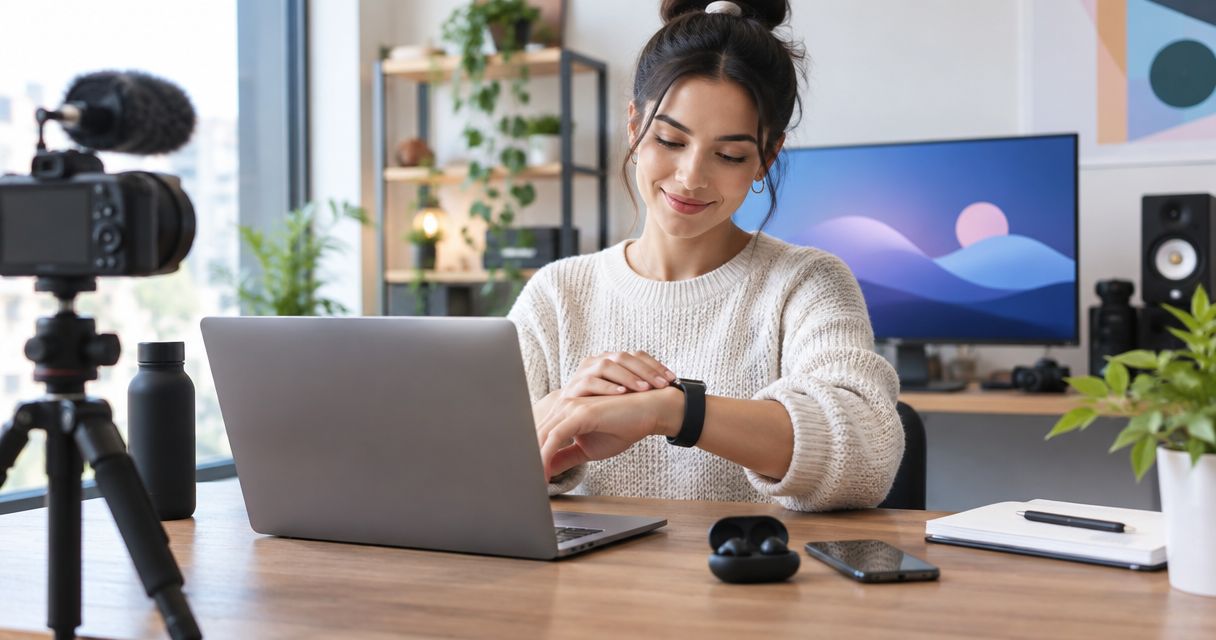
The best AI wearables for content creators depend on what you need to carry into the next moment: Moonshot for talking an idea through, camera wearables for first-person footage, and audio-recording wearables for spoken source material. This 2026 guide compares those choices by the work they support, not by how many features they promise.
- The best AI wearables for content creators start with a specific creative task, not a feature count.
- Moonshot is best for creators who want to talk an idea through and choose a next step.
- Camera wearables suit first-person footage; audio-recording wearables suit spoken source material.
- Confirm consent, usable output, and current capabilities before choosing a wearable.
Why this matters
A thought you captured earlier can help you choose an opening later. Footage serves a different purpose: it shows what happened. Pick the kind of material your next piece actually needs.
What makes the best creator wearable
- Useful output: Something your next piece needs.
- Capture fit: Reflection, spoken material, or footage.
- Consent: Clear permission before recording others.
- Control: You choose what happens next.
- Follow-through: A practical route from capture to use.
Creator wearables at a glance
| Option | Best for | Standout purpose | Key limitation |
|---|---|---|---|
| Moonshot | Talking an idea through | Hears you out and asks a good question back | Reflection still needs your editorial judgment |
| Camera wearables | First-person footage | Recording the view from the wearer | A fixed viewpoint limits framing choices |
| Audio-recording wearables | Spoken source material | Keeping spoken material for later review | Audio does not establish the visual scene |
The first row names a specific wearable. The remaining rows describe device categories, not named products with identical features. For a 2026 buying decision, confirm the actual device's output and operation rather than treating a category description as a specification.
1. Moonshot: best wearable for talking an idea through
You mentioned a small observation earlier: the useful part of a conversation happened after the formal questions ended. Later, you sit down to write. That observation gives you something concrete to talk through instead of starting with an empty page.
Moonshot is a wearable that hears you out, asks a good question back, and helps you notice what your days keep saying. Moonshot is best for content creators who want to talk an idea through and choose a next step.
That is a reflection use case, not a promise of a finished article. Your experience supplies the material. You decide whether it belongs in a piece, whether it needs checking, and whether it deserves another person's permission before publication.
Reflection pros
- Gives you a place to talk it through before committing to an angle.
- Uses a question to make you consider the thought, rather than treating the first version as final.
- Connects personal reflection to something you choose to do next.
- Fits the aim of learning from your own life without making every observation publishable.
Reflection cons
- A personal observation is not independent evidence for a public claim.
- A useful question does not finish the writing, filming, or editing.
- An idea drawn from someone else's conversation still requires care before you publish it.
Best for: A creator who has something to say but wants to understand the point before choosing the format.
The useful outcome is small and specific: you identify the opening you want to write. Do not judge this choice by an imagined collection of publishing features. Judge it by whether talking the idea through helps you name the next step.
Keep the first-week decision equally narrow. Choose one real creative task, such as finding the point of a draft, and assess the fit against that task. A product description does not establish every workflow you can imagine around it.
Verdict: Buy for reflection-led creative work only after the current product details match your intended use; skip for a footage-first brief.
2. Camera wearables: best creator wearables for first-person footage
Camera wearables serve a different job: recording a visual perspective from the wearer. They fit a piece where the audience needs to see the task as it happens, rather than hear your later description of it.
Imagine demonstrating how you arrange a work surface. A first-person view can show where your hands move and which object you reach for. The same viewpoint becomes a limitation when the audience needs to see your expression or the whole room.
Choose camera wearables when the perspective itself makes the explanation clearer. Do not choose them merely because recording feels easier than planning a shot.
Camera wearable pros
- Can show a task from the wearer's perspective.
- Can support demonstrations where hand movements matter.
- Provides visual material you can inspect during editing.
- Lets the captured scene become part of the explanation rather than relying entirely on recollection.
Camera wearable cons
- A fixed viewpoint restricts how you frame the subject.
- Wearer movement can make footage harder to follow.
- Recording others or private spaces requires permission and judgment.
Best for: Demonstrations, process videos, and scenes where a first-person view answers the viewer's question.
Check the exact device's recording controls, sample footage, and export process before deciding. A wearable form does not establish image quality, recording duration, or compatibility with your editing workflow. Those are device-specific questions.
For a 2026 comparison, start with the shot you need. If the piece depends on seeing both your face and your hands, a wearer-mounted viewpoint alone does not answer that brief. If the piece explains what you see while doing a task, the viewpoint has a clear purpose.
Also plan the beginning and end of the recording. A useful demonstration has boundaries; it is not an invitation to record everyone nearby.
Verdict: Buy for a defined first-person shot; skip when the story needs deliberate changes of viewpoint.
3. Audio-recording wearables: best for spoken source material
Audio-recording wearables are worth considering when spoken material is the thing you need to keep. That includes your own explanation of an idea or a conversation that everyone involved has agreed to record.
The purpose is different from reflection. You are preserving material for review, not assuming that the recording contains a finished argument. An exact phrase can matter, but it still needs its surrounding context.
Choose audio-recording wearables when returning to what was said is more useful than recording what was seen. Treat transcription, speaker separation, and summaries as separate capabilities to verify, not automatic properties of an audio device.
Audio-recording wearable pros
- Keeps spoken material available for later review.
- Suits ideas that you express more naturally aloud than in a draft.
- Supports checking wording against a recording rather than memory alone.
- Keeps the capture task focused when a visual record is unnecessary.
Audio-recording wearable cons
- Audio alone does not show gestures, objects, or the surrounding scene.
- Background sound and recording conditions affect intelligibility.
- Reviewing a recording remains work, even when you captured it easily.
Best for: Creators whose source material is spoken and whose workflow includes listening back before using it.
Before choosing a device, check how you start and stop recording, retrieve the material, and remove anything you do not need. Confirm the actual output format. Do not build your process around an export or transcription feature without checking it.
Consent belongs before capture, not after you discover a good quotation. Explain what you intend to record and how you intend to use it. Permission to record a conversation is not automatically permission to publish it.
For your 2026 shortlist, consider the review step as seriously as the recording step. If you will not listen back, an expanding collection of audio files will not resolve the writing decision.
Verdict: Buy when reviewing spoken material is part of your process; skip when the audience needs visual evidence.
Capture to next step
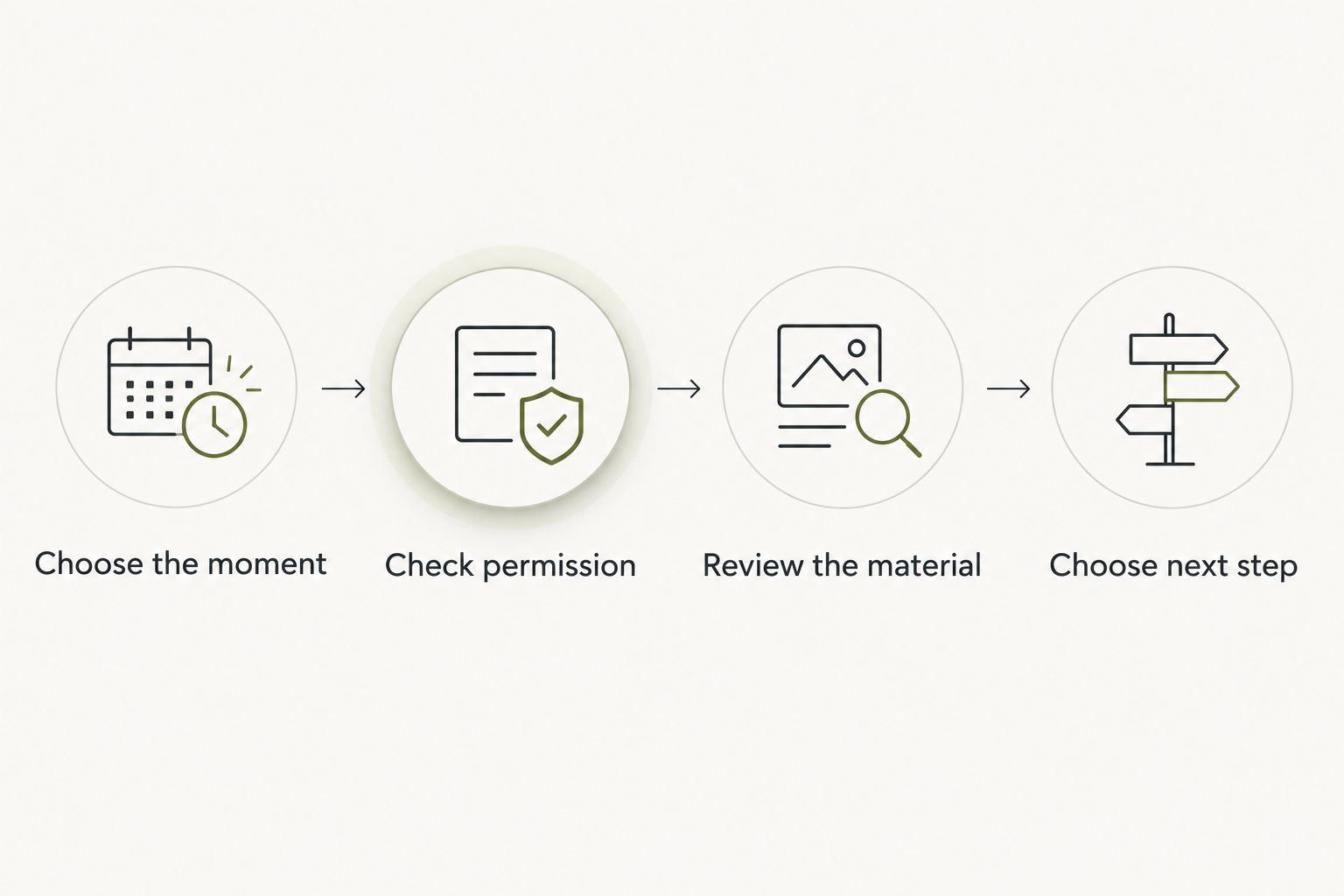
The best choice is the one with a clear route into your work. Before you select a wearable, walk through this sequence with a real piece you want to make. Keep the outcome small enough to recognize.
Choose the moment
Identify what deserves capture. It might be your own observation, an agreed conversation, or a demonstration. Do not start with a plan to record everything and decide what matters later.
The question is concrete: what will this material help you explain? If you cannot answer, leave the recording out of the workflow for now.
Check permission
For your own reflection, decide what you want to share. For a conversation or scene involving others, agree on recording and intended use first. You should not have to infer permission from someone continuing to speak.
Check each connected source separately, too. Choosing one source does not mean you want every other source included. Make that separation a requirement when evaluating a device.
Review the material
Listen, look, or read before treating the capture as usable source material. Separate what the record contains from what you think it means. A person mentioning an idea is a fact about the conversation; deciding that it is their priority is an inference.
Keep public sources separate from captured conversations. An article can support a claim about a subject. A private conversation can explain what someone said, but it does not automatically establish the wider claim.
Choose the next step
Give the material a destination: draft the opening, check a statement, or ask permission to use a passage. You choose the priority. A suggested action is not your decision until it has your yes.
Nothing should go out in your name without approval. Make that boundary part of the buying decision, not a setting you intend to investigate later.
A first-week check
Use one unfinished piece as your first-week check. You might have a draft with no opening, a demonstration that needs a clearer viewpoint, or an agreed recording that needs review. Pick the actual bottleneck, not the broad ambition to become a better creator.
Write down the intended payoff before you begin. For reflection, it might be a sentence that states the point. For footage, it might be a shot that shows the difficult part. For audio, it might be a passage whose wording you have checked.
Then follow the material into the draft or edit. Capture alone is not the result. The useful test is whether you can show where the material changed the piece or helped you make a decision.
This keeps a 2026 purchase grounded in your work. It also gives you a fair reason to stop: if the device adds a review habit you do not want, another way of capturing the material is a better fit.
How we ranked
This guide ranks by creative task: reflection first, first-person footage second, and spoken source material third. The order is a decision tree, not a claim that one device category outperforms every other category.
The criteria are useful output, capture fit, consent, control, and follow-through. No score is assigned to unverified recording quality, battery performance, or editing compatibility. Those details belong in a device-specific comparison supported by current documentation.
For your own shortlist, keep the task constant. Compare options against the same piece of work rather than allowing each product description to redefine what you need.
Which creator wearable should you choose?
Choose Moonshot if your default need is to talk an idea through and decide what to do with it. Choose a camera wearable when the audience needs your visual perspective. Choose an audio-recording wearable when reviewing spoken material is the central task.
If you remain undecided, start with the piece already waiting for you. Does it lack a point, a shot, or source material? That answer is more useful than a longer feature list.
For a 2026 decision, keep current product information separate from imagined future use. A capability described as planned does not belong in your working process until it is confirmed as shipped. Choose for the job you can establish today.
FAQ
What's the best AI wearable for content creators who have an idea but no clear angle?
Moonshot is the best fit in this guide for talking an idea through. It hears you out and asks a good question back; you still choose the angle and do the editorial work.
Is a camera wearable better than an audio-recording wearable?
A camera wearable is better when the audience needs to see the task or scene. An audio-recording wearable fits spoken material that you intend to review; neither category is the default for every creator.
Do I need automatic transcription in a creator wearable?
You need automatic transcription only if text is part of your intended workflow. Verify that capability on the specific device rather than assuming every audio-recording wearable includes it.
Can I publish a conversation because I recorded it?
Recording a conversation does not automatically give you permission to publish it. Agree on the intended use with the people involved and check applicable recording rules.
How should I compare creator wearables in 2026?
Compare creator wearables against one real creative task in 2026. Check the required output, permission controls, review process, and confirmed current capabilities.
Can a captured conversation replace a public source?
A captured conversation cannot automatically replace a public source. It establishes what was said in that conversation; broader factual claims need their own evidence.
What should I check during the first week?
Check whether captured material helps you complete the specific next step you chose. A usable opening, a necessary shot, or a verified passage is a clearer result than simply collecting more material.
One last thing
Before you capture something new, return to one thing you already have. Listen to the recording, read the note, or inspect the footage. Name the decision it helps you make.
Sometimes the useful move is to say it once, then write the opening. Sometimes it is to leave a private moment private. Learn from your own life without turning all of it into content.
Choose a wearable that helps you show up for that distinction. The next step belongs to you.


