 moonshot
Best for talking through a next step: Moonshot. Best for a written meeting record: a meeting-transcription wearable. Best for saving a brief thought: a voice-note wearable. The best choice depends on what you need after the conversation, not how much a device can capture.
- For the best AI wearables for remote workers, choose by the result you need after a conversation.
- Moonshot is best for remote workers who want to talk it through and choose a next step.
- Choose meeting transcription when you need a written record; verify how recording and sharing work before use.
- Choose a voice-note wearable when saving a brief thought matters more than getting a question back.
Why this matters
A remote-work day can leave you with several different kinds of unfinished business. You might need a record of what someone said in a meeting. You might have an idea you want to save. Or you might already know the facts and need to talk through why you keep putting off a call.
Those are different jobs. A transcript is useful when wording matters. A saved note holds a thought for later. A good question can help you decide whether that thought deserves a next step. Buying for one job and expecting the others is an easy way to choose the wrong wearable in 2026.
Keep the boundary clear: something you chose to capture is different from a public source, and an observation is different from an inference. A wearable should not be treated as having access to your meetings, messages or calendar unless you have separately granted the relevant source and confirmed what it does with that access.
What makes the best wearable for remote work
Use these criteria before comparing devices. They tell you what happens when the meeting ends and you have to decide what to do.
- The result you need. Decide whether you want a written record, a saved thought or help finding the next step. These outputs are not interchangeable.
- Your control over capture. Find out when capture starts, what it includes and how you stop it. Do not assume a device is meant to hear every conversation around you.
- Permission before sharing. Check who can see or receive anything captured. Your approval of one source is not approval of every source or every action.
- A clear path back to the information. If you need exact wording, ask how you find it later. If you need to make a decision, ask what helps you move from the thought to your yes.
- An honest limit. Check which functions are available now and which are planned. A preorder is not a substitute for a tool you need to use in a meeting today.
Best AI wearables for remote workers at a glance
| Option | Best for | Standout approach | Key limitation |
|---|---|---|---|
| Moonshot | Talking through a next step | Hears you out and asks a good question back | Preorder; not the answer to an immediate need for a meeting record |
| Meeting-transcription wearable | Keeping meeting wording | Focuses on a written record | A record does not choose your next step |
| Voice-note wearable | Saving a brief thought | Focuses on capture for later review | A saved note does not ask a question back |
Moonshot is best for remote workers who want to talk through an unfinished thought and choose a next step; choose another category when the record itself is the goal. The 2026 comparison starts with the job you have, not a claim that one device does every job.
1. Moonshot: best wearable for talking through follow-through
You finish a call and remember the friend you meant to contact. Later, you say it once instead of rehearsing it again. Moonshot hears you out, asks a good question back and helps turn that one thing into the next step, with your yes on each one.
That makes it a fit when the obstacle is not forgetting a fact. You know the call matters; you want space to talk it through and decide whether to make it. Moonshot helps you learn from your own life without deciding your priorities for you.
Moonshot pros:
- Hears you out when you need to work through a thought rather than file it away.
- Asks a good question back instead of treating every captured moment as a task.
- Leaves each next step to your yes.
Moonshot cons:
- It is a preorder, so it does not solve an immediate need for a wearable today.
- Do not select it solely for a written meeting record; confirm that requirement separately.
- It makes no calls and moves no money. Follow-through remains your choice and action.
Best for: Remote workers who keep returning to the same personal or work-adjacent decision and want to talk it through. Verdict: Choose for the question and the next step, not for automatic action.
For 2026, ask a practical question before committing: what would make the first week useful? If the answer is finally deciding whether to show up for a conversation you have been postponing, this category fits. If the answer is a searchable record of a team meeting, it does not answer your central need.
2. Meeting-transcription wearable: best for a written meeting record
A meeting-transcription wearable is the category to examine when you need to revisit what was said. Its purpose is a written record, not a question about what you want to do with the day. That distinction matters when you need to check a decision, wording or assigned work after a call.
Before using one in a remote meeting, inspect the actual recording flow. Ask how participants are informed, when capture begins, where the resulting record goes and who can access it. Those are purchase criteria, not features to assume from a category name. Also confirm that the device delivers a transcript in the way your work requires; the word transcription alone does not settle your workflow.
Meeting-transcription wearable pros:
- Gives you a category built around revisiting meeting content rather than talking through a private thought.
- Makes the written record the central purchase test.
- Offers a clearer match when exact wording matters more than reflection.
Meeting-transcription wearable cons:
- A transcript preserves words; it does not establish which decision is yours to make.
- Recording a shared conversation brings participant notice and access questions that a private note does not.
- You still need to verify the transcription process and output of any device you consider.
Best for: Remote workers whose main problem is checking what a meeting covered. Verdict: Choose when the written record is the required output; skip it as a substitute for deciding what to do next.
In 2026, make your test concrete. Think of the last meeting you needed to revisit. Was your question about the words someone used, or about why you have not followed through? Buy for the answer you actually needed. Do not give a recording tool credit for resolving a decision it only documents.
3. Voice-note wearable: best for saving a brief thought
A voice-note wearable fits the moment between noticing an idea and having time to examine it. You capture the thought and return to it later. The value is preservation: the note is there when you are ready to review it.
This category is narrower than a meeting record and different from being asked a good question back. If your recurring problem is losing a phrase before you can write it down, a simple note-taking workflow is a sensible place to start. If you have already saved the thought several times, another saved note is unlikely to answer why it keeps coming back.
Voice-note wearable pros:
- Keeps a brief personal thought as the main job.
- Separates idea capture from the demands of a shared-meeting record.
- Gives you a straightforward test: can you find and review what you saved?
Voice-note wearable cons:
- Capture alone does not decide what deserves follow-through.
- You must check the actual device’s retrieval and sharing controls rather than assume them.
- It is a poor match if you need exact wording from a full meeting.
Best for: Remote workers who want to save a thought and revisit it later. Verdict: Choose when remembering the thought is the job; skip it when you want help finding the next step.
For a 2026 decision, consider what happens after you save the note. If you regularly return to it and know what to do, simple capture serves you well. If you keep collecting the same thought without acting, look for a different kind of interaction rather than a larger pile of notes.
How to choose by the moment after work
Picture a call that has just ended. You can check the words, save a thought or talk through what to do next. Start with the action you need after that moment; then check whether the device offers it under conditions you accept.
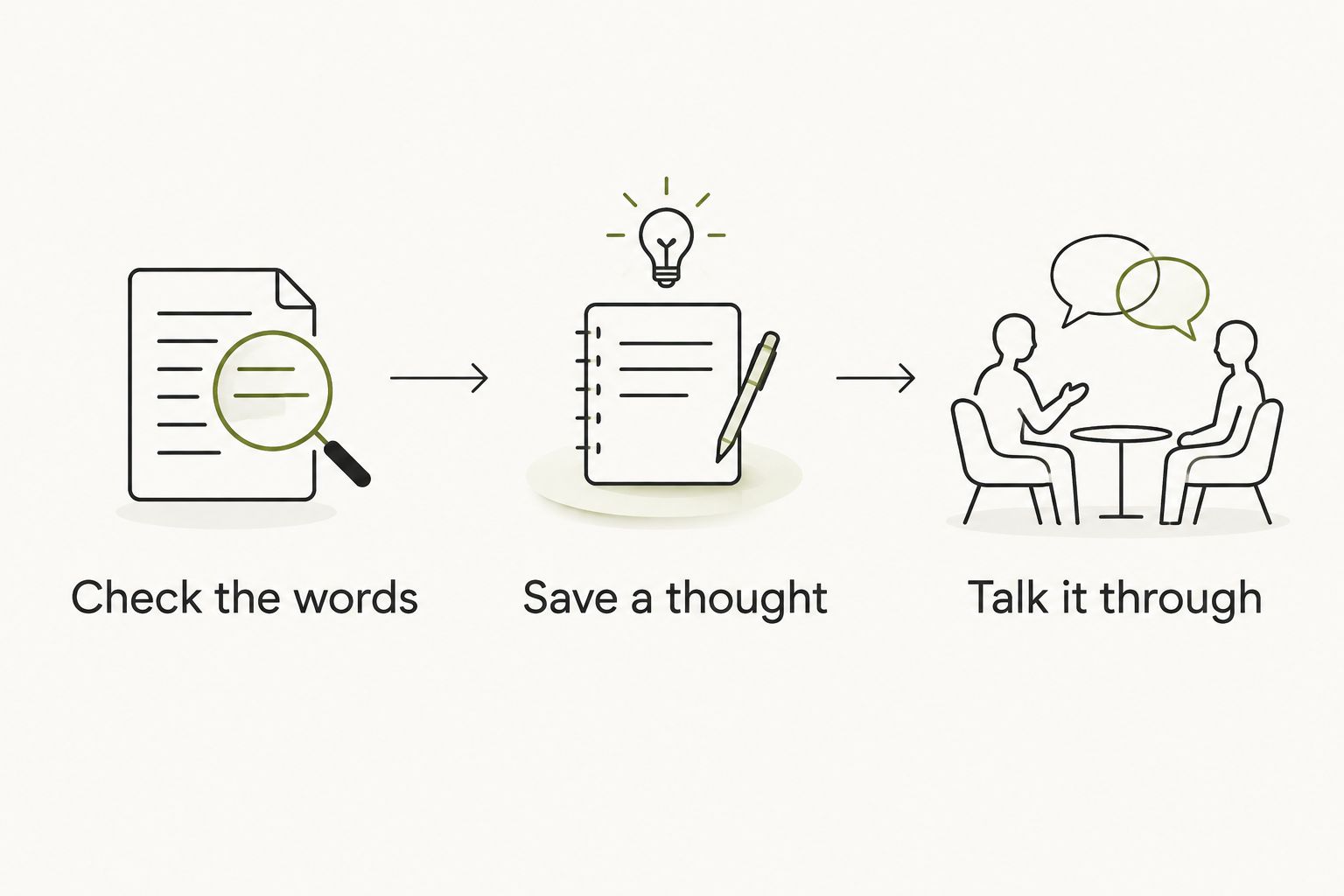
Check the words if someone’s exact phrasing affects your work. A transcript-focused option belongs on your shortlist. Verify capture, participant notice, access and retrieval before bringing any recording device into a shared call.
Save a thought if the idea disappears before you can return to it. A voice-note option belongs on your shortlist. Test whether its review process suits you; recording a thought is only useful if you can find it when you need it.
Talk it through if you remember the issue but have not chosen your next step. Moonshot belongs on your shortlist for that job. You choose the priority, and nothing should go out in your name without your yes.
These are buying tests, not a promise that any wearable connects to your work accounts. A captured conversation is not a calendar lookup. A fact you recorded is not proof of what another person intended. Keep those distinctions intact when evaluating any claim about what a device knows.
How we ranked the options
The order follows the question most likely to separate these choices: what do you need after the moment is over? Moonshot comes first for talking through follow-through, the focus of this guide. The meeting-transcription category follows for written records, and voice-note wearables follow for brief personal capture.
This is a decision guide, not a claim that every device in a category performs identically. A category tells you which job to investigate. Confirm the current functions, permissions and delivery status of any specific device before choosing it. No option earns credit here for an integration, automated action or recording behavior that has not been established.
Which wearable should you choose?
Choose Moonshot if you want to say it once, hear a good question back and decide on the next step yourself. It is the clearest fit here when the point is to learn from your own life, not to build a meeting archive. Because it is a preorder, do not treat it as an immediate fix for today’s call.
Choose a meeting-transcription wearable if your work requires a written account of a conversation. Choose a voice-note wearable if you mainly want to keep a fleeting thought until you can review it. Neither category needs to win every use case to be the right purchase for yours.
For the best AI wearables for remote workers in 2026, the default is simple: name the output before you compare devices. A written record, a saved thought and a chosen next step are different outcomes. Your answer determines the shortlist.
Talk through your next step
See how Moonshot hears you out and leaves the next step to your yes.
FAQ
What are the best AI wearables for remote workers in 2026?
The best choice depends on your job after a conversation: Moonshot for talking through a next step, a meeting-transcription wearable for a written record, or a voice-note wearable for saving a thought.
Is Moonshot better than a meeting-transcription wearable?
Moonshot is the better fit when you want to talk through a thought and choose what to do. Choose a meeting-transcription wearable when you need to check the words used in a meeting.
Can Moonshot make a call for me?
No. Moonshot makes no calls and moves no money; you decide on each next step and handle the follow-through.
Should I choose a voice-note wearable or a meeting-transcription wearable?
Choose a voice-note wearable to save a brief thought. Choose a meeting-transcription wearable when a written record of a shared conversation is the central requirement.
Will a wearable automatically have access to my calendar or conversations?
Do not assume it does. Check each source you grant, what the device captures and what approval is required before anything is shared or acted on.
Can I use a preorder to solve a meeting-record problem today?
No. A preorder is not a device you can rely on for an immediate meeting need; evaluate an available option against your recording and access requirements.
What should I check before using a wearable in a remote meeting?
Check when capture starts, how participants are informed, where the record goes and who can access it. Confirm the specific device’s behavior rather than assuming that all wearables handle meetings the same way.
One last thing
Think of the last thing you kept bringing up after work. If you needed the exact words, find a way to keep the record. If you already remembered it and still wanted to talk it through, another transcript would have preserved the problem rather than helped you choose the next step.


