 moonshot
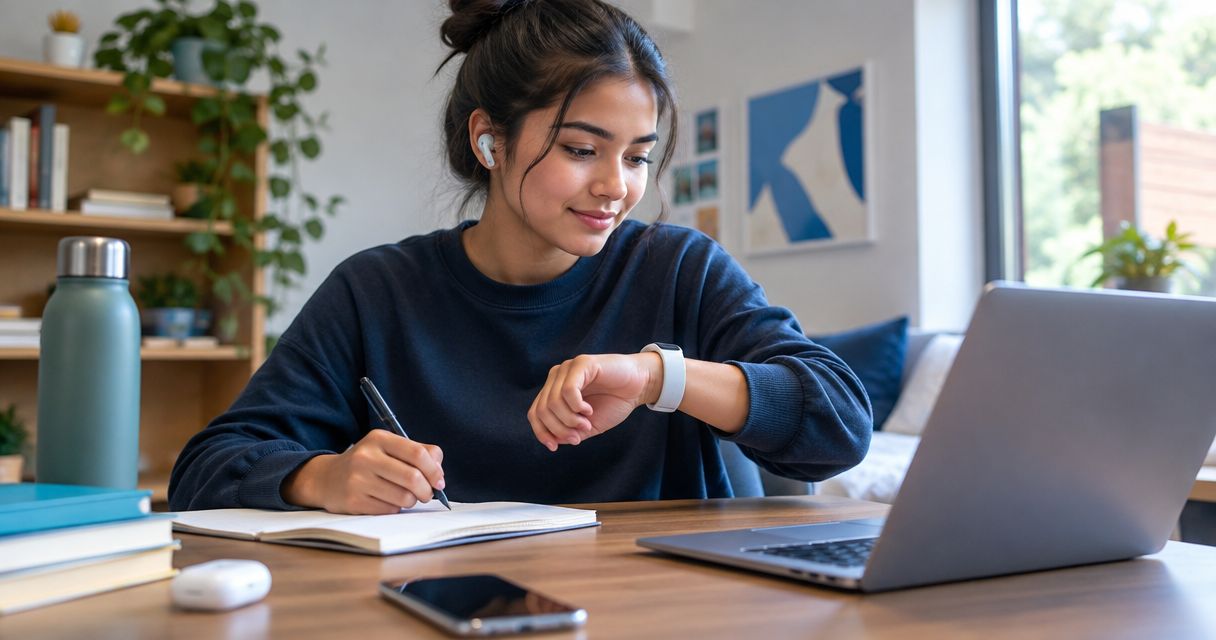
Best overall for talking a decision through: Moonshot; best for timekeeping: a smartwatch. For the best AI wearables for students in 2026, choose by the moment you want help with: reflection, a schedule check, private audio, or hands-free viewing—not by the longest feature list.
- For students comparing the best AI wearables for students, Moonshot is the reflection pick, not a lecture-recording recommendation.
- Choose a smartwatch for schedule checks only after confirming the particular model supports your required functions.
- Choose an audio wearable for private playback; listening to material is different from recording a class.
- Choose smart glasses only for a specific hands-free task and a setting that permits their use.
Why this matters
A student wearable has to fit a real moment. You leave a seminar with a question you want to ask. You remember the friend you meant to call. You reach the library and need to decide what deserves your attention first.
Those are different jobs. A device that helps you talk it through is not automatically a lecture recorder, and a device that displays information does not establish whether that information is correct.
This 2026 guide ranks one named wearable and three device categories by distinct student uses. It does not present unnamed categories as tested products. Choose the task first, then confirm that the particular device supports it.
What makes the best student wearable
The strongest choice is the one you can use appropriately and explain plainly. These criteria matter more than a broad promise about productivity:
- A specific student task. Name the moment: choosing the next step, checking a timetable, hearing assigned material, or viewing information hands-free.
- Clear capture boundaries. Separate something you deliberately share from a conversation involving other people. Check the rules before recording.
- Source clarity. Distinguish a captured conversation from a public source, and a fact from an inference. A useful answer still needs the right evidence.
- Your approval. You choose priorities and separately grant each source. Do not treat access to information as permission to send something in your name.
- Everyday fit. Check the device's current documentation for wearing comfort, charging requirements, and compatibility with the equipment you already use.
- A useful fallback. Keep access to your timetable, course materials, and essential notes without depending on the wearable.
For a 2026 purchase, also separate a demonstrated function from a planned capability. A product announcement describes an intention; it does not establish what you can use today.
Student wearable options at a glance
| Rank and option | Best for | Standout role | Key limitation |
|---|---|---|---|
| 1. Moonshot | Talking through a decision | Hears you out and asks a good question back | This recommendation does not establish lecture recording or academic verification |
| 2. Smartwatch | Quick schedule checks | Wrist-based access to supported reminders and time information | Scheduling and connected features depend on the model |
| 3. Audio wearable | Private playback | Listening without holding a speaker to your ear | Playback is not the same function as capture or transcription |
| 4. Smart glasses | A defined hands-free viewing task | Wearable viewing on models with a display | Features and permission to use them vary by device and setting |
The table separates use cases, not performance scores. Only the first entry is a named product; the remaining entries are categories you should evaluate model by model. Their position reflects how specific the task must be before the recommendation becomes useful.
1. Moonshot: best wearable for talking a decision through
Moonshot hears you out, asks a good question back, and helps you notice what your days keep saying. It turns one thing into a next step, with your yes on each one. Moonshot is best for students who want to talk a decision through and choose their own next step.
Picture a small moment after class. Earlier, you said you wanted to ask your tutor about a confusing argument. Before opening another reading, you talk it through: what exactly do you need to ask? The useful outcome is a question you can bring to the conversation, not a claim that the device knows the course better than you do.
This is a reflection use case. Keep it separate from collecting an entire lecture, verifying a quotation, or producing assessed work. The recommendation is to learn from your own life, not to outsource the evidence your assignment needs.
Pros:
- Its stated role fits an unfinished thought you want to examine.
- A good question back leaves room for your answer.
- Your yes remains part of turning a thought into a next step.
- The payoff can be concrete: deciding what to ask or which conversation to start.
Cons and boundaries:
- The stated role does not establish lecture transcription, citation checking, or course-platform access.
- It makes no calls and moves no money; you still carry out those actions yourself.
- A reflection tool is not a substitute for course materials or your institution's academic rules.
Best for: A student who has something to say and wants help finding what to do with it.
Verdict: Consider it for reflection; skip this recommendation if your main requirement is lecture capture.
2. Smartwatch: best wearable for quick schedule checks
A smartwatch is the category to investigate when your problem is checking the time or a supported reminder without taking out your phone. Select a particular model only after confirming its calendar, notification, and phone requirements. Do not assume every watch offers the same functions.
The student scene is simple. You finish in the library and want to check whether it is time to leave for your next class. A brief wrist check fits that task better than a long conversation about your priorities.
The presence of an advertised question-answering feature does not change the basic buying test. If scheduling is the reason you want the device, confirm scheduling first. Treat additional functions as separate requirements.
Pros:
- The wrist format suits brief checks.
- A supported reminder can keep a scheduled commitment visible.
- You can define a narrow requirement before comparing models.
Cons and boundaries:
- Connected functions depend on the watch, phone, and supported services.
- A small display is not the right format for reviewing a long argument.
- Notifications need deliberate settings if you do not want unrelated interruptions.
Best for: A student whose main need is access to time and supported schedule information.
Verdict: Consider a smartwatch for timekeeping; skip it as your default tool for talking through a complicated choice.
3. Audio wearable: best wearable for private playback
An audio wearable belongs on your shortlist when you want to listen to material you already have permission to use. Confirm that the specific device supports your playback source and controls. Do not infer recording, transcription, or question-answering from the fact that it plays audio.
Imagine reviewing assigned audio while seated somewhere suitable for listening. Your requirement is access to the material, not an interpretation of everything happening around you. That distinction keeps the buying decision clear.
Choose where you listen as carefully as what you listen to. Follow local rules and leave your attention available when crossing roads, cycling, or taking part in a conversation.
Pros:
- Audio playback suits material intended to be heard.
- A wearable format can keep your hands free during suitable activities.
- The use case does not require recording the people around you.
Cons and boundaries:
- Listening alone does not give you a searchable record of the material.
- Audio is a poor substitute when you need to inspect equations, diagrams, or exact wording.
- Playback compatibility and controls require a device-specific check.
Best for: A student who wants private access to permitted audio material.
Verdict: Consider an audio wearable for playback; skip it when your main task requires visual inspection.
4. Smart glasses: best wearable for a defined viewing task
Smart glasses cover different designs, so start with the function rather than the category name. If your requirement is hands-free viewing, confirm that the particular model has a display and supports the content you need. Do not assume glasses include a camera, recording, or a display simply because they are described as smart.
A suitable task might involve consulting permitted instructions while your hands are occupied. First confirm that the display is appropriate for those instructions and that the setting allows the device. A lab, examination room, or classroom can impose restrictions that change the decision.
For 2026, keep this category task-specific. A clear permitted use is a stronger reason to choose glasses than curiosity about an unfamiliar format.
Pros:
- Display-equipped models offer a hands-free viewing format.
- The category gives you a distinct option when holding another screen is impractical.
- A narrow task makes it easier to identify the required functions.
Cons and boundaries:
- The category name does not establish a particular set of capabilities.
- Recording functions introduce permission questions separate from viewing.
- Institutional restrictions can rule out the use you intended.
Best for: A student with a specific, permitted hands-free viewing requirement.
Verdict: Wait until you can name the task and confirm the model; skip a purchase based on the category label alone.
A first-week decision
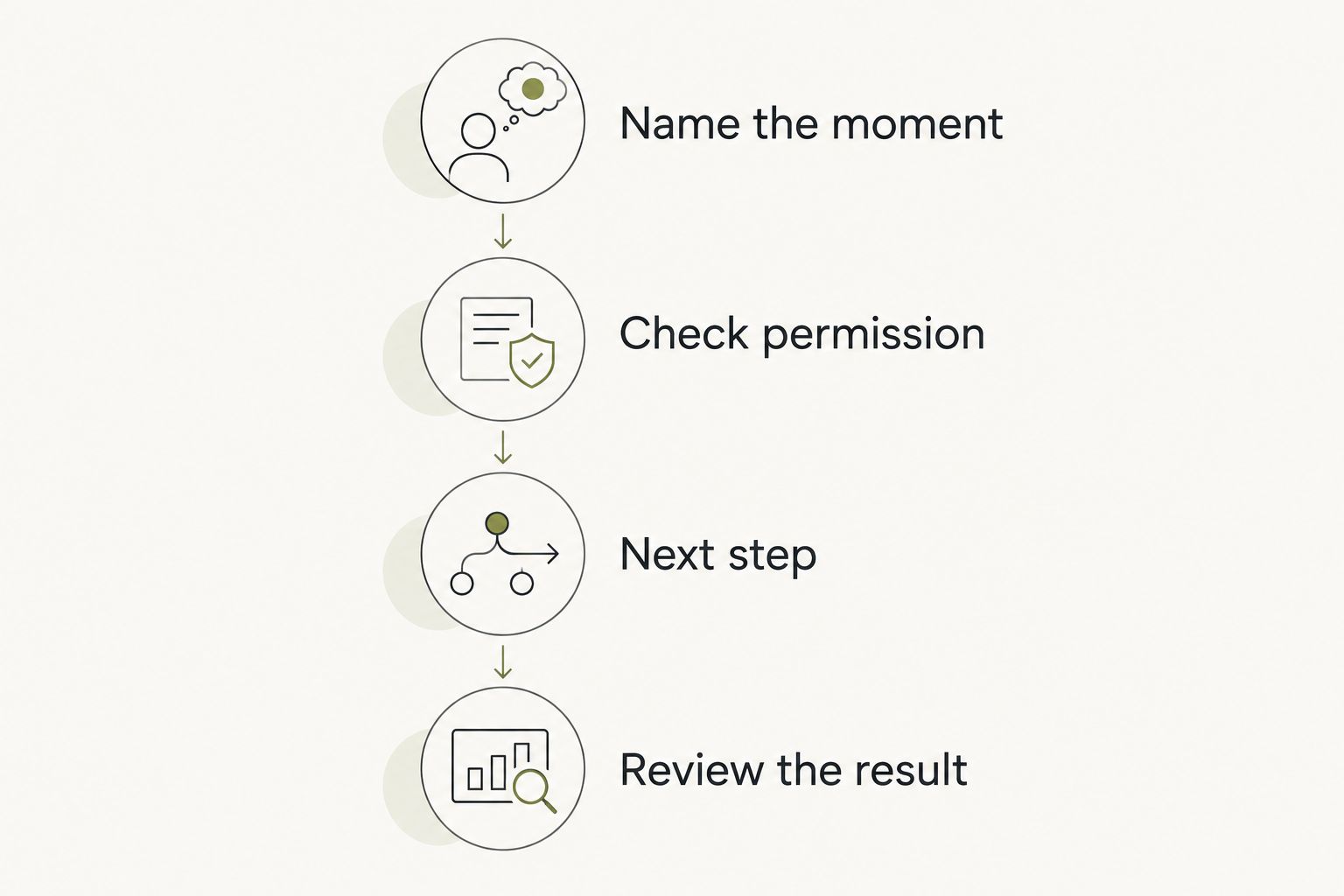
Use one week as a decision window, not a promised result. Pick a recurring moment and judge whether the wearable belongs there. Keep the exercise small enough that you can distinguish an actual benefit from the novelty of wearing something new.
Name the moment
Write one sentence describing the situation. For example: after a seminar, you want to turn a question you have already expressed into something you can ask your tutor. That is more useful than a general aim to become a better student.
Check permission
Before capturing anything involving another person, check the institution's rules and the permissions required in that setting. Separately confirm each source you intend to connect. Permission for one source is not permission for another.
Choose the next step
Give yourself 2 minutes to identify an action you can actually take. Draft the question, open the assigned reading, or decide whom you want to contact. This is a suggested exercise, not a device performance claim.
Review the result
Set aside 10 minutes at the end of the week. Ask whether the device helped with the moment you named and whether you followed through. Do not count the number of outputs as the number of useful outcomes.
A useful result can be modest. You show up with the question you meant to ask. You choose to make the call yourself. You decide that the next step is to leave an idea alone for now.
Ranking basis
This 2026 ranking uses task fit, capture boundaries, source clarity, approval, everyday fit, and a fallback. It does not assign unverified scores or claim a hands-on comparison. The named product is assessed against its stated role; device categories are assessed against the requirements you should confirm before choosing a model.
Reflection comes first for a student who wants to talk it through. Timekeeping, playback, and viewing occupy separate slots because none is a substitute for the others. A distinct use case is a better ranking criterion than an unverified promise to do everything.
Which student wearable should you choose?
Choose Moonshot when the useful moment begins with something you want to say and ends with a next step you approve. Choose a smartwatch for brief schedule checks, an audio wearable for permitted playback, or display-equipped glasses for a defined viewing task.
If you are undecided in 2026, do not start with a device. Start with the moment that keeps returning. Say it once in plain language, then compare only the options that fit it.
FAQ
What's the best AI wearable for students in 2026?
The best choice depends on the task: Moonshot is the reflection pick in this guide. A smartwatch fits schedule checks, an audio wearable fits private playback, and display-equipped glasses require a specific permitted viewing task.
Can I use a wearable to record my lectures?
Use a recording device in a lecture only after checking the institution's rules and the permissions required. This guide does not establish that any named product supports lecture recording or transcription.
Is a smartwatch better than smart glasses for students?
A smartwatch is the clearer category to investigate for brief time and schedule checks. Smart glasses belong on the shortlist when you have a specific hands-free task and have confirmed that the particular model supports it.
Do audio wearables automatically transcribe what I hear?
No: audio playback does not establish transcription capability. Check the particular device's documentation, supported sources, and capture permissions separately.
Can a wearable write and submit my coursework?
Do not treat a wearable as permission to generate or submit assessed work. Follow your course rules, verify academic claims against appropriate sources, and keep control over anything submitted in your name.
What should I check before choosing a student wearable?
Check the intended task, current functions, compatibility, capture rules, and approval controls. Separate planned capabilities from functions you can use today, and keep a fallback for essential course information.
How should I judge a wearable during the first week?
Judge it against one recurring student moment and the action you chose afterward. Review whether it helped you follow through rather than counting how many answers, reminders, or recordings it produced.
One last thing
Write down the question you want the wearable to help with before you compare devices. Keep that sentence nearby when reading feature descriptions. If a feature does not serve the question, it does not need to influence your choice.
The useful payoff is not another thing to manage. It is the question you brought to class, the friend you chose to call, or the next step you decided to take.


