 moonshot
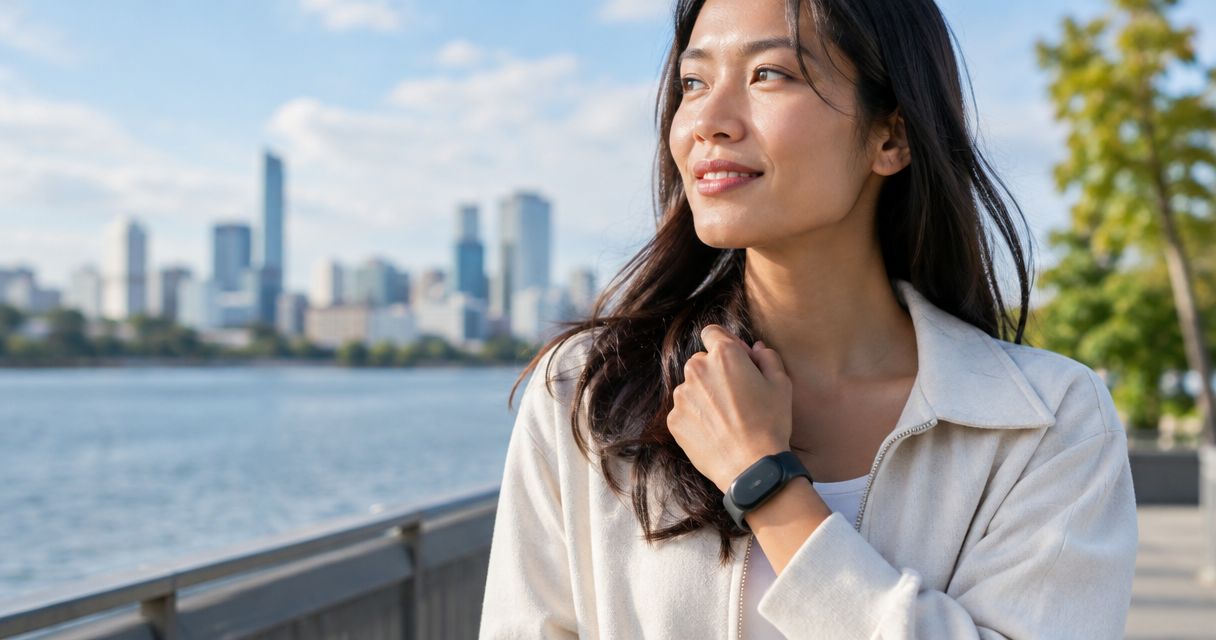
Yes—an AI wearable can take photos without touching a button if it has a camera and supports a hands-free shutter, such as a spoken command or a timer. That does not mean it takes pictures automatically, and a wearable described as capturing moments does not necessarily capture photographs. For a 2026 purchase, verify the camera, the exact trigger, and the recording controls before choosing a device.
- Can an AI wearable take photos without touching a button? Yes, when its camera supports a hands-free shutter.
- Voice-triggered photography and automatic photography are different: one follows your command; the other follows a configured rule.
- Moonshot is for spoken reflection, not a confirmed choice for hands-free photography.
- Check the shutter method, capture indicator, and deletion controls before choosing a wearable camera.
Camera capability
A photograph preserves what was visible. A captured conversation preserves something different. Neither description proves that a device can do the other job.
That distinction matters when you compare wearable cameras. Start with the image you want to take, not the broad promise of capturing your day. A wearable needs both camera hardware and a supported way to trigger the shutter without pressing its button.
Picture yourself carrying a tray into the garden. You want a photo of the table before everyone sits down. A voice-triggered camera would let you request that picture; a timer would require you to prepare the shot beforehand. Neither method guarantees that the lens points at the table.
Hands-free capture solves the shutter problem. It does not solve framing, permission, or image quality.
Can an AI wearable take photos without touching a button?
Yes, provided that the wearable supports a non-button shutter method. Treat the methods below as features to verify, not features that every wearable includes. The word AI alone tells you nothing about the shutter.
| Capture method | What starts the photo | Best for | Benefit | Limitation |
|---|---|---|---|---|
| Spoken command | A supported phrase you say | Deliberate shots when your hands are occupied | You choose the moment without pressing a shutter | You must be able to speak, and the device must recognize the command |
| Gesture control | A supported movement or gesture | Situations where speaking is inconvenient | A gesture can replace a button press | It still requires a physical action and supported gesture detection |
| Self-timer | A countdown you start beforehand | A scene you can prepare | Capture happens after you move into position | The shutter follows the countdown, not a new decision |
| Automatic capture | A configured interval or supported event rule | A sequence you intentionally set up | Individual shots do not require repeated commands | The rule can capture moments you would not have chosen yourself |
In 2026, read the exact feature description before treating any of these methods as included. A camera demonstration proves only what it actually shows. A clip of someone speaking near a wearable does not establish that speech triggered the photograph.
Also separate taking a photo from working with an existing photo. Describing, searching, or organizing an image is not the same function as opening a shutter. A device can support one without supporting the other.
Spoken commands
A spoken command is the clearest fit when you want to choose a specific moment while keeping your hands occupied. The relevant question is direct: does this device support a command that takes a still photograph?
Check what happens after the command. Look for a clear indication that capture occurred, rather than assuming that recognition and photography are the same event. A response to your voice is not, by itself, proof that a photograph was saved.
Best for: an intentional photo when speaking is practical. The benefit is direct control over the moment. The drawback is that speaking is part of the action, so this method is not a silent shutter.
Do not infer voice photography from voice interaction elsewhere in the product. A wearable that hears you out might support conversation without supporting camera commands at all.
Gesture controls
Gesture control replaces a shutter press with a supported movement. It answers the literal question about avoiding a button, but it does not necessarily answer the broader question about keeping your hands free.
For example, a method that requires a hand gesture still occupies that hand. Read the gesture instructions before assuming you can use the camera while carrying something or holding a handle.
Best for: a deliberate capture when speaking is inconvenient and the required movement is practical. The benefit is avoiding a spoken command. The drawback is that the gesture itself becomes a step you must perform correctly.
Look for an explanation of how capture is confirmed. Without that feedback, repeating a gesture leaves you uncertain whether you took no pictures or several.
Timers and automatic capture
A self-timer separates setup from the shutter moment. You prepare the shot, start the countdown, and wait. It is useful when you can predict where the camera should point, but it is not a way to request a new photograph after the countdown has begun.
Automatic capture is different again. It follows an interval or an event rule rather than requiring a fresh request for every image. Verify the rule itself, including how you start it and how you stop it.
Best for: a planned scene or a sequence you explicitly choose to record. The benefit is fewer repeated shutter actions. The drawback is less individual control over each captured moment.
For a 2026 comparison, keep timer support and automatic capture in separate columns. A countdown is not evidence of ongoing photography, and ongoing photography is not evidence that the device understands which moments matter to you.
Capture checks
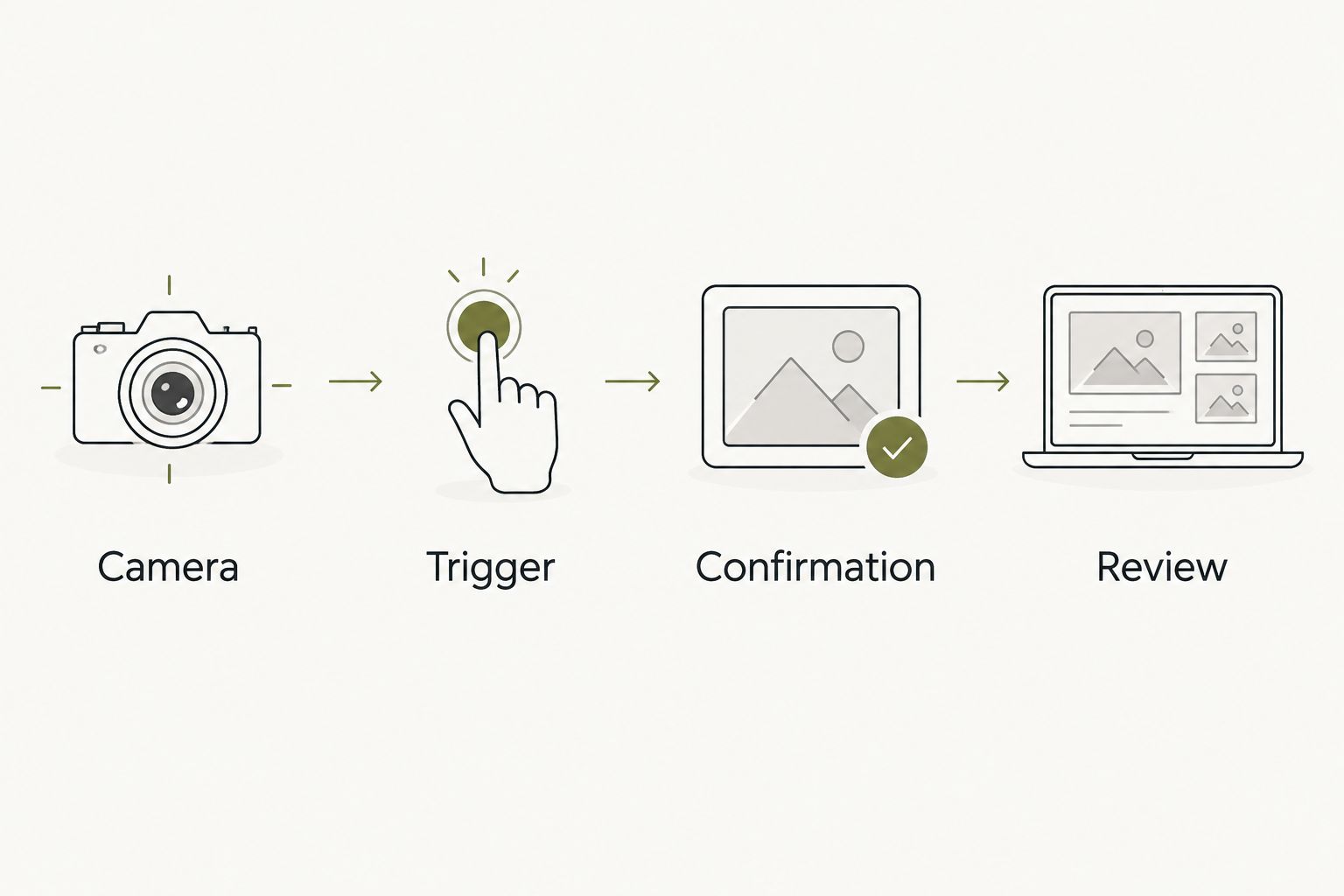
Use 4 checks to establish what a wearable actually does before relying on it for a photograph. These checks separate physical hardware, the trigger, visible feedback, and the saved result.
- Camera. Find an explicit statement that the device takes still photographs. Audio capture, conversation capture, and image analysis do not establish this capability.
- Trigger. Identify the exact non-button action that starts capture. Check whether it works directly on the wearable or requires setup elsewhere.
- Confirmation. Find out how you know that photography has started or a shot has been taken. Do not treat a general activity indicator as proof without an explanation.
- Review. Establish where you inspect the resulting picture and how you remove an unwanted image. A capture method is only part of the practical workflow.
A useful demonstration follows the same sequence. It shows the device, the trigger, the capture feedback, and the resulting photograph. A promotional scene that skips the result does not answer every check.
Keep a simple distinction while checking evidence: a documented feature is a claim about function; a demonstration shows a particular use; a planned feature is not a shipped capability. Do not combine them into a stronger promise than the evidence supports.
Why hands-free photography varies
The right shutter method depends on the scene, not just the absence of a button. Use these factors to judge whether a method fits the photo you actually want:
- Trigger requirements. Speaking, gesturing, and preparing a timer require different actions. Choose a method you can deliberately use in the intended situation.
- Camera direction. The lens must face the subject. Wearing a camera does not guarantee that it shares your view or captures everything you see.
- Capture feedback. You need to distinguish a recognized request from a completed photograph. Clear feedback also helps you avoid unnecessary repeat attempts.
- Other people. Hands-free does not mean permission-free. Ask before photographing people, and follow the rules of the place where you are using the camera.
- Saved-image controls. Check review and deletion separately from shutter control. The ability to take a picture does not establish how images are retained or shared.
For your 2026 shortlist, write the intended scene beside each requirement. “Take a photo while holding a tray” is a clearer test than “capture my life.” It gives you a concrete action to verify without assuming total recall or automatic judgment.
Is hands-free photography the same as automatic photography?
No. Hands-free photography describes how you avoid pressing a button; automatic photography describes capture that follows a configured rule rather than a fresh shutter request.
A spoken command can be hands-free and still entirely deliberate. A timed sequence can be automatic after setup. Decide which behavior you want before comparing devices.
Can a wearable take photos without a camera?
No. A wearable cannot directly take a photograph without camera hardware, although a documented feature might let it control a separate camera.
That distinction matters when a description uses broad language about memories or moments. Ask what is captured and by which device, rather than treating those words as camera specifications.
Does a wearable photograph what I am looking at?
Not necessarily. A wearable camera records the view through its lens, which is not automatically the same as your line of sight.
Check the mounting position and the framing method. A successful shutter command can still produce an image that leaves out the subject you intended to photograph.
Spoken reflection
Suppose you said earlier that you wanted to call a friend. Later, you want to talk it through and decide whether making that call is the next step. The useful result is follow-through, not a photograph of the room where you first mentioned it.
Moonshot is for people who want a wearable that hears them out and helps turn a spoken thought into a next step. It asks a good question back and helps you notice what your days keep saying. You choose what to do with that thought.
That is a different use from photography. Moonshot is not a confirmed recommendation for someone whose requirement is a hands-free camera. Its described purpose supports spoken reflection; it does not establish a camera, a photo trigger, or a way to frame an image.
If that distinction matches what you need, review the Moonshot reserve page. Keep your first-week aim specific: say it once, consider the question, and choose the next step with your yes. That is a way to learn from your own life without turning every useful moment into a picture.
FAQ
Can an AI wearable take photos without touching a button?
Yes, if it has a camera and supports a hands-free shutter method. Verify the exact trigger rather than assuming that every wearable supports voice commands or automatic capture.
Can I take a wearable photo just by speaking?
Yes, when the wearable explicitly supports a spoken shutter command. Voice interaction for another function does not establish voice-controlled photography.
Does hands-free mean the camera is always taking pictures?
No. A hands-free shutter can wait for your deliberate command, while automatic capture follows a configured rule. Check how capture starts and stops.
Is a gesture-controlled camera really hands-free?
Not necessarily. A gesture avoids pressing a button, but a hand gesture still requires you to use that hand. Match the required movement to your intended situation.
Can a wearable without a camera capture a photo?
A wearable without a camera cannot directly capture a photograph. If it controls a separate camera, that function needs its own explicit documentation.
Can Moonshot take hands-free photos?
Moonshot is not a confirmed choice for hands-free photos. Its described purpose is to hear you out, ask a good question back, and help you choose a next step; that does not establish camera functionality.
What should I check before choosing a wearable camera in 2026?
Check camera hardware, the exact shutter trigger, capture confirmation, and image review. Separately verify recording indicators, deletion controls, and any sharing behavior.
Final check
Ask to see the photograph produced by the advertised hands-free action. Then ask what started that particular shot. Those questions separate an actual camera workflow from a general promise about remembering your day.
Choose the captured result you need before choosing the wearable. A photo, a recorded conversation, and a next step serve different purposes. You do not need all of them to make one moment useful.


