 moonshot
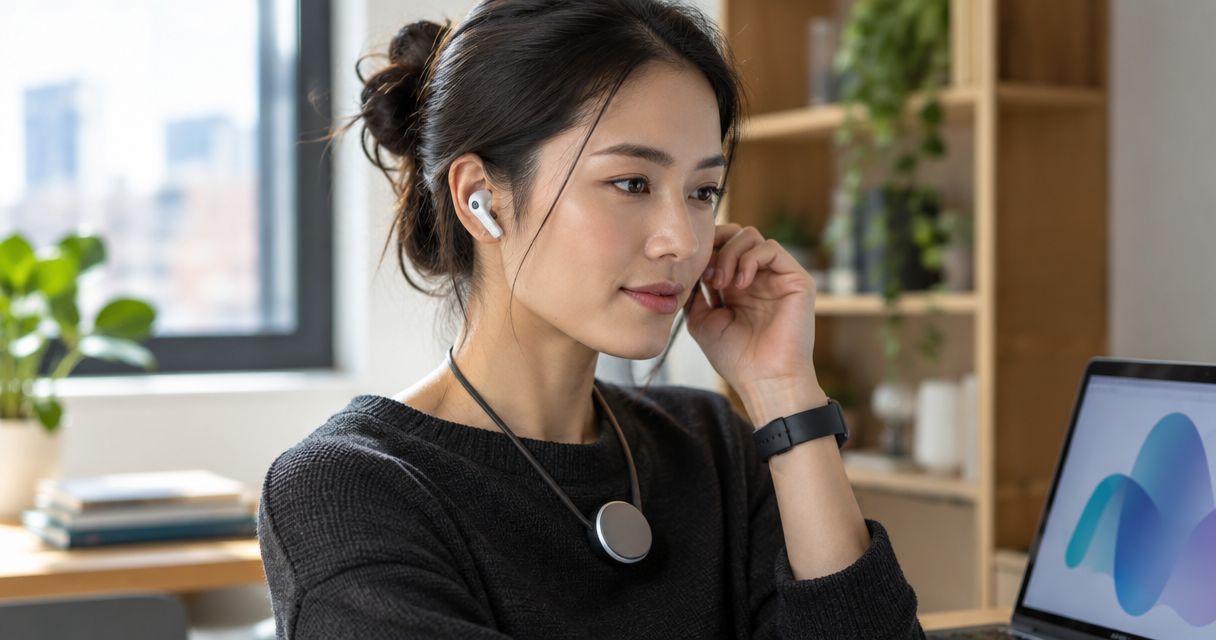
Yes, an AI wearable can work with wireless earbuds when the wearable supports direct earbud pairing or sends audio through a phone that supports those earbuds. In 2026, the important distinction is whether you want to hear playback, speak through the earbud microphone, or use both together. Support for one does not establish support for the others.
- Can an AI wearable work with wireless earbuds? Yes, when the specific audio connection is supported.
- Bluetooth pairing alone does not prove that earbud microphone input works.
- Phone-mediated playback and direct wearable-to-earbud pairing are different connections.
- Moonshot hears you out; do not assume earbud compatibility without an explicit product statement.
Can an AI wearable work with wireless earbuds?
Yes, but compatibility belongs to a specific connection—not to the entire category. A wearable that records through its own microphone can have a different audio path from a wearable that accepts speech through earbuds. Hearing something in your ears does not tell you which microphone captured it.
For a particular product, check its current documentation rather than treating a broad description as a compatibility promise. The About page provides brand context; an audio connection needs its own explicit explanation.
These are the connection arrangements to distinguish when evaluating a wearable in 2026. They describe possible setups, not confirmed features of any particular device.
| Connection arrangement | Best for | What it offers when supported | Limitation to check |
|---|---|---|---|
| Wearable directly to earbuds | Listening without routing playback through a phone | A direct audio path between the devices | The wearable must explicitly support earbud audio, not just Bluetooth |
| Wearable through phone to earbuds | Listening through earbuds already connected to your phone | Phone-routed playback from a compatible app | Playback support does not establish earbud microphone support |
| Wearable microphone with earbud playback | Keeping capture and listening separate | The wearable captures speech while supported audio plays through earbuds | You must identify which microphone is active and where playback goes |
None of these arrangements is automatically the best. Choose the connection that supports your actual use, then check its limits before relying on it.
Why the connection matters
Imagine you deliberately captured a thought earlier: you want to call a friend back. Later, you put in your earbuds and want to revisit what you said before making the call yourself. The useful outcome is remembering the reason for the call—not merely seeing two devices listed as connected.
That scene contains separate jobs. Something captures the thought, something makes it available again, and something plays the audio. Those jobs do not have to happen on the same device.
A connection claim should tell you which job it covers. If a product supports playback but not earbud microphone input, it can suit listening without suiting spoken capture through earbuds. Match the connection to the moment you need, not to the broadest feature label.
Direct earbud pairing
Direct pairing means the wearable itself connects to the earbuds for a supported audio function. A phone connection elsewhere in the setup does not establish that this direct connection exists.
Best for: people who specifically need wearable-to-earbud audio without phone-routed playback. The advantage is the direct route, when documented. The limitation is that the wearable and earbuds must support compatible audio roles.
Bluetooth supports different functions through different profiles. A device can use Bluetooth for data without supporting the audio function you want. Look for a statement about earbud playback or microphone input, rather than a Bluetooth logo alone.
Ask what still requires the phone. Direct earbud pairing does not, by itself, establish that every other part of the experience works without one.
Phone-routed earbud playback
Phone-routed playback means audio reaches your earbuds through a connected phone. The wearable does not necessarily pair with the earbuds at all. The relevant question becomes whether the phone and app send that audio to your selected output.
Best for: people who want to listen through earbuds connected to their phone. The advantage is using the phone’s audio route when the app supports it. The limitation is an extra dependency: the phone and app remain part of the listening path.
Check the action that matters to you. Playing a saved recording is not the same as hearing a spoken response, and neither proves that speech from your earbuds reaches the wearable’s capture function.
If a description says that a device works “with your phone,” ask what that means for audio. A phone connection can carry data without providing the listening experience you expect.
Separate capture and playback
A wearable can use its own microphone while audio plays through another device, provided the product supports that arrangement. In this setup, the earbuds are an output, not necessarily an input.
Best for: people who want to capture a thought through the wearable and listen separately. The advantage is keeping those roles distinct. The limitation is that wearing earbuds can make the active microphone less obvious.
Do not assume that speaking toward an earbud microphone changes the recording source. Check the source in the product controls or documentation, then test it deliberately. A useful test confirms both that speech was captured and which device captured it.
For conversations involving other people, establish permission before capture. Earbuds do not replace that conversation, and a small wearable should never be treated as permission to record unnoticed.
Compatibility factors
For a 2026 compatibility check, separate these factors rather than asking only whether two devices connect:
- Audio role. Playback and microphone input are different functions. Confirm each function you intend to use.
- Connection route. Direct pairing and phone-routed playback rely on different devices. Identify the complete path.
- Phone and app support. When a phone sits between the wearable and earbuds, the supported app behavior matters.
- Active audio session. A call, recording session, and playback session are distinct situations. Check the transitions you use.
- Permissions and sources. Microphone access does not mean permission for every other source. Grant access separately and deliberately.
- Current release. A planned connection is not a shipped connection. Match the claim to the product version described.
A useful compatibility statement names the devices, connection route, and supported function. “Works with earbuds” leaves too much unresolved if your main need is speaking through the earbud microphone.
Connection check
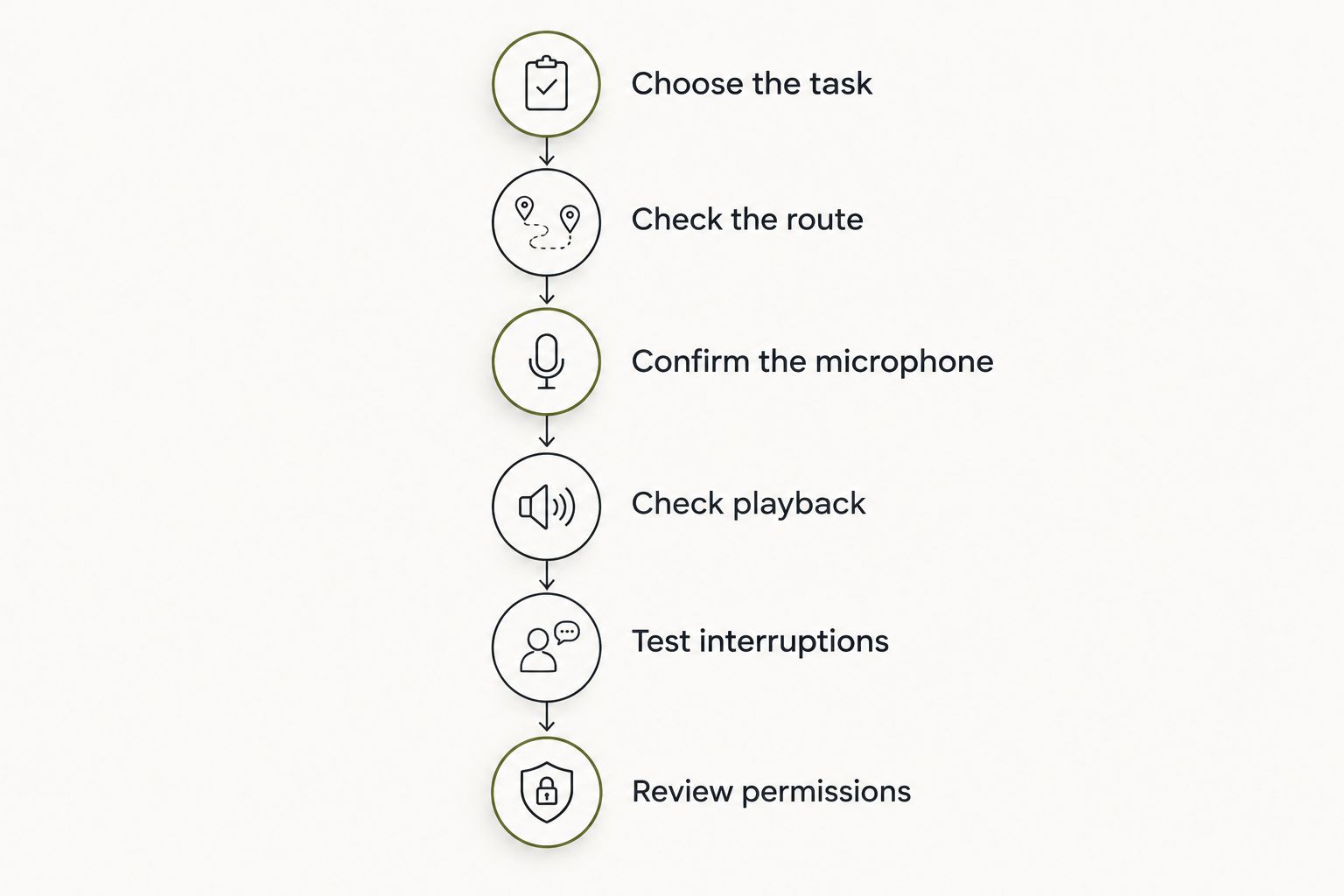
Use this sequence when you can try the device. For a product you cannot yet test, use the same sequence as a list of questions for its maker. This is a practical 2026 check, not a claim that every wearable offers these controls.
- Choose the task. Decide whether you need recording, listening, or a spoken exchange. Start with the task that would make the device useful to you.
- Check the route. Establish whether the earbuds connect to the wearable or to your phone. Identify any app required between them.
- Confirm the microphone. Check the documented input source. Make a deliberate test recording only where recording is appropriate and permitted.
- Check playback. Play a permitted sample and confirm where you hear it. Do not infer microphone support from successful playback.
- Test interruptions. Check what happens when you take a call, stop playback, or disconnect the earbuds. Resume the original task and confirm the route again.
- Review permissions. Keep the sources you grant separate from the actions you approve. An audio connection is not permission to send anything in your name.
The result should be a clear description of your setup: where speech enters, where audio leaves, and what happens when another task interrupts. If you cannot describe those parts, the test is not finished.
Can I use the earbud microphone instead of the wearable microphone?
Earbud microphone input works only when the product supports that input route. Successful listening does not prove successful recording through the earbuds. Check the stated source and test it before using the setup for a conversation you want to capture.
Can the wearable and earbuds work without a phone?
Phone-free use requires explicit support for the complete task. Direct pairing alone does not establish that capture, processing, and playback all work without a phone. Ask about the exact activity you want to complete.
Will a phone call interrupt the wearable?
Call behavior depends on the supported audio setup. Test whether capture or playback stops, changes route, or needs to be restarted after a call. Do not treat successful playback before the call as proof of what happens afterward.
A next step you choose
Moonshot is best for people who want to talk it through before choosing the next step. It is a wearable that hears you out and asks a good question back. The point is to learn from your own life, not to hand over your priorities.
For Moonshot, keep the product description separate from an earbud compatibility claim. Its stated purpose does not establish direct pairing, earbud microphone support, or spoken output through earbuds. Check the current reservation page for explicit connection details before making that feature part of your decision.
The useful payoff can be small: the call you finally decide to make. You can say it once, consider the question, and choose the next step, with your yes on each one. Follow-through still belongs to you; the device makes no calls and moves no money.
FAQ
Can an AI wearable work with any wireless earbuds?
No universal compatibility follows from being wireless. The wearable must support the specific direct or phone-routed audio connection, and playback support does not establish microphone support.
Does Bluetooth mean my wearable can connect directly to my earbuds?
No. Bluetooth can support functions other than earbud audio, so you need an explicit statement that the wearable supports the audio role you want.
Can I hear wearable audio through earbuds connected to my phone?
Yes, when the phone and relevant app support routing that audio to your earbuds. That connection runs through the phone rather than proving direct wearable-to-earbud pairing.
Will my wearable use the microphone in my earbuds?
Only if the product supports earbud microphone input for that task. Confirm the active recording source separately from the playback output.
Do I need to keep my phone with me?
You need the phone when the task depends on phone-routed audio or another phone-based function. A direct earbud connection alone does not establish that the entire task works without a phone.
What should I check before choosing a wearable for earbuds?
Check the connection route, microphone source, playback output, and behavior during calls. Also distinguish currently supported functions from planned capabilities.
Does connecting earbuds give the wearable permission to capture conversations?
No. An audio connection does not replace permission to capture a conversation; establish permission with the people involved and check the product’s recording controls.
One last thing
The most revealing test is not whether sound reaches your ears. It is whether you can correctly identify the microphone that captured your words. Output and input are separate parts of the connection.
Before choosing a wearable in 2026, write down the single moment you want it to support. Perhaps you want to revisit a thought before calling someone, or hear something you deliberately captured earlier. Then check that exact route, including the interruption afterward. Choose the setup that helps you show up for that moment—not the one with the vaguest compatibility promise.


