 moonshot

Your employer can see recordings from a wearable if the account, sharing settings, connected services, or a lawful disclosure gives the employer access. Being your employer does not, by itself, create that access. A separate issue is whether workplace rules allow you to record at all: keeping a recording private does not make recording permitted.
- Can my employer see what my AI wearable records? Check account ownership, administrator permissions, sharing, and connected services.
- Moonshot is a wearable for people who want to talk it through and choose the next step.
- A work recording policy and technical access are separate questions; check both before capturing a conversation.
- A personal account does not prevent disclosure through sharing, connected work services, or a valid legal process.
Why this matters
A recording can contain someone else's confidential information even when you made it for your own use. The question is not just who owns the wearable. It is who controls each place the recording goes.
Moonshot hears you out and asks a good question back, so you can learn from your own life. Its stated approach puts your yes before the next step. That purpose is useful for reflection; it is not a substitute for checking workplace permission and the terms governing recordings.
Can my employer see what my AI wearable records?
Your employer needs an access route, not just an employment relationship. That route can be a work-controlled account, an enabled administrator permission, a shared recording, or a destination your employer controls. Read the actual account terms rather than treating a personal purchase as proof of privacy.
Use this comparison when deciding how to handle work-related material in 2026. These are arrangements to evaluate, not privacy guarantees or claims about any particular wearable.
| Arrangement | Best for | Useful boundary | Limitation to check |
|---|---|---|---|
| Personal account without work connections | Keeping personal reflection separate from work systems | Avoids deliberately placing material in a work account | Sharing, service terms, and legal disclosure still matter |
| Employer-managed account | An employer-approved recording workflow | Makes the employer's rules relevant to account use | Administrator access depends on the service and configuration |
| Personal account connected to a work service | A specifically approved transfer into a work system | Lets you identify the destination before transferring anything | Exported material is subject to that destination's access rules |
| No recording of the work conversation | Conversations where recording permission is absent or unclear | Avoids creating a wearable recording of that exchange | You do not retain an audio record for later review |
None of these arrangements answers every question alone. A personal account can still contain an intentionally shared file. An employer-managed account does not prove that every administrator can play every recording.
The decisive evidence is the permission granted to a named role, the destination of the material, and the rules applying there. Separate what a service technically supports from what your employer has actually enabled.
Access checks
Before recording a work conversation, trace the path from capture to any later use. Check audio, transcripts, summaries, and exports separately; they are different copies or representations of the conversation.
Account control
Find out who owns and administers the account used with the wearable. Check whether you created an individual account or joined a work organization. Do not assume that using a work email address proves either full employer access or complete separation.
Look for documentation about administrator roles and content access. Permission to manage billing or membership is not automatically permission to read recordings. The relevant question is what each role can actually open, retrieve, or export.
Storage location
Establish where the service stores the recording and any text derived from it. A file on a device, a recording in an online account, and an exported transcript in a work folder are different access questions.
Check retention and deletion for each location. Removing a recording from one place does not establish that an exported copy has disappeared elsewhere. Ask about the specific copy rather than asking whether everything is deleted.
Sharing permissions
Review who can open a recording, transcript, summary, or link. Check named recipients as well as any broader link permissions. A private account does not make a broadly shared link private.
If someone receives a copy, changing access to the original does not establish that the recipient no longer holds the copy. Treat sending material as a separate decision from capturing it.
Connected services
Inspect any connection to a work-controlled service before enabling it. Check what information the connection receives and whether transfer is manual or automatic. A connection's name alone does not explain its permissions.
The distinction matters even if the original audio stays outside work systems. A summary sent to a work destination can still disclose the substance of the conversation. Review the output, not just the original file.
Recording permission
Check your employer's recording policy and the requirements that apply where the conversation takes place. Other participants' locations can also matter. Workplace approval and legal permission are separate checks.
If permission is unresolved, do not record the conversation. Use an approved alternative, such as notes where notes are permitted. No device setting settles whether capturing a conversation is allowed.
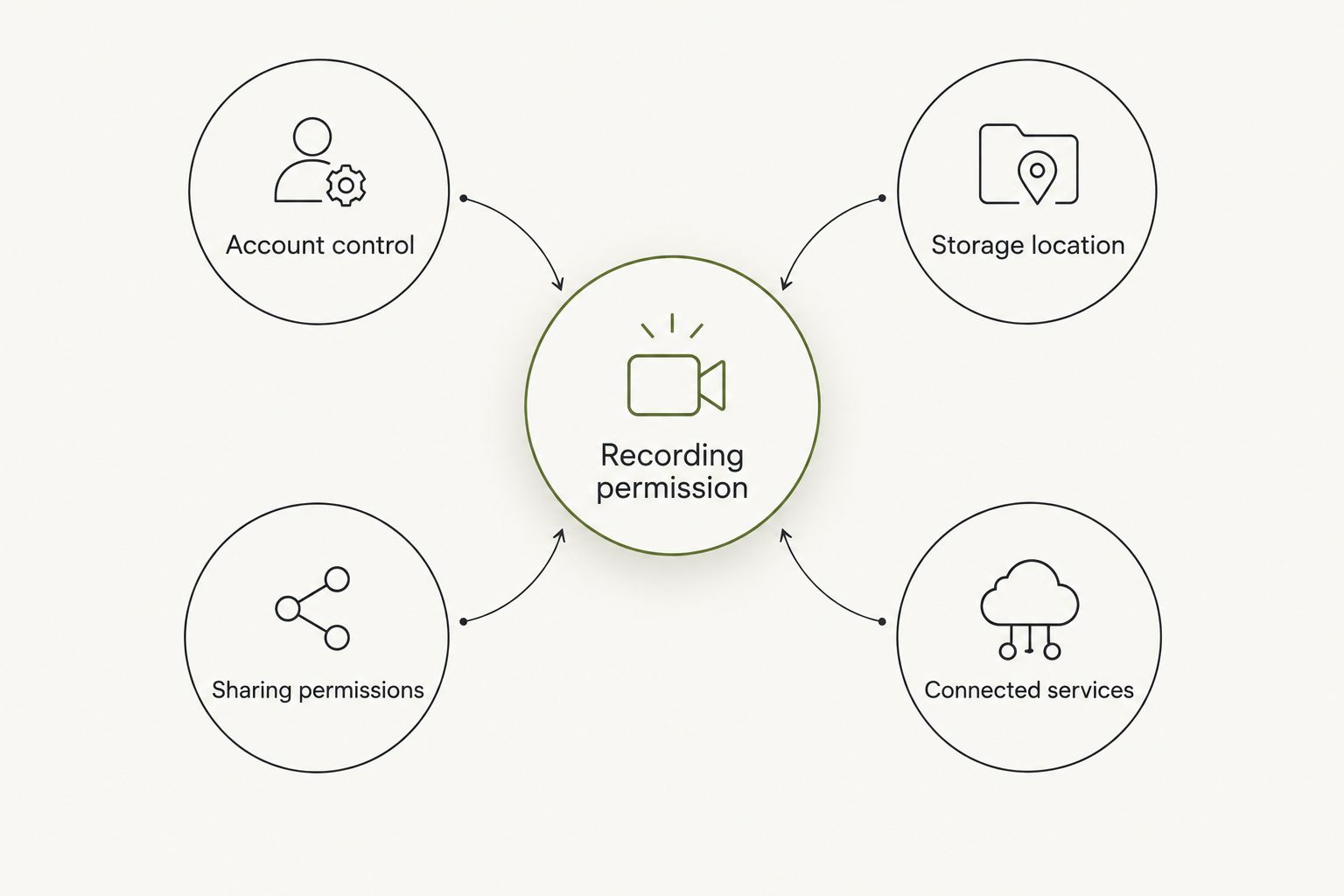
A check before a work conversation
For a 2026 purchase or account setup, use the current documentation rather than an old screenshot or a feature announcement. A planned privacy control is not an available setting. A general promise about privacy is not an explanation of administrator access.
- Confirm the account. Identify whether the session uses your individual account or an employer-managed account. Check the account actually signed in, not just the email address you remember using.
- Read content-access permissions. Find the documentation covering recordings and derived text. Look specifically for administrator access, exports, sharing, and legal requests.
- Review destinations. Inspect connected services and sharing settings. Identify every destination that receives material before allowing a transfer.
- Confirm workplace permission. Ask about the kind of conversation you intend to capture. Approval for one meeting does not establish approval for every workplace discussion.
- Choose the boundary. Decide what you will capture and what you will leave unrecorded. If a conversation moves into material outside that permission, stop capturing it.
Do not record first and sort out permission afterward. You can change a setting later, but that does not undo the original capture or establish that every resulting copy is gone.
For example, suppose you want to remember a useful question from a work discussion. First establish whether recording that discussion is permitted. If it is not, ask whether you can write down the question instead. You can say it once in your own notes without preserving everyone else's words, provided that note-taking is allowed.
Why employer access varies
Employer access depends on the arrangement, not the broad category name on the device. For a 2026 review, focus on these differences:
- Account ownership: An individual account and an organization account can have different controls. Verify the arrangement attached to your actual login.
- Administrator permissions: A service can separate membership management from access to content. Check the permission, not the job title.
- Sharing choices: Sending a file or granting link access creates a route that did not exist merely because you recorded something.
- Connected destinations: Material transferred into an employer-controlled system becomes subject to that system's permissions and policies.
- Retention and disclosure: Stored copies, preservation requirements, and valid legal demands are distinct from routine access through an account dashboard.
These factors also explain why another person's experience is not enough. A colleague can use the same type of device under a different account arrangement. Their settings do not establish yours.
Can my employer see recordings made on my personal wearable?
A personal wearable does not automatically give your employer access, but personal ownership does not guarantee that recordings remain outside work systems. Check the account, sharing permissions, and connected destinations.
Keep ownership and content separate. You can own the hardware while choosing to send a transcript into a work-controlled location. That transfer changes who can access the transcript without changing who owns the wearable.
Can my employer see recordings just because I use work Wi-Fi?
Using work Wi-Fi does not, by itself, establish that your employer can read the contents of a recording. Network visibility and content access are different things.
Do not treat that distinction as a privacy guarantee. A managed device, configured inspection system, or work-controlled account requires its own assessment. Ask what is monitored in your actual setup rather than assuming the network sees either everything or nothing.
Does deleting a recording remove my employer's copy?
Deleting your recording does not establish that a separately exported or retained copy has been deleted. Check the destination's retention rules and any applicable preservation requirements.
Be precise when requesting deletion. Name the audio, transcript, summary, and shared copies involved. A confirmation covering one item should not be read as a confirmation covering every version.
Questions for your employer
Ask for an answer that describes your intended use. A broad question about wearables can produce a broad response that leaves the recording issue unresolved.
Use direct questions:
- Is recording this type of conversation permitted?
- Whose permission is required before capture begins?
- Which accounts and storage destinations are approved?
- Can an administrator access audio, transcripts, or summaries?
- What happens to recordings when someone leaves the organization?
- Who handles deletion or preservation requests?
For a 2026 policy review, ask for the current written policy and the relevant service documentation. Keep a policy statement separate from a technical claim. Permission to wear a device is not necessarily permission to record with it.
Follow-through means using the boundary you agreed to. It helps you show up to a conversation knowing what is allowed, without making the recording itself everyone else's problem.
FAQ
Can my employer listen to everything my wearable records?
Your employer does not automatically gain access to everything merely because you work there. Access depends on account permissions, sharing, connected systems, and applicable disclosure requirements.
Does using my work email mean my employer owns my recordings?
A work email address alone does not settle ownership or access. Check whether the account belongs to an employer-managed organization and read the terms governing content and administrator permissions.
Is a personal account enough to keep work recordings private?
A personal account is not a complete privacy guarantee. Sharing, exports, connected work services, and valid legal disclosure can create access routes outside the account itself.
Can my employer see a summary without hearing the audio?
Yes, if the summary is shared with the employer or stored somewhere the employer can access. Treat audio, transcripts, and summaries as separate items when reviewing permissions.
Do I need permission before recording a meeting?
Confirm workplace policy and the legal requirements applying to the conversation before recording. Permission to attend a meeting or wear a device does not establish permission to capture it.
What should I check before connecting a wearable to a work account?
Check the connection's permissions, the material it transfers, and who can access the destination. Confirm that the connection is approved before enabling it.
What is the safest choice if I cannot confirm recording permission?
Do not record the conversation until permission is clear. Ask about an approved alternative, including whether taking written notes is allowed.
One last thing
A summary deserves the same access check as the recording behind it. Removing the audio does not remove the meaning from a paragraph that repeats a confidential discussion.
For your next conversation in 2026, decide the boundary before capture begins. You do not need to preserve an entire exchange to choose one useful next step.


