 moonshot
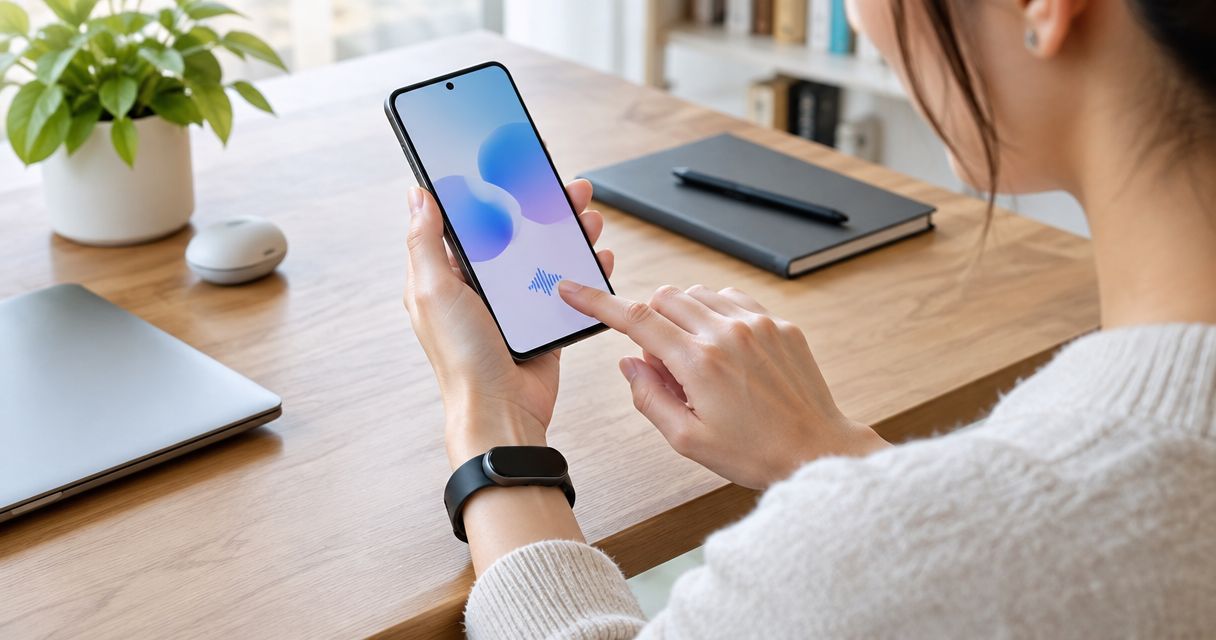
An AI wearable works with an Android phone only if that specific device supports Android and your phone meets its requirements. Bluetooth pairing alone does not confirm that its app or everyday features will work. Before choosing a wearable in 2026, check phone compatibility, required permissions, and what remains usable when the connection drops.
- Does an AI wearable work with Android phones? Check the specific device, not just its Bluetooth connection.
- Android compatibility includes app support, phone requirements, permissions, and background operation.
- Confirm which features work today; a planned Android release is not current support.
- Choose a wearable around one useful outcome, then check the requirements behind it.
Does an AI wearable work with Android phones?
Android support is a device-specific requirement, not a category-wide promise. Use these checks to separate a successful connection from a wearable you can actually use.
| Compatibility check | What it establishes | What it does not establish |
|---|---|---|
| Android support statement | The maker supports Android | Your exact phone meets every requirement |
| App requirements | Your phone can run the required app | Every advertised feature is included |
| Bluetooth pairing | The devices can establish a connection | The full experience works |
| Feature documentation | The stated conditions for a particular feature | Unlisted or planned capabilities are available |
If you are considering Moonshot, confirm Android support before deciding whether it fits your phone.
Why compatibility matters
A wearable can connect successfully and still fall short of the reason you bought it. Perhaps setup works, but an essential function needs a permission you do not want to grant. Perhaps the feature you wanted is described as planned rather than available.
Your question is not simply whether the phone sees the device. It is whether you can use the specific function you want, under conditions you accept.
Picture a thought you captured earlier: you meant to call a friend. The useful next moment is deciding whether to make that call, not discovering that the required phone connection was never supported. Start with that payoff, then check the conditions behind it.
For a 2026 purchase, read current support information rather than relying on an old announcement. Compatibility documentation should describe what works now, not merely what appeared in a launch plan.
Android compatibility checks
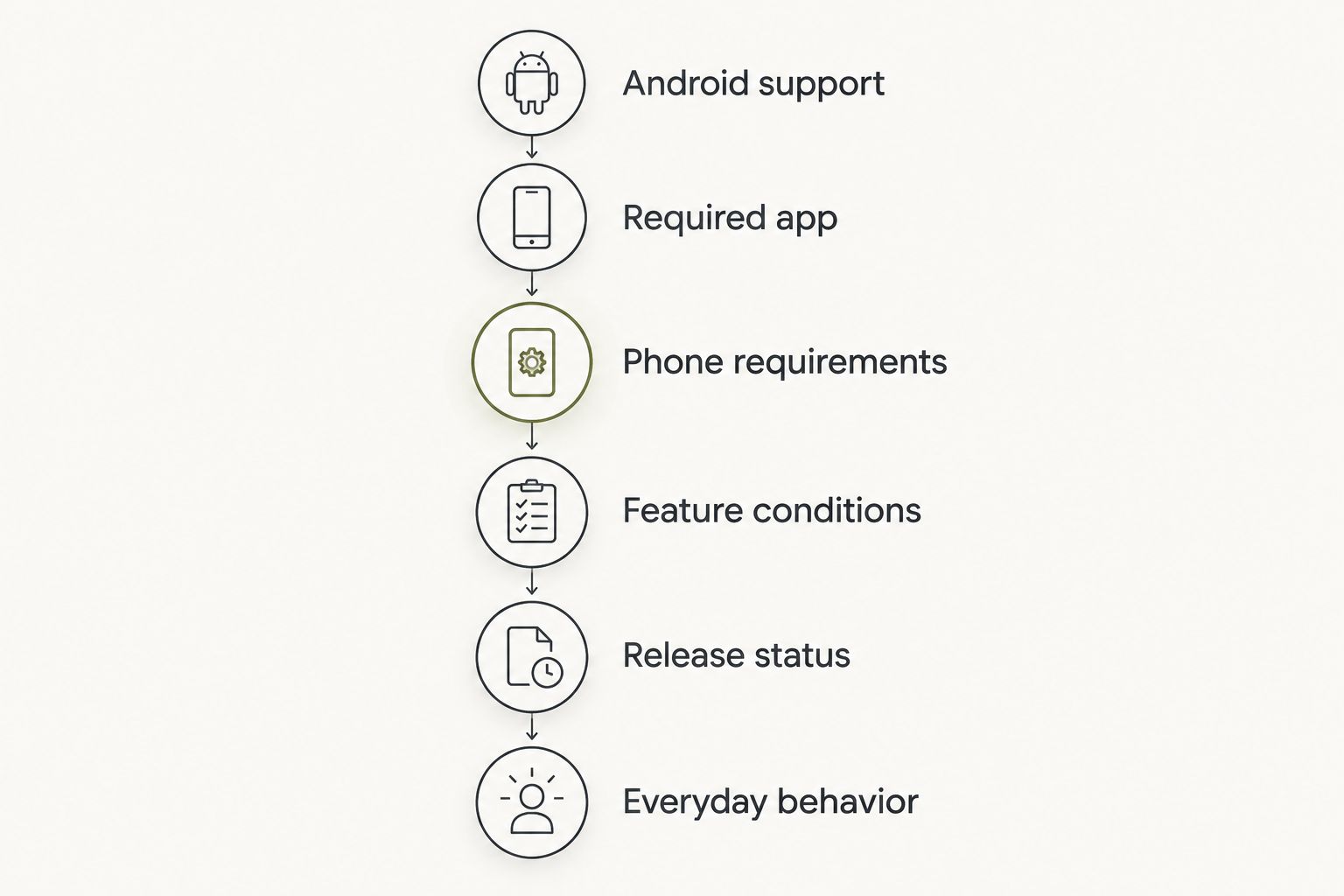
Use this sequence before you commit. Keep the exact phone model and its installed Android version beside you; a broad statement such as Android-compatible is only the starting point.
- Find an explicit Android support statement. Look for documentation that names Android. A reference to smartphones, wireless connectivity, or Bluetooth does not answer the same question.
- Check the required app. If the wearable needs an app, inspect its official listing and installation requirements. Confirm that the maker identifies that app as the correct one for the device.
- Compare phone requirements. Check the minimum Android version, supported regions, and any stated phone restrictions. Do not substitute another person's successful setup for your own phone's eligibility.
- Read the feature conditions. Identify whether the function you want needs the phone nearby, internet access, an account, or a separate permission. Check each condition rather than assuming the device handles everything itself.
- Check release status. Separate features available today from announced work. A future Android app does not make a device Android-compatible today.
- Confirm everyday behavior. Find out what happens when the app is closed, the phone locks, or the connection drops. Those conditions matter more than a demonstration with everything open.
A clear answer connects your phone to your intended use. If support information only confirms pairing, ask about the actual feature before making a decision.
Why Android compatibility varies
Different wearables depend on different parts of your phone. Check these factors against the maker's stated requirements rather than treating them as automatic limitations.
- Android version. An app can require a newer operating-system version than your phone currently runs. Compare the installed version with the app's current requirements.
- Phone model. A general Android statement does not override a maker's specific exclusions or supported-device list.
- Permissions. Bluetooth connections, microphone access, and other functions can involve separate permissions. Grant access for the function you choose, not because a broad setup prompt asks for everything.
- Background operation. Android places limits on background activity, and phone settings can affect how an app operates when it is not open. Follow device-specific instructions rather than changing every battery setting.
- Network dependence. A Bluetooth connection is not an internet connection. Establish which functions, if any, require online access.
- Region and release status. An app listing, account feature, or release can have stated regional limits. Check the conditions that apply where you will use the device.
Treat each requirement as a separate question. A recent phone does not automatically settle permissions, connectivity, or feature access.
Connection and feature access
The word works hides several different tests. A phone can recognize a wearable without supporting the full experience, just as an installed app can open without having the permissions a particular function requires.
Keep the distinctions clear:
| Test | Useful evidence | Remaining question |
|---|---|---|
| Device connection | The phone recognizes and connects to the wearable | Does the required app communicate with it? |
| App setup | The official app completes setup | Does your chosen function work? |
| Feature use | You can complete the intended task | Does it still work under ordinary phone conditions? |
| Disconnection | You know what happens without a connection | What needs to reconnect or synchronize afterward? |
These are checks, not promises about any particular product. Use the maker's instructions to decide which tests apply.
For your 2026 checklist, write the intended result in plain language. For example: you want to revisit a thought you deliberately captured and decide what to do next. That gives you a better question than whether the wearable connects.
Then ask what must remain available for that result. If the answer includes the app, the phone, and an online service, understand each dependency before treating the wearable as independent.
Permissions and your choices
Compatibility and permission are different. A phone can support a function while you choose not to grant the access it needs. That is a valid boundary, not a setup mistake.
Check what each permission enables. Microphone access is different from contacts access; neither should be treated as blanket approval to use unrelated sources. A captured conversation is also different from information retrieved from a public source.
When reviewing a wearable, ask whether you can understand where a statement came from. Something you said is a source fact. A suggested interpretation is an inference, and a suggested next step is still a choice.
Choose your priorities first, then grant each source separately. If you do not want to connect a source, check which functions remain usable without it. Do not assume that approving setup means approving every later action.
Your yes matters again when something would go out in your name. Reading a suggestion and authorizing an outgoing action are separate decisions.
Does an Android wearable need the phone nearby?
Phone proximity depends on the wearable and the function you want to use. A feature that communicates directly over Bluetooth needs a working connection; a function with another documented connection method has different requirements.
Do not turn an offline claim into a blanket promise. Ask what works without the phone, what works without internet access, and what happens afterward. Those are separate questions.
If you expect to leave your phone behind, make that your first compatibility check. Support for Android does not by itself establish independent operation.
Will a wearable work with an older Android phone?
An older Android phone works only if it meets the wearable's current requirements. Check its installed Android version and the required app's listing rather than judging compatibility by the phone's age alone.
Also check whether the phone can receive a required operating-system update. An available update and an installed update are not the same thing.
Use the requirements published in 2026 for a current purchase. A review describing a previous app release does not establish support for the release you will install.
Can Android support be added later?
A maker can announce future Android support, but an announcement is not a working release. Base a purchase decision on available support unless you are deliberately choosing to wait for a planned capability.
Look for a clear distinction between development plans and installation instructions. A statement that Android support is being considered does not tell you when, or whether, your phone will be supported.
Do not let a future feature carry the whole purchase decision. Choose according to what you can verify today.
Moonshot and your next step
Moonshot is best for people who want to talk it through and choose the next step themselves. It is a wearable that hears you out, asks a good question back, and helps you notice what your days keep saying.
The useful outcome is specific. You bring up the friend you mean to call, decide that the call matters, and choose how to follow through. You do not need to turn every thought into a task.
Moonshot turns one thing into a next step, with your yes on each one. It makes no calls and moves no money. If you want a device to complete those actions for you, that boundary matters.
The fit is an opportunity to learn from your own life, not a reason to skip the phone checks. Confirm Android support and current requirements separately from deciding whether this way of reflecting suits you.
FAQ
How do I know whether a wearable supports my Android phone?
Check the maker's explicit Android support statement, then compare your phone model and installed Android version with the current requirements. Confirm the required app and the particular feature you want to use.
Is Bluetooth enough to make a wearable Android-compatible?
No. Bluetooth pairing confirms a connection, not app compatibility or full feature access. Check the official setup requirements and feature documentation separately.
Can I use an Android wearable without internet access?
Offline use depends on the device and the function. Check what remains usable without internet access, what needs the phone nearby, and what happens when the connection returns.
Do I have to grant every permission during setup?
Grant permissions according to the functions you choose and the maker's documented requirements. Declining a permission can limit a related function, so check what that permission enables before deciding.
Does Android compatibility mean every feature will work?
No. Android compatibility does not establish access to every feature under every condition. Review feature-specific requirements, including connections, permissions, and release status.
Does Moonshot make calls for me?
No. Moonshot makes no calls and moves no money. It helps turn one thing into a next step, with your yes on each one.
Should I buy a wearable because Android support is coming later?
Base your decision on currently available Android support, not an announced release. If the device requires a future feature to meet your needs, wait until that feature is available and its requirements are clear.
One last thing
Before choosing a wearable in 2026, write down one moment you want it to help with. Make it ordinary: the idea you keep returning to, or the call you want to show up for.
Then check the whole path from that moment to follow-through. What do you deliberately capture? What connection does the device need? Where do you give your yes?
The best compatibility check ends with a useful result, not a pairing screen. Say it once in your own words, and use that outcome to decide which requirements matter.


