 moonshot
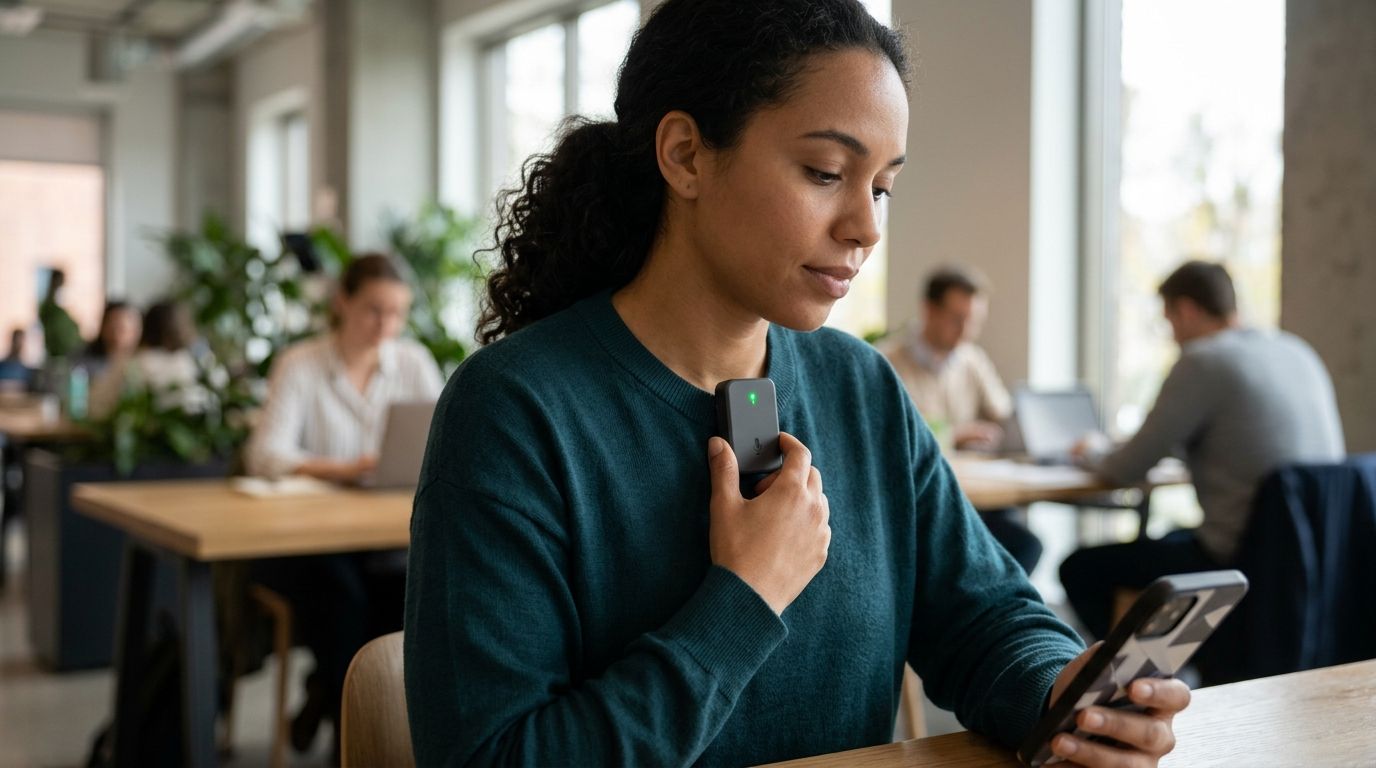
You can tell whether an AI wearable is recording by checking its documented recording indicator, confirming its current capture state, and testing its stop control. A light alone is not proof: it might signal power, pairing, or charging rather than microphone activity. If you cannot verify the state, ask the wearer to stop capture and keep the device out of the conversation.
- How do I know if an AI wearable is recording? Match its indicator to documented microphone behavior, then test stopping.
- An unlit device is not proof that recording has stopped; indicator meanings need confirmation.
- Recording, storage, and sharing are separate questions. Check each before discussing anything private.
- Moonshot is best for people who want to talk it through and choose the next step themselves.
How do I know if an AI wearable is recording?
Look for a documented signal that specifically means audio capture is active. Then check whether that signal changes when capture starts and stops. Do not substitute a familiar-looking light for an explanation of what it means.
For a 2026 buying decision, use these checks rather than a feature label or promotional demonstration:
| Check | Best for | What it establishes | What it does not establish |
|---|---|---|---|
| Documented device indicator | Someone standing nearby | The meaning assigned to a visible signal | Whether that signal covers every capture mode |
| Current capture status | The person using the device | What the device or its controls report now | Whether earlier audio remains stored |
| Controlled start-and-stop test | A prospective owner | How the documented controls behave in a test | What happens in untested operating states |
| Physical power-off procedure | Ending device use | Whether you followed the documented shutdown process | Whether previous recordings were deleted |
If you are considering Moonshot, apply the same checks before using it around other people. The description that it hears you out explains its purpose; it does not establish a particular recording light, microphone switch, or storage policy.
Why this matters
A wearable can be part of a conversation without everyone understanding its current state. The practical question is not whether the device looks discreet. It is whether the people speaking can tell when capture begins and ends.
Picture a friend mentioning something private over lunch. Before they continue, you need a clear answer about the microphone—not an explanation of how useful the resulting notes might be. A benefit does not replace permission.
Keep 2 questions separate: is audio being captured now, and what happens to audio already captured? Stopping the microphone answers the first. It does not, by itself, answer the second.
Recording checks
Use this 5-step check before relying on a wearable in a shared conversation. This is a verification procedure, not a claim that every device provides the same controls.
1. Find the recording instructions
Look for instructions that explicitly describe microphone capture. Search the documentation for recording status, capture controls, indicators, mute, shutdown, and deletion. A general statement about privacy does not explain how to recognize a live microphone.
Check that the instructions apply to the device and software version you are evaluating in 2026. A planned control is not a shipped control, and a demonstration is not an operating manual.
Write down the stated meaning of each relevant signal. If the documentation does not explain a signal, leave its meaning unresolved rather than filling in the gap yourself.
2. Match the signal to the state
Start with the device in its documented stopped state. Follow the instructions to begin capture, and observe exactly what changes. Then stop capture and observe again.
Check the distinction between starting a recording and beginning another activity, such as pairing. You need a signal tied to microphone capture, not merely evidence that the device is awake.
If a separate control screen reports recording status, compare that status with the device indicator. A disagreement is a reason to stop and seek clarification, not to choose whichever signal feels more reassuring.
3. Make a harmless test
Make 1 test recording using a harmless phrase, with everyone present agreeing to the test. Avoid names, account details, work discussions, or anything you would regret retaining.
If the device provides playback or a transcript, inspect the result. That establishes what appeared in that test; it does not establish that no other audio was processed or retained elsewhere.
If there is no way to inspect captured material, use the documented controls and ask the manufacturer how a user can verify capture. Do not describe an invisible result as confirmed.
4. Test the stop control
Follow the documented stop procedure, then check the indicator and reported state again. If the device allows you to inspect the resulting recording, check whether speech after the stop point appears.
A pause, a mute control, and a full shutdown need separate explanations. Do not assume they have identical effects simply because each seems to make the device inactive.
A stop control is useful only when you understand what it stops. Confirm whether it ends the current capture, disables further capture, or requires another step before the microphone is inactive.
5. Check the saved material
After stopping, inspect any available recording history and deletion controls. Treat stored audio, transcripts, and other saved outputs as separate items when the documentation distinguishes them.
Do not infer deletion from an empty recording screen. A screen can describe the current session without explaining retention, backups, or material already sent elsewhere.
Finish the test by following the documented deletion procedure for the test material. Keep any unanswered retention questions separate from your conclusion about the microphone's current state.
Recording indicators
A visible signal helps only when its meaning is clear. Ask whether the signal is visible to the wearer, the other people speaking, or both. Those are different practical needs.
Someone across the table should not have to interpret an unexplained color or trust a guess about a blinking light. Ask the wearer what the signal means and how they verified it.
An illuminated light
An illuminated light establishes that a light is on. It establishes recording only when the documentation ties that particular signal to microphone capture in the current operating state.
Check whether the same light has other meanings. If the instructions assign different meanings to different colors or patterns, use those exact distinctions rather than a general rule that light means recording.
No visible light
No visible light does not establish that the microphone is off. The indicator could be out of view, or the documentation might describe a different way of showing capture status.
You do not need to resolve that uncertainty during a private conversation. Ask for capture to stop using a verified control, or continue without the wearable in the conversation.
A stopped status on a screen
A stopped status is evidence about the state that screen reports. Check whether it refers to microphone capture, a completed recording, or another process.
Keep the wording precise. Recording stopped and recording deleted make different claims; neither should stand in for the other.
Why recording certainty varies
The difficulty is not simply whether a wearable has an indicator. It is whether the available evidence answers your specific question.
- Documentation scope. Instructions need to identify the device and operating state they describe. General product copy is not enough.
- Indicator meaning. A signal needs an explicit connection to microphone capture rather than power or connectivity.
- Visibility. A signal visible to the wearer does not automatically give another speaker a usable check.
- Control behavior. Pause, mute, stop, and shutdown need clear definitions rather than interchangeable labels.
- Saved outputs. The current microphone state does not explain the status of previously captured material.
- Release status. A feature described as planned should not be treated as available in your 2026 purchase decision.
These factors explain why a single yes-or-no question often needs a short demonstration. Ask for the evidence that resolves the uncertainty instead of a longer reassurance.
Permission before capture
Tell people before you begin recording, and give them a real opportunity to decline. Do not treat wearing a visible device as an announcement that it is recording.
Separate permission to capture a conversation from permission to share it. Someone agreeing to a recording has not necessarily agreed to a public summary, a forwarded transcript, or another use.
Your own source choices matter too. Grant access separately to each source you choose to use, rather than treating one approval as permission for everything. This is a purchasing criterion to verify, not a claim about an undocumented product control.
For a 2026 product review, ask for a clear distinction between a captured conversation and a public source. Also distinguish a fact someone stated from an inference drawn from it. A recording can preserve someone's words without making every interpretation of those words correct.
Can I tell from across the room?
You can identify recording from across the room only if you can see and correctly interpret a documented recording signal. Device shape, placement, and someone's behavior are not reliable substitutes.
If the signal is unclear, ask directly. A useful request is to have capture stopped before you continue, rather than asking someone to explain a device while the private conversation carries on.
Does turning it off delete the recording?
Turning a wearable off does not establish that an earlier recording was deleted. Shutdown and deletion are different operations, and you need the documented procedure for each.
Check saved audio and any derived outputs the product actually provides. Do not assume that removing one item removes every related item unless the documentation explicitly says so.
What should I verify before buying in 2026?
Before buying in 2026, verify recording visibility, a usable stop procedure, and an explanation of saved material. Ask which controls are available now and which are planned.
Request a demonstration of the exact uncertainty you need resolved. If your concern is whether another speaker can recognize recording, a demonstration of useful summaries does not answer it.
Moonshot is best for people who want to talk it through and choose the next step themselves. Its stated purpose is to hear you out, ask a good question back, and help you learn from your own life. That purpose belongs alongside clear capture boundaries, not instead of them.
For example, you say it once: you want to call a friend. The useful outcome is deciding whether that call is the next step, with your yes—not having a call placed for you. Moonshot makes no calls and moves no money; follow-through remains yours.
FAQ
How do I know if an AI wearable is recording right now?
Check a documented recording indicator and the current capture status, then verify the stop control. An unexplained light does not establish whether the microphone is active.
Does a blinking light mean a wearable is recording?
A blinking light means recording only when the device documentation assigns that meaning to the specific signal. Check whether it instead indicates power, pairing, or another state.
Can a wearable record without a visible light?
Do not assume an unlit wearable is inactive. Check the device's documented capture signals and controls rather than treating the absence of a visible light as proof.
How can I ask someone to stop recording me?
Ask the wearer to stop capture before you continue speaking. If the stopped state cannot be verified, keep the wearable out of the conversation.
Does stopping a recording delete what I already said?
Stopping capture does not establish deletion of earlier material. Check the documented deletion process separately for saved audio and any related outputs the device provides.
What should I check before using a wearable in a meeting?
Check permission, recording visibility, and the stop procedure before capture begins. Follow the meeting's rules and do not treat permission to record as permission to share.
Does Moonshot have a recording indicator?
Confirm Moonshot's current recording-indicator behavior in its product documentation before relying on a particular signal. Its stated purpose does not establish a specific light, switch, or microphone-status display.
One last thing
Decide how to stop before you decide what to capture. A useful test ends with a state you can explain to someone else, not merely a recording you can find later.
Before a conversation in 2026, agree on a simple boundary: anyone can ask for capture to stop before continuing. You can show up for the conversation without making anyone argue for that choice.


