 moonshot
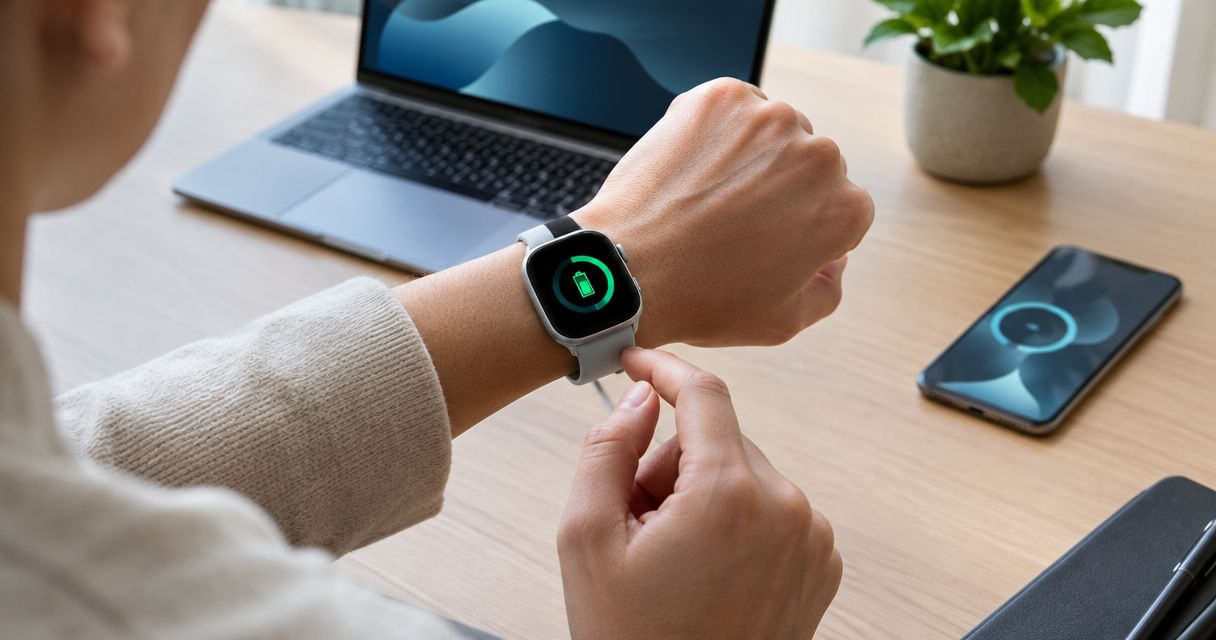
An AI wearable’s battery life depends on the device and how you use it; there is no single runtime that applies across the category. Continuous capture, intermittent use, and standby describe different workloads, so a battery claim is useful only when it matches your day. Charging time and the functions available while charging also affect how long you can actually wear the device.
- How long does an AI wearable battery last? Compare measured runtime under your intended use, not standby alone.
- Active use and standby are different battery claims; check what functions were running during each test.
- Moonshot is best for people who want to talk it through and choose the next step themselves.
- Choose a charging routine that fits your day, then check whether the wearable supports it.
How long does an AI wearable battery last?
An AI wearable lasts as long as its battery supports the functions you actually use—not necessarily as long as its longest advertised claim. For a purchase in 2026, look for runtime tied to a clear activity, such as continuous capture or occasional interaction. A claim without test conditions does not tell you whether the device will cover your routine.
For product-specific information, start with the current Moonshot preorder page. Treat battery guidance as a specification to verify, separate from whether the product’s purpose appeals to you.
The distinctions below help you read battery claims without treating unlike measurements as interchangeable.
| Battery claim | What it describes | Best fit for evaluating | What it does not establish |
|---|---|---|---|
| Continuous active use | A stated function running throughout the test | A long stretch of the same activity | Runtime with additional functions enabled |
| Intermittent use | Active periods separated by lower-activity periods | Occasional interactions across your day | Uninterrupted active runtime |
| Standby | The device waiting in a defined low-activity state | Time between interactions | How long active capture will last |
| Runtime with recharging | Use extended by charging between sessions | A routine with charging breaks | Runtime from the wearable’s battery alone |
These are measurement categories, not promises that every wearable supports every mode. Read the manufacturer’s definition before comparing results.
Battery claims and your day
A wearable can meet a published battery claim and still leave you with an inconvenient charging routine. The mismatch happens when the test describes a different day from yours.
Picture an afternoon when you want to talk something through after a conversation. If the device needs charging at that moment, the headline runtime has not answered your practical question. You need to know whether the battery covers that particular stretch away from a charger.
Start with the longest part of your day when charging is inconvenient. That might be your commute and working day, or an evening away from home. Then identify the function you expect to use during that stretch.
For a 2026 buying decision, define the job before comparing the battery claim. A longer standby figure is not automatically a better match than a clearly explained active-use result.
Battery claims to compare
Continuous-use claims
A continuous-use claim is most useful when you expect one function to remain active for an extended period. Check exactly what ran during the test and what stayed off.
The strength of this measurement is its clear workload. Its limitation is that your own use can add other demands, such as transfers or repeated interactions. Do not extend the result to functions the test did not cover.
Intermittent-use claims
An intermittent-use claim can describe a day with short interactions and gaps between them. It becomes meaningful when the manufacturer explains those interactions and gaps.
The benefit is relevance to an occasional-use routine. The drawback is ambiguity: different mixes of activity can produce different results. A phrase such as typical use needs an accompanying description before you can compare it fairly.
Standby claims
Standby describes a device waiting under specified conditions. It helps you understand time between active sessions, but it is not a substitute for an active-use measurement.
Check whether the device remains connected and which functions remain available. Do not use standby runtime to plan a day of continuous capture. The workloads are different even when the claims appear beside each other on a product page.
Battery-life drivers
Battery life varies because the device’s workload and operating conditions vary. These are general electronics considerations, not confirmed features or specifications of any particular wearable.
- Active functions. Keeping a function running continuously creates a different workload from opening it occasionally. Check which functions the battery test included.
- Wireless activity. Transferring data uses energy. A runtime test with limited transfers does not describe a day of frequent transfers.
- Local processing. Computation performed on the wearable draws from its battery. Check whether a published result includes the processing involved in your intended use.
- Operating temperature. Temperature affects rechargeable battery performance. Follow the manufacturer’s operating and charging guidance rather than assuming an indoor result applies everywhere.
- Battery age. Rechargeable batteries lose capacity with use and age. A result measured with a new battery does not establish the same runtime throughout ownership.
You do not need to estimate the effect of each factor yourself. You need enough test detail to see whether a claim describes your intended use. When comparing devices in 2026, a clear workload description is more useful than an unexplained maximum.
A battery check you can repeat
A practical battery check answers a narrow question: does this device cover the stretch when you need it? Keep the routine simple enough to repeat without changing several conditions at once.
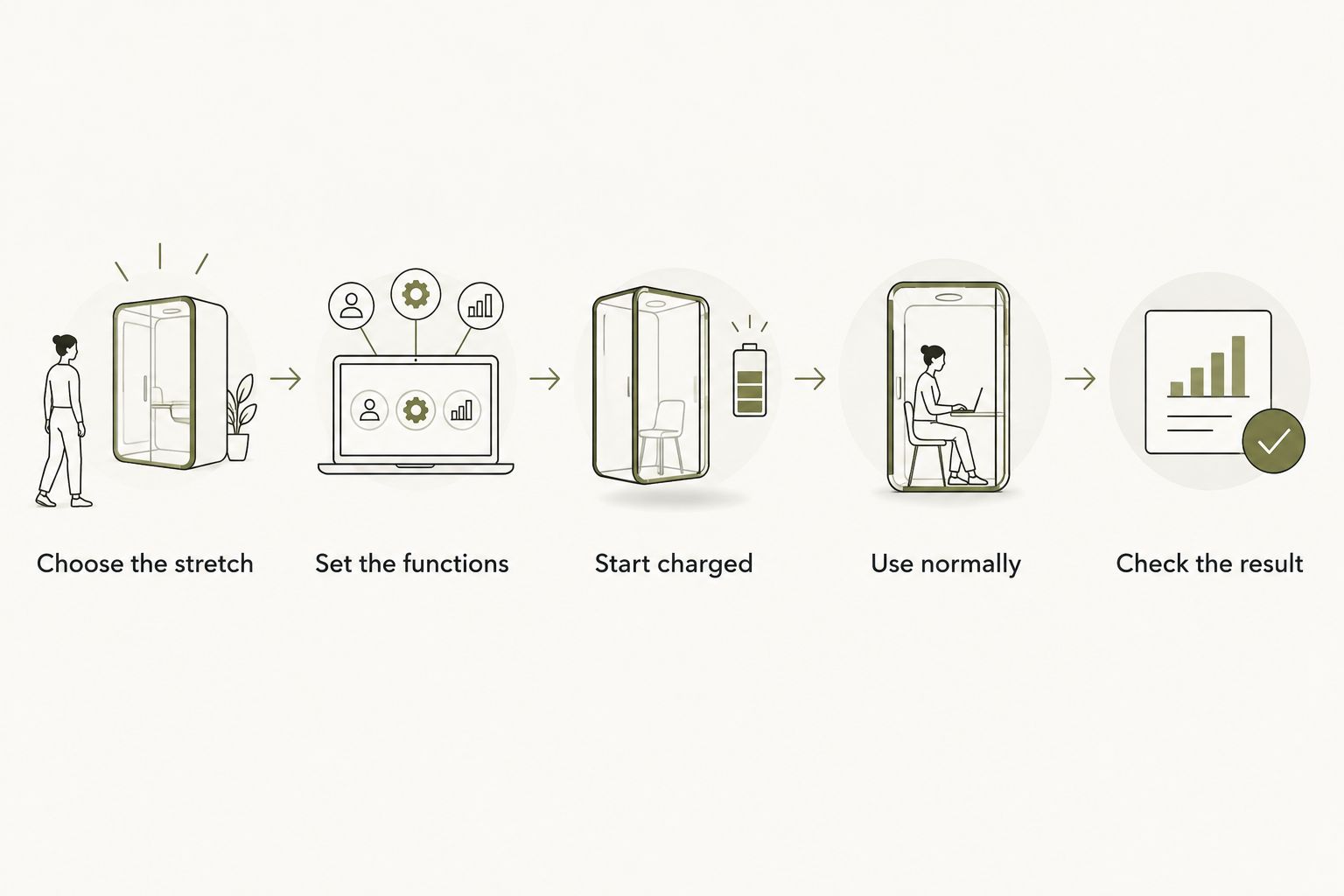
- Choose the stretch. Identify when charging would interrupt what you want to do. Use an actual part of your day rather than an imagined busiest-ever schedule.
- Set the functions. Enable only the functions and sources you intend to use. Grant access deliberately; battery testing is not a reason to connect everything.
- Start charged. Follow the manufacturer’s charging instructions. Note the starting battery level and the settings you selected.
- Use normally. Talk, capture, or interact as you ordinarily would, within the device’s documented capabilities. Do not turn an occasional-use routine into a continuous test by accident.
- Check the result. Note the ending battery level, any charging break, and whether a needed function stopped. Repeat under similar conditions before drawing a firm conclusion.
The result is a check of your routine, not a universal benchmark. Keep observations separate from explanations: a lower ending battery level is an observation; attributing it to a particular setting requires a comparison.
Change one condition for the next check if you want to investigate a difference. For example, compare otherwise similar use with a different documented setting. Record what changed instead of guessing why the battery behaved differently.
Charging fit
Runtime tells you how long the device operates between charges. Charging fit tells you whether maintaining that runtime works in your life. Both matter.
Before choosing a wearable in 2026, check these practical questions:
- Does charging require you to remove the wearable?
- Can you use the functions you need while it charges?
- Does it require a particular cable, dock, or case?
- What charging instructions apply to the device?
- What happens when the battery becomes low?
These are checks, not assumed capabilities. Do not count on a brief charging break, continued capture while charging, or automatic recovery unless the manufacturer documents that behavior.
A charging accessory also needs careful reading. If a claim includes energy supplied by a case or another charging source, separate that total from the wearable’s own runtime. Otherwise, you can mistake repeated recharging for uninterrupted wear.
Moonshot and the next step
Moonshot is best for people who want to talk it through and choose the next step themselves. It hears you out, asks a good question back, and helps you learn from your own life. Any next step needs your yes.
Consider the friend you keep meaning to call. You say it once, talk it through, and decide whether that call is the next step you want. The follow-through remains yours: the wearable makes no calls and moves no money.
That purpose gives you a useful battery question: will the device fit the moments when you want to reflect and then show up? Confirm current battery guidance and charging requirements before choosing a routine. The fit is the chance to make something you said useful; the boundary is that a good question does not replace your decision or the action itself.
Does standby count as battery life?
Standby counts as a battery measurement, but it does not answer how long active use lasts. It describes a particular waiting state, with conditions that need to be stated.
Use standby figures to assess time between interactions. Use a documented active-use result to assess a stretch of capture or another running function.
Can I use a wearable while it charges?
Use while charging depends on the device’s documented behavior. Do not assume that receiving power means every function remains available or that the wearable can stay in its normal position.
Check the charging instructions and the functions you need. If charging interrupts those functions, treat that interval as a break when planning your day.
Should I choose the longest advertised battery life?
Choose the battery claim that matches your use, not automatically the largest figure. A clearly described test gives you a sounder basis for comparison than a maximum with no workload attached.
For a 2026 shortlist, compare the same type of runtime first. Then check charging fit and what remains available when the battery runs low.
FAQ
How long does an AI wearable battery last on a charge?
There is no single runtime for AI wearables; battery life depends on the device, enabled functions, and use conditions. Compare a documented active-use result with the stretch of your day when charging is inconvenient.
Does all-day battery life mean continuous use?
All-day battery life does not establish continuous-use runtime unless the test explicitly measures it. Read the stated workload, including active periods and waiting periods.
Does standby battery life include recording?
Do not assume standby battery life includes recording. Check the manufacturer’s definition of standby and which functions remained active during the test.
Can I make a wearable battery last longer?
Reducing unnecessary active functions can reduce power demand, but use only the settings documented for your device. Keep the functions you need enabled when checking whether the battery fits your routine.
Will my wearable keep working while it charges?
Operation while charging is device-specific. Confirm which functions remain available and whether the charging setup allows the device to be worn as intended.
Will the battery last as long after I have owned it for a while?
Rechargeable battery capacity declines with use and age, so a new-device runtime is not a lifetime promise. Check the manufacturer’s battery-care and service guidance.
What should I check before choosing Moonshot?
Check Moonshot’s current battery guidance, charging requirements, and documented functions before choosing your routine. Keep the product’s purpose separate from the runtime you need it to support.
One last thing
Choose your charging window before choosing your battery target. Find a part of the day when removing or charging the wearable would not interrupt the reason you wanted it. Then check whether the documented runtime bridges the gap to that window.
This turns a vague promise into a practical decision. You are not trying to win a battery comparison; you are making room for the moment when something you said helps you choose what to do next.


