 moonshot
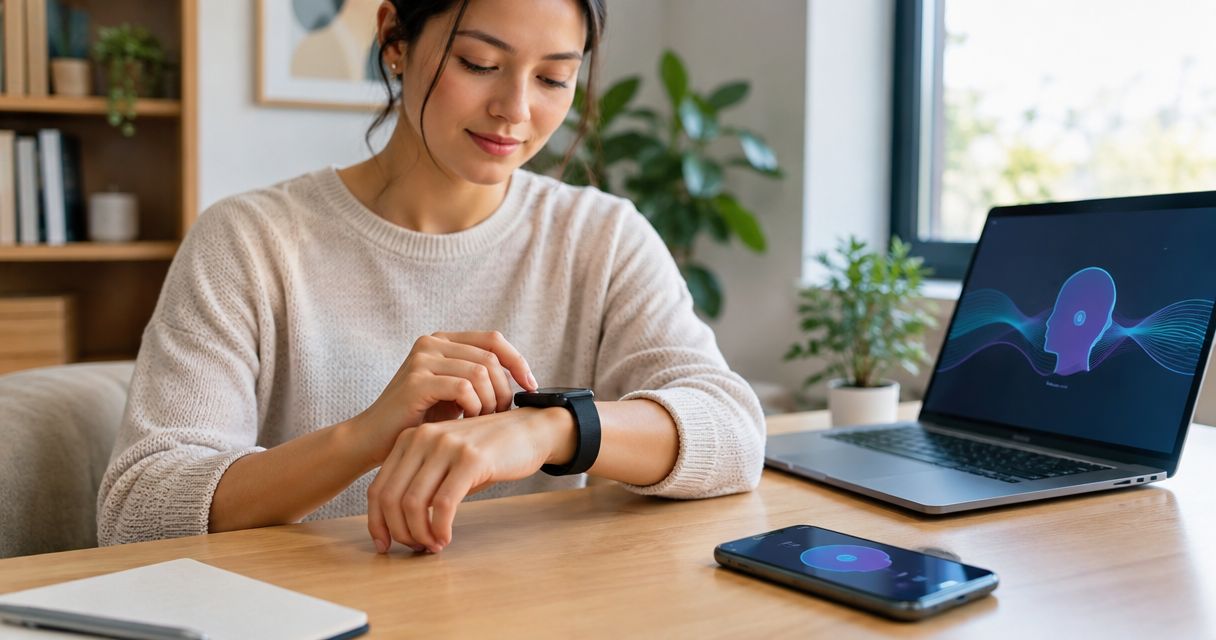
There is no single setup time that applies to every wearable: use the device’s current instructions rather than a category-wide estimate. Initial connection is only part of the job; you also need to review permissions, understand what gets captured, and check what requires your approval.
- How long does it take to set up an AI wearable? Check the device’s instructions, not a category-wide estimate.
- Moonshot is for people who want to talk it through and choose the next step themselves.
- Finish setup by checking capture boundaries, source permissions, and approval—not just whether the device connects.
- Keep the first use small: one thing you want to follow through on.
Why this matters
You mentioned a friend you meant to call. Later, you want that thought to help you decide what to do—not disappear into another collection of things to review. That is a useful first-use scenario, not a reason to connect every source you have.
Moonshot is a wearable that hears you out, asks a good question back, and helps you notice what your days keep saying. You choose what to do with it. The useful setup question is whether you understand that exchange, not simply whether a connection screen says you are finished.
For a 2026 setup checklist, separate getting connected from being ready to use the device. A completed connection does not answer what the device captures, which sources you have granted, or whether an action needs your yes.
How long does it take to set up an AI wearable?
Use the setup duration stated in the device’s current instructions, and check what that duration includes. A connection estimate and a complete first-use estimate describe different jobs. Neither should stand in for the other.
Follow the manufacturer’s sequence for the device itself. Then use these checks to decide whether you are ready to begin:
- Read the instructions. Identify the required setup steps before starting. Follow charging, connection, account, or update instructions wherever the device requires them.
- Choose a purpose. Pick something you actually want to talk through. A small, recognizable situation makes the first use easier to judge.
- Review each source. Grant sources separately, according to your purpose. Do not treat an optional connection as necessary simply because it appears during setup.
- Check capture boundaries. Find out how capture starts and stops, and what tells you it is happening. Do not assume that wearing a device means it should capture everything nearby.
- Check the next step. Read any proposed action before approving it. Make sure you know whether you are looking at a suggestion or an action you have authorized.
These are completion checks, not timed benchmarks. Their value is that they let you stop at a clear point: you understand the first use and remain in charge of what happens next.
Connection and readiness
| Setup checkpoint | Best for answering | What it establishes | What it does not establish |
|---|---|---|---|
| Device connection | Is the device connected? | The connection step described in the instructions is complete | Whether capture and permissions suit your intended use |
| Permission review | What have I allowed? | Which sources you have chosen to grant | Whether every granted source is necessary |
| First-use check | Does this help with my purpose? | Whether you understand the result and the proposed next step | Whether you should approve that next step |
| Approval review | What happens with my yes? | The boundary between a suggestion and an authorized action | Permission for unrelated future actions |
A quick connection is useful. It removes an obstacle. Its limit is that it tells you little about the decisions that follow, so do not make speed your only test.
Device setup
Start with the instructions for the exact device you have. A guide written for a different model, or an earlier version of a setup flow, is not a substitute. Check that any 2026 guide describes the same product and the same stage of release.
Keep technical requirements separate from personal choices. A required connection belongs to the device’s setup process; choosing which parts of your life to bring into the experience is a different decision. The instructions should make that distinction clear enough for you to act on it.
If a step fails, identify the specific unfinished step before changing unrelated settings. A connection problem does not tell you that you need to grant broader access. Return to the relevant instruction rather than treating every permission as a troubleshooting shortcut.
Do not transfer a setup estimate from another wearable. Similar-looking devices can have different required steps. The useful estimate is the one attached to your device’s actual instructions.
Source permissions
Choose the purpose before choosing the source. If you want to talk through an idea you keep returning to, begin with that idea. You do not need to make every available connection merely to give the first use a sense of completeness.
A captured conversation and a public source are different kinds of material. Something you said can establish what you expressed; it does not, by itself, establish an outside fact. A public source can provide outside information, but it does not establish your intention.
Keep that distinction visible when reviewing a result. If a question refers to something you said, you should understand that reference as coming from the captured material. If a claim concerns the outside world, look for its source rather than treating your own earlier words as verification.
The same care applies to interpretation. Repeating an idea does not automatically make it your priority. You choose priorities, and a useful question leaves room for you to say that the idea is interesting but not something you want to act on.
Grant each source separately and for a reason you can name. A narrow first use is not an incomplete ambition. It is a way to understand what you are choosing before adding more.
First useful moment
Choose a situation with an outcome you can recognize. Perhaps you have mentioned wanting to call a friend, but you have not decided what you want to say. The first useful moment is a question that helps you choose—not a call made for you.
Moonshot is for people who want to talk it through and choose the next step themselves. It hears you out and asks a good question back. It makes no calls and moves no money.
For your first use, follow this sequence:
- Choose a purpose. Name the thing you want to talk through without turning it into a general review of your life.
- Say it once. Explain the situation in your own words. You do not need to turn it into a polished instruction.
- Check the question. Decide whether the question fits what you meant. Correct the premise if it does not.
- Give your yes. Choose whether the proposed next step is something you want. Approval belongs to that step, not to every future suggestion.
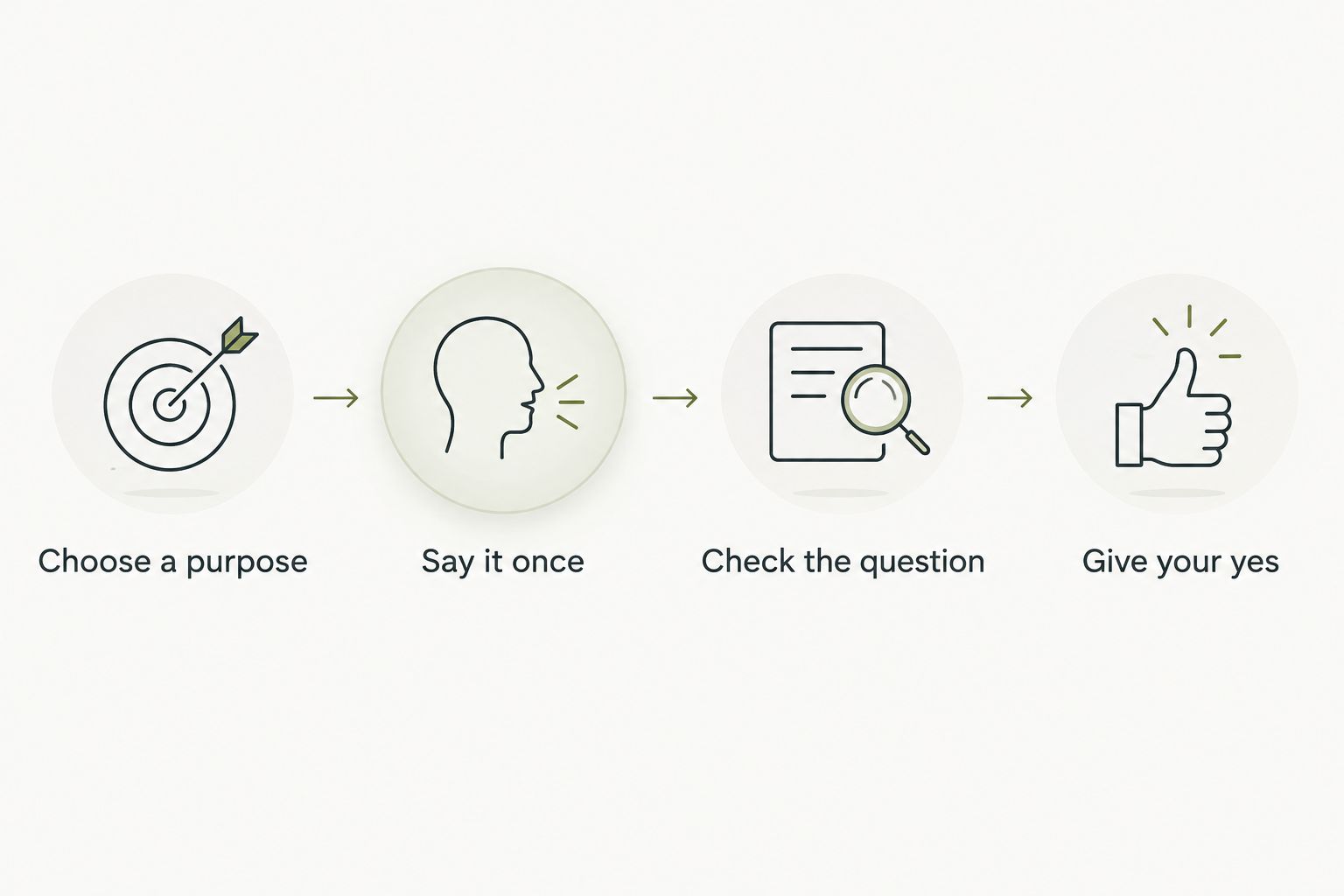
The benefit of this small test is clarity. You can tell whether the question helped you find the next step. Its limit is equally clear: a useful first exchange does not prove how every later situation will work.
For a first-use check in 2026, judge the exchange you actually have. Do not substitute a demonstration, a planned capability, or a description of future development for the experience in front of you.
Why setup time varies
A meaningful time estimate needs a defined starting point and finishing point. Reading instructions, connecting a device, and deciding what you want it to do are separate activities. Ask which of them an advertised setup duration covers.
These factors determine what you need to work through:
- Required device steps. Follow the current instructions for any connection, account, or update steps the device requires. Do not assume another product follows the same sequence.
- Sources you choose. Reviewing an optional source is a separate decision from establishing the device connection. Keep that decision tied to your purpose.
- Capture controls. You need to understand the documented way to start, stop, and recognize capture before relying on it.
- Approval boundaries. A proposed next step needs to be distinguishable from something already authorized. Read the request before giving your yes.
- Your finishing point. A connected device and a completed first-use check are different milestones. Ask which milestone the estimate describes.
These factors explain what a setup estimate needs to account for; they do not supply a minute count. Do not turn an untimed checklist into a promise about speed.
Can I use a wearable before connecting every source?
Treat each optional source as a separate choice, not a requirement to finish everything at once. Follow the device’s documented requirements, then grant additional sources only when they serve something you have chosen to do.
The advantage is a first use you can understand. The trade-off is that an unconnected source cannot contribute information to that use. Decide whether you need that information before granting access, rather than connecting it just in case.
A source review in 2026 should still begin with a plain question: what would this connection contribute to the thing I want to do? If you cannot answer, leave the decision open while you learn how the first use works.
Does setup include taking an action for me?
A suggested next step is not your approval to carry it out. Treat setup, suggestion, and authorization as separate decisions. Nothing should go out in your name without your yes.
For the friend you meant to call, deciding to call is already a meaningful outcome. You still choose when to show up and what to say. Follow-through does not require handing over that choice.
Check any approval request for the action it actually describes. If the scope is unclear, do not approve it simply to move past the screen. Understanding the request matters more than shortening the setup.
How do I know when setup is finished?
Setup is ready for a first use when you have completed the documented requirements and can explain what you have allowed. You should understand the capture boundary, the sources you granted, and what requires a separate yes.
Use a plain-language check: can you describe the first use without guessing? Explain what you will share, what you expect back, and what you will decide yourself. If an answer depends on an assumption, return to the relevant instructions.
For your 2026 first-use check, keep the finishing line modest. A useful question and a next step you choose are enough to evaluate the beginning. They are not a promise about every later use.
FAQ
How long should I allow to set up a wearable?
Use the duration in the device’s current instructions, and check which steps it covers. Leave room to review permissions and understand the first use rather than treating connection alone as completion.
Is there a confirmed setup time for Moonshot?
Check the current product information for a confirmed setup duration. Do not use a general wearable estimate as a product-specific promise.
Do I have to connect every available source during setup?
Grant sources separately according to the purpose you choose. Follow documented requirements, but do not treat an optional source as necessary just because it is offered.
What should I check before capturing a conversation?
Check the documented capture controls and make sure the people involved understand and agree to the recording. Do not assume that wearing a device authorizes recording a conversation.
Does a suggested next step mean I have approved it?
A suggested next step is not approval. Read the action being proposed and give your yes only when you understand and want that specific step.
What is a good first thing to try?
Choose something small that you genuinely want to talk through, such as what you want to say to a friend. Judge whether the question helps you make your own choice.
Can I rely on a planned capability during setup?
Evaluate the capabilities documented for the product you are setting up. A planned capability is not proof that the current device supports that use.
One last thing
Choose the unfinished thought before you start setup. Not a life plan. Just the friend you mean to call, or the idea you want to examine rather than mention again.
That gives the first use a purpose beyond completing screens. With Moonshot, the point is to learn from your own life and choose what to do with what you notice. A useful beginning leaves you with the next step—not an obligation to approve it.


