 moonshot

Instead of searching your documents again whenever an earlier thought comes up, put one chosen passage beside that thought and decide the next step. Use the manual workflow below to keep the source clear and the decision yours; it does not require or imply a direct wearable-to-document connection.
- Moonshot is best for people who want a wearable that hears you out before they choose the next step.
- Start with one document you have permission to use; a manual workflow does not require account access.
- Keep captured conversations separate from document passages and public sources.
- Confirm any direct connection before setup; approve source access separately from outgoing actions.
Why this matters
An earlier thought becomes useful when you can put it beside the right fact. Suppose you captured your intention to call a friend. Later, you open a document containing the questions you wanted to ask. The useful outcome is not a larger collection of notes. It is deciding what you want to say when you make the call yourself.
A document connection introduces a separate decision: which material should enter that moment? Permission to hear you out is not permission to read every file. Access to a file is not permission to send its contents elsewhere.
Preorder introduces Moonshot, a wearable that hears you out and asks a good question back. Keep that product description separate from any proposed document integration. A workflow you can perform manually is not evidence that an automatic connection exists.
For your 2026 setup, start with the smallest useful source. Choose the document first, then decide whether connecting an account is necessary.
Before you start
- Source access: Have a document you can open and permission to use its contents. Start with 1 document, not a shared collection of unrelated files.
- A chosen thought: Bring one earlier thought you want to talk it through, plus somewhere you already keep your own notes. No additional account connection is needed for this manual workflow.
- The permission gotcha: Permission to read a shared document does not automatically authorize sharing it with another service. Check the document owner's rules before copying any passage or granting access.
If you are considering a direct connection, stop before authorizing it. Confirm that the current product supports the connection, identify the requested permissions, and check how to revoke them. Do not use instructions for another product as evidence of support.
A 2026 setup should describe what works now. A proposed capability, demonstration, or future plan is not a shipped connection.
Source selection
The first configuration unit is the material you choose. Start manually so you can inspect the source before involving any additional system.
- Open the document in the account that already has access.
- Read the relevant passage in its surrounding context. Do not work from a search preview alone.
- Record the document title and a location you can find again, such as its section heading.
- Copy only the passage needed for your question into your own working note, if you have permission to do so.
- Label the passage Document excerpt and keep your own interpretation outside it.
Expected result: You have a small, traceable passage rather than an unexplained block of text. You can return to the original and check whether your note represents it accurately.
For example, imagine a document that records an agreed meeting topic. The document supports what the topic is. It does not establish that someone has changed their mind, wants a call, or expects you to act today.
That distinction matters even when the passage looks familiar. A remembered conversation and a written agreement are different sources. Neither should silently replace the other.
Source boundaries
Keep these categories visible in your note:
| Source type | Best for | Useful contribution | Limit |
|---|---|---|---|
| Captured conversation | Remembering what was said in context | Gives you something specific to revisit | Does not establish another person's current intention |
| Document excerpt | Checking a written detail | Lets you verify wording against an identifiable source | Can be incomplete or superseded |
| Public source | Checking information published for others to read | Supplies external context | Does not describe your private circumstances |
A source tells you what it contains, not what you must do. Keep your decision separate from all three.
Thought and question
The next configuration unit is your working note. Its job is to connect an earlier thought with a relevant passage without turning an interpretation into a fact.
- Add the earlier thought under Earlier thought. Use your own wording and avoid adding details you do not remember.
- Put the selected passage under Document excerpt. Keep its source location beside it.
- Add a heading called Your interpretation. Write what you think the passage means for your situation.
- Add Open question. Ask what you still need to know before choosing an action.
- Read the note once and remove any sentence that claims more than its source supports.
Expected result: Your note separates what you captured, what the document says, and what you infer. The unanswered question remains visible instead of becoming an instruction by accident.
A useful question is narrow. Instead of asking what to do with your entire week, ask whether the passage changes the call you already wanted to make. You can then decide whether to call, prepare a question, or leave the thought alone.
Moonshot hears you out and asks a good question back. That description does not establish that Moonshot reads the working note or retrieves its document. Keep this guide's note-making steps in the tools you already use unless a current connection is explicitly confirmed.
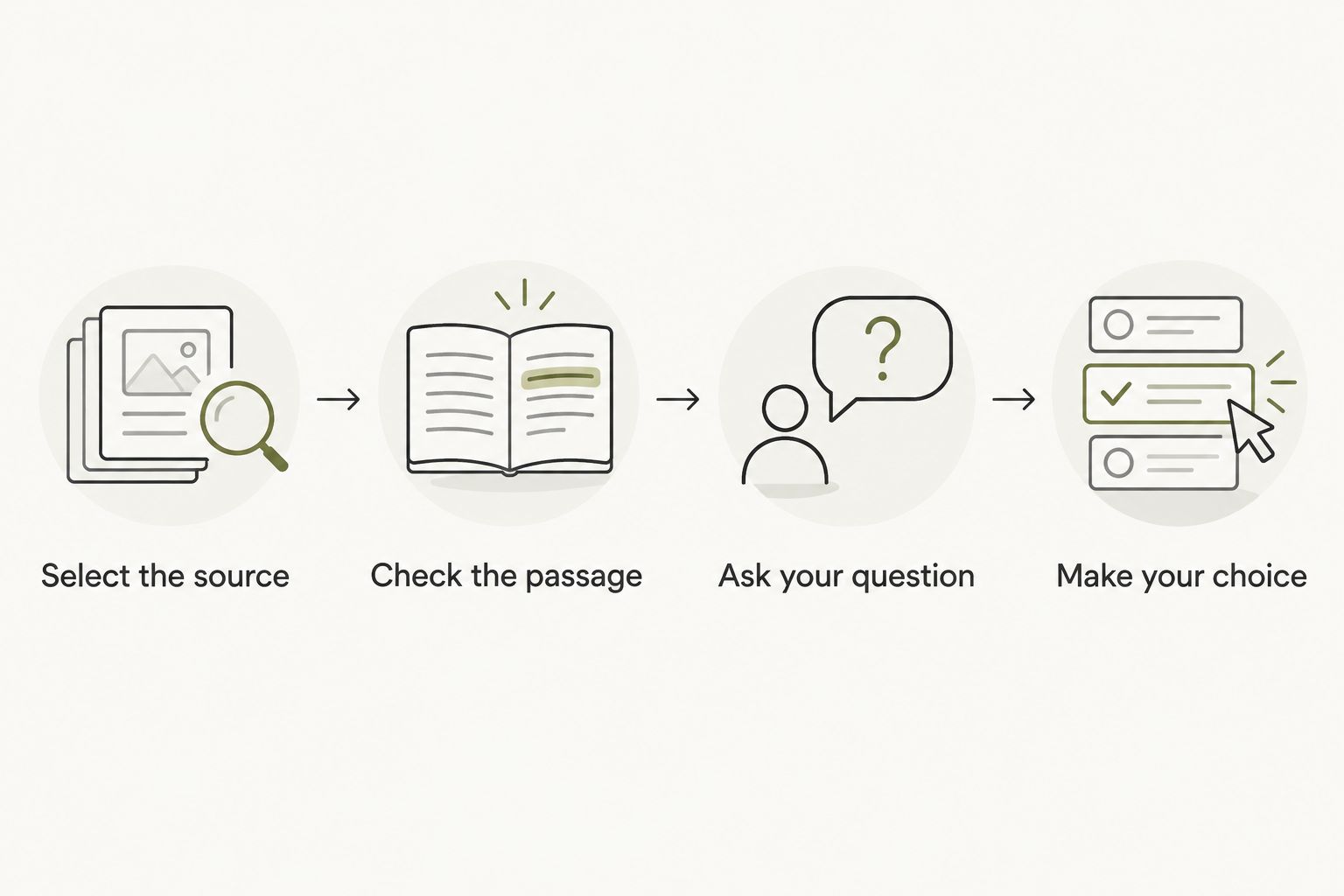
The manual sequence is simple: select the source, check the passage, ask your question, and make your choice.
Next-step decision
The final configuration unit is the decision itself. Keep it smaller than the whole project or relationship it belongs to.
- Write one action under Next step. Describe something you can choose to do yourself.
- State what the action depends on. If a fact remains uncertain, make checking that fact the next step instead.
- Review the wording, recipient, and source material before any message leaves your account.
- Give your yes to that specific action. Do not treat an earlier permission as approval for a different action.
- Record what you actually did, separately from what you intended to do.
Expected result: You have an explicit decision and a clear distinction between a proposed action and completed follow-through.
For the friend-call example, the next step might be writing down the question you want to ask. You then decide whether to make the call. Moonshot makes no calls and moves no money.
Your yes belongs to the action, not merely to the connection. A document permission answers which source can be accessed. Approval answers whether a particular action should happen. Those are separate decisions.
For a 2026 workflow, use 3 checks before anything goes out: correct source, correct recipient, and approved wording. These are review steps, not a claim that a product performs them automatically.
Document update workflow
A second workflow is useful when a document changes after you have made a working note. This is a manual review, not an automatic update trigger.
- Reopen the original document when you know it has changed.
- Find the passage referenced in your note and compare its current wording with your excerpt.
- Replace the excerpt if needed. Mark the previous wording as superseded rather than letting both versions look current.
- Revisit your interpretation. Identify whether the changed passage actually affects your decision.
- Give a fresh yes to any revised action before carrying it out.
Expected result: Your decision refers to the current passage, and an earlier approval does not silently carry over to a changed action.
A wording change does not always call for a new action. Correcting a spelling error is different from changing an agreed meeting topic. Read the change before treating it as significant.
If you later evaluate automatic document updates, look for explicit documentation of what triggers a refresh and what happens afterward. A changed file should not be treated as permission to send a message.
Connection choices
Choose the workflow according to the source you need, not the largest set of permissions you can grant.
| Workflow | Best for | Advantage | Trade-off |
|---|---|---|---|
| Manual excerpt | A specific thought and a specific document | You inspect exactly what enters the note | You must revisit the source yourself |
| Direct connection, if confirmed | Repeated use of an authorized source | Provides a defined route to the source when supported | Requires checking permissions, update behavior, and revocation |
The manual excerpt is the recommended starting point for this guide. It is useful when you want to understand the decision before evaluating a connection. Its weakness is maintenance: an excerpt does not update itself.
A direct connection belongs in your workflow only after its current support and permission scope are confirmed. Do not equate convenience with a reason to grant broader access.
Troubleshooting
The document will not open
Check that you are using the account with access. Ask the owner to resolve access through the document service rather than copying the file into an unrestricted location. Stop the workflow until you can read the source legitimately.
The passage disagrees with your recollection
Keep both sources visible. Label the remembered statement as recollection and the passage as written wording. Make clarification the next step instead of choosing whichever version supports your preferred answer.
The excerpt no longer matches the document
Return to the original and replace the excerpt. Recheck your interpretation and any action based on it. Do not rely on a copied passage simply because it remains in your note.
The authorization request is broader than expected
Do not continue until you understand the requested scope. Check the current integration documentation and whether a narrower permission is supported. Use the manual workflow if the requested access exceeds what you are willing or authorized to grant.
An action looks completed but was only proposed
Check the destination yourself. A written next step is not a sent message, a completed call, or a changed document. Record completion only after you have verified the action actually happened.
Workflow customization
Expand by adding another question before adding another source. Ask whether your existing passage already gives you enough context to decide.
If you add a second document, label it separately and explain why it matters. Keep 2 sources distinct when they disagree; combining their text does not resolve the disagreement. The goal is a clearer choice, not a longer note.
Start your 2026 routine with one situation you genuinely want to revisit. Say it once, check the relevant material, and choose whether to show up differently in the next moment.
Moonshot's wearable premise is to help you learn from your own life. For this document workflow, the useful payoff is equally concrete: the question you prepared or the call you chose to make. It is not a promise of account integration or automatic follow-through.
FAQ
Does this guide set up a direct document connection?
No. This guide describes a manual workflow using a document you can already access. Confirm current integration support separately before authorizing an account connection.
Do I need to connect my whole document account?
No account connection is needed for the manual workflow. Choose a passage you have permission to use and keep its source identifiable.
Can I use a document someone shared with me?
Only use its contents within the permissions and rules that apply to that document. Access to read it does not automatically authorize copying it into another service.
What should I do when the document changes?
Reopen the original, check the referenced passage, and revisit any decision based on it. Approve a revised action separately rather than relying on your earlier yes.
How do I keep facts separate from interpretations?
Label the document excerpt and your interpretation separately. Preserve the source wording, then state what you think it means without presenting that inference as a documented fact.
Will Moonshot make the call for me?
No. Moonshot makes no calls and moves no money. You choose the next step and carry out the call yourself.
What should I check before granting a connection permission?
Check current support, the requested access scope, and how to revoke access. Keep source permission separate from approval for anything sent in your name.
One last thing
Check whether the document changes your decision before granting it a place in the workflow. Sometimes the earlier thought already tells you enough: you wanted to call someone, and you still do.
Keep your 2026 setup small enough to understand. A useful source earns its place by clarifying the next step, not by being available to connect.


