 moonshot

Instead of rebuilding meeting notes from memory, use a manual handoff: review material you deliberately captured, write a short meeting record, and choose the next step before sharing. An earlier note such as ask about the revised draft becomes useful when you bring it into the next conversation—not when it disappears into another transcript.
- Moonshot hears you out; this wearable meeting notes workflow uses a manual handoff, not an automatic connection.
- Keep captured conversation, your interpretation, and agreed decisions separate in your meeting record.
- Review every action before sharing; a suggested task is not an agreed commitment.
- Start with one meeting page and one next step you personally choose.
Why this matters
A meeting record needs to tell you what happened and what you agreed to do. A long account of the conversation does not make that distinction for you. Someone can mention a possible deadline without accepting it, or discuss an idea without deciding to pursue it.
The useful connection is between the conversation and a decision you can verify. Copying text into a notes workspace is only the handoff. Reviewing its meaning is the work that makes the page useful.
Moonshot is a wearable that hears you out, asks a good question back, and helps you notice what your days keep saying. Moonshot is for people who want to talk it through and choose the next step themselves. This guide applies that approach to meeting notes without presenting a manual routine as a shipped integration.
For your 2026 setup, keep the distinction clear: writing a reviewed note into another workspace is a manual workflow. An automatic connection would require separate, verified instructions for the device and destination. The steps below describe the manual workflow only.
Before you start
- Access and materials: Have permission to create or edit a page in your chosen notes workspace. Bring a written note, an agreed meeting record, or material you deliberately captured and are permitted to use. This process does not require a device connection.
- Source permission: Agree with participants before capturing a conversation. Decide which sources belong in the record, and grant each source separately where your tools offer source access. Permission to use one source does not mean permission to use everything else.
- The mid-setup gotcha: Check the destination page's audience before pasting anything. A page you can edit is not necessarily a page only you can see. Keep private reflections out of shared meeting records.
Start with 1 meeting and 1 destination page. That is a setup recommendation, not a limit on any product. It gives you a small example to inspect before you repeat the routine.
Use your notes workspace's existing page-creation and editing controls. The bold labels below are headings you write yourself, not claims about device buttons or a particular application's interface.
Source selection
Your meeting boundary
- Choose a single meeting to document. Write its subject at the top of the page, followed by the actual meeting date and the participants relevant to the record.
- Identify the source you will use. State whether it is your own written note, a captured conversation, or a meeting record someone shared with you.
- Confirm that you are allowed to use that source for this purpose. If permission is unclear, ask before transferring its contents.
- Decide what stays outside the page. Personal reflections, unrelated conversations, and details that are unnecessary for the meeting record do not belong there by default.
For a meeting held in 2026, enter its actual 2026 date. Do not use the date you created the page as a substitute for the meeting date. A note written later should still describe the correct event.
Expected result: You have a page tied to one identifiable meeting and a source you are permitted to use. You can explain where its contents came from without suggesting that the wearable captured everything around you.
Facts and interpretations
- Read the selected material before copying it. Pull out the statements needed to explain the discussion, rather than transferring every detail.
- Preserve the difference between a proposal and an agreement. Write a revised draft was proposed unless the participants actually agreed to revise it.
- Mark your own interpretation explicitly. Use a phrase such as My interpretation when you are drawing a conclusion rather than reporting a statement.
- Treat a public source separately. If a meeting mentioned an article or published document, identify it as outside context—not as something a participant necessarily said or endorsed.
An example makes the boundary concrete. The team discussed sending the draft reports a discussion. The team agreed to send the draft reports a decision. Those sentences are not interchangeable.
Expected result: Your source material has a clear boundary. Facts remain facts, interpretations remain interpretations, and outside context does not quietly become part of the conversation.
Meeting page structure
Your review headings
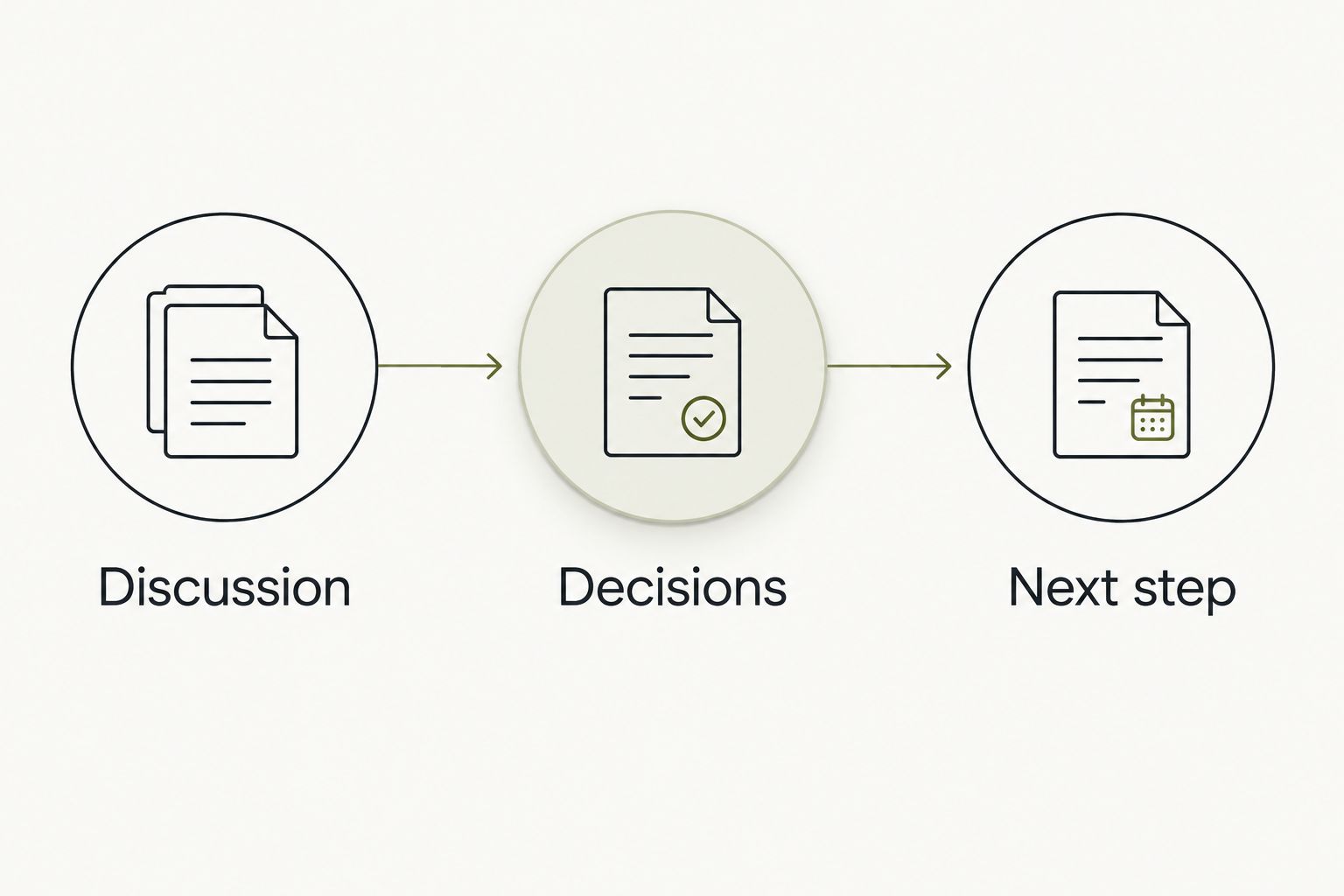
- Add 3 sections to the page: Discussion, Decisions, and Next step. These are suggested headings you create, not built-in fields.
- Under Discussion, write the question the meeting addressed and the information needed to understand it. Keep the language readable without the original conversation beside it.
- Under Decisions, record only agreements you can verify. If the meeting ended without a decision, say that plainly.
- Under Next step, write the action you have chosen or explicitly accepted. Include a responsible person and timing only when those details were agreed.
A small page is easier to review than a page that mixes every kind of note together. For example, a discussion about a draft belongs under Discussion. An agreement to revise its opening belongs under Decisions. Your accepted task to write that revision belongs under Next step.
Do not fill an empty section just to make the page look finished. No decision recorded is more accurate than turning an unresolved conversation into an agreement.
Expected result: The page distinguishes what people discussed, what they decided, and what you will do. A reader can find the agreed next step without interpreting the whole discussion again.
Your chosen action
- Read the Next step section separately from the rest of the page. Ask whether its wording describes something you have actually chosen.
- Replace broad intentions with a concrete action. Return to the draft becomes rewrite the opening paragraph only if that is the work you accepted.
- Check any named owner. Do not assign another person work because they discussed the subject or offered an opinion.
- Remove an invented deadline. If timing is unresolved, write that timing needs confirmation rather than guessing a date.
Moonshot turns one thing into a next step, with your yes on each one. In this manual meeting-notes routine, preserve that boundary yourself: review the action before putting it into a shared record.
Expected result: The action reflects a choice, not an inference. The page does not give someone a commitment they never made.
Review and handoff
Your destination page
- Check that you are editing the intended meeting page. Compare its subject and meeting date with the source before you paste the reviewed text.
- Copy only the material that belongs in the record. Do not include private reflections alongside shared decisions simply because both are in your working note.
- Read the pasted version. Check names, omitted qualifications, and sentence breaks that change the meaning.
- Inspect who can access the destination. Keep the page restricted until you have reviewed both the content and its audience.
For a 2026 meeting record, the destination should identify the meeting, not merely the transfer date. If you create several pages with similar subjects, use a consistent naming convention so you can distinguish them later.
Expected result: The intended page contains the reviewed record, and its access matches the audience you chose. Nothing has been sent to another person as part of these steps.
Your approval boundary
- Read the Decisions and Next step sections once more. Compare them with the permitted source rather than relying on your recollection of the edited page.
- Resolve uncertain commitments with the person involved. Ask a direct question instead of silently making the record more definite.
- Choose whether to share the page. Editing a note, granting access, and sending a message are separate actions.
- If you share it, use your chosen communication method yourself. Review the destination and message before sending anything in your name.
Nothing goes out in your name without your yes. Moonshot makes no calls and moves no money. This workflow does not treat a written action as permission to contact someone or perform another action for you.
Expected result: You have approved both the record and any separate sharing action. The note is ready for follow-through without implying that documenting a task completes it.
Meeting updates
Use the same page when a later conversation changes the same decision. Create a separate page when you are documenting a different meeting. These are record-keeping choices, not claims about an automatic update feature.
| Method | Best for | Advantage | Limitation |
|---|---|---|---|
| Update the existing page | A correction to the same meeting record | Keeps the current decision in one place | Needs a visible explanation of what changed |
| Create a separate page | A new meeting with its own decisions | Keeps each conversation distinct | Requires you to carry forward relevant context manually |
Your change record
- Identify the statement that changed. Check whether the correction concerns a fact, a decision, or an action.
- Add a short explanation of the change and its actual date. A 2026 correction should not make the original meeting appear to have happened later.
- Replace the current action only after its owner confirms the revision. Preserve enough context to explain why the earlier action no longer applies.
- Tell the relevant people yourself if they need the correction. Changing a page is not proof that someone has read it.
Expected result: The page shows the current agreement without hiding the fact that it changed. Your next meeting starts from an accurate record rather than an outdated task.
Troubleshooting
The record sounds more certain than the conversation
Return to the source and look for the actual agreement. Replace definite wording with an accurate description of the discussion when no decision was reached. A polished sentence is not evidence of a commitment.
A task has the wrong owner
Remove the assignment until you confirm it. Mentioning a topic, asking a question, and accepting work are different things. Record the responsible person only after that person agrees.
Private material appears on a shared page
Remove the material and review the page's access. If it has already been shared, do not assume deletion reverses disclosure. Follow the process appropriate to your workspace and tell the relevant people when necessary.
The pasted note loses its structure
Reapply the three headings and read the text beneath each one. If the source formatting does not transfer cleanly, paste plain text and rebuild the sections manually. Check meaning after formatting, not just appearance.
The page contains conflicting next steps
Compare each action with the latest confirmed agreement. Mark an older action as superseded instead of leaving both active. If you cannot establish which agreement is current, ask before choosing one.
Workflow scope
Keep your first week focused on one payoff: a meeting ends with a next step you chose, and you show up to do it. Do not add more sources merely because you can. Add a source only when you can explain how it helps with that payoff and have permission to use it.
Moonshot's wearable approach is to help you learn from your own life. The benefit is a question that helps you see what to do next; the limit is equally clear: it does not replace checking a meeting record or obtaining another person's agreement.
For your 2026 routine, keep 1 chosen action per practice page while you learn the process. This is a suggested exercise, not a device restriction. Say it once in language you can act on, then check your follow-through before adding another task.
Before the next meeting, read the earlier Next step section. Did you do it? If not, decide whether it still matters before carrying it forward. A repeated task should earn its place, not survive because it was copied.
FAQ
How do I move wearable meeting notes into my notes workspace?
Use a manual handoff: review material you are permitted to use, write a meeting record, and paste it into the intended page. Check the page's audience before sharing.
Does this guide set up an automatic device connection?
No. This guide describes a manual meeting-notes workflow, not a shipped device integration or an automatic transfer.
What should I put in a meeting note?
Separate discussion, decisions, and the next step. Record owners and deadlines only when those details were agreed.
Can I capture a meeting without telling the other people?
Do not use this workflow for secret capture. Agree with participants before capturing a conversation and confirm how its contents can be used.
Should I paste the whole conversation into a shared page?
Paste only the material that belongs in the shared record. Keep private reflections and unrelated details separate, and check the destination's access.
What do I do when a meeting decision changes?
Update the record with the confirmed change and its date. Make the current agreement clear, and tell relevant people yourself if they need the correction.
Will Moonshot make the follow-up call for me?
No. Moonshot makes no calls and moves no money; you choose the next step and decide what to do with it.
One last thing
Before sharing the page, read only its Next step section. If that section makes a commitment you cannot trace to an agreement, stop and correct it.
A useful meeting note does not turn every conversation into work. Sometimes the accurate record is that you talked it through and chose not to act.


