moonshot
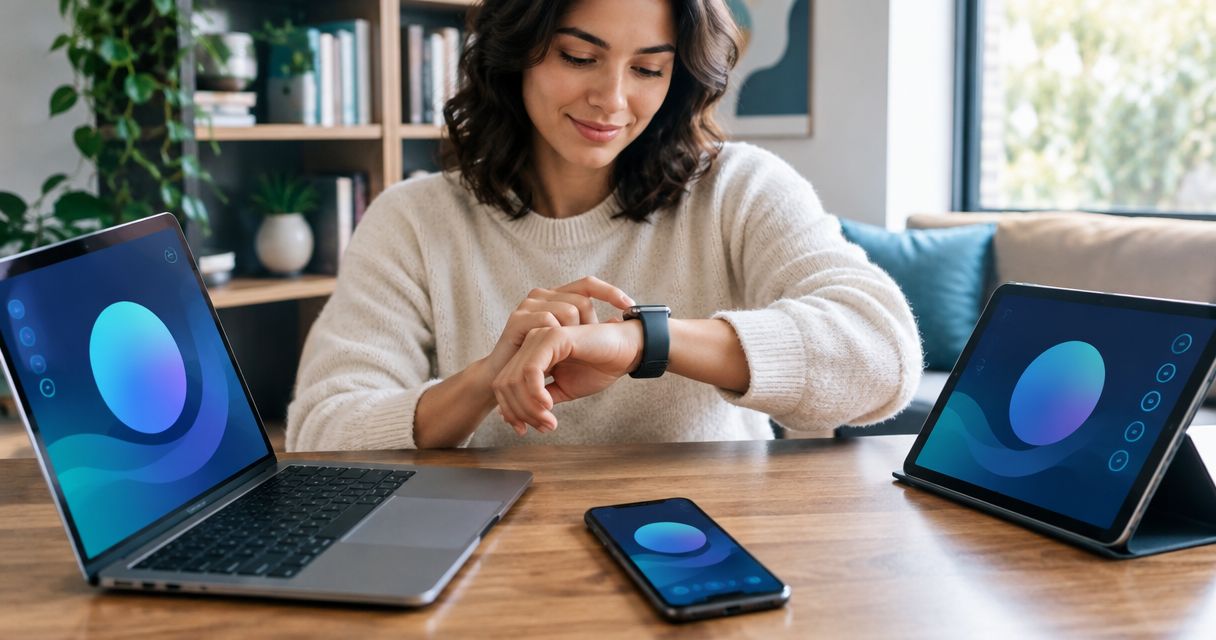
An AI wearable can sync across multiple devices when its app and account support that workflow, but phone compatibility alone does not establish shared access. Check separately whether you can pair the wearable with different phones, open the same history on each device, and switch without losing access to earlier conversations.
- Can an AI wearable sync across multiple devices? Only when its pairing, account access and history support that workflow.
- Moonshot confirms iPhone and Android compatibility, not simultaneous pairing or shared history across devices.
- Treat phone switching, transcript access and microphone permissions as separate checks.
- Choose a wearable around the workflow you can verify, not the word sync.
Why this matters
You might want to capture a conversation through a necklace, read the notes on your phone, and find them later on another device. That sounds like one feature. It actually requires several separate capabilities.
A compatible phone does not prove that a tablet can open your notes. A shared account does not prove that a wearable can connect to different phones at the same time. Buy for the device combination you need, not for a broad compatibility claim.
For Moonshot's AI wearable, the Luna reservation page is the product reference. The distinctions below use the company's November 4, 2026 product information and separate confirmed details from capabilities that remain unconfirmed.
Can an AI wearable sync across multiple devices?
Yes, if the product supports the particular kind of sync you need. The useful question is not simply whether it syncs, but what moves between devices and which device controls the recording.
Use this comparison to turn a general promise into a testable requirement:
| Workflow | Best for | What to verify | Main limitation |
|---|---|---|---|
| Wearable paired with a phone | Capturing conversations through a wearable | Supported phone platform and connection process | Pairing does not establish access elsewhere |
| Same account on different devices | Reading previous conversations from different screens | Supported apps, account sessions and shared history | A login alone does not prove every record appears |
| Switching the paired phone | Replacing a phone or changing platforms | Transfer steps, account recovery and history access | Reconnection and history transfer are separate tasks |
| Simultaneous device access | Moving between devices during the day | Concurrent sessions and which phone receives the wearable's input | Support must be confirmed explicitly |
These are workflows to investigate, not promises that every wearable offers them. A product can support one and leave another unsupported or undocumented.
What counts as a complete answer?
A useful answer names the devices, the content that transfers, and the limits. For example, you need to know whether a conversation captured through your phone appears when you open the account on another supported device.
An answer that says only “works with iPhone and Android” leaves that question open. It establishes platform compatibility, not cross-device continuity.
Phone compatibility and shared history
Phone compatibility tells you where a product can run. Shared history tells you where your earlier conversations remain accessible. Neither statement substitutes for the other.
If you carry an iPhone for personal use and an Android phone for work, ask whether the wearable can change between them. Then ask whether both phones can access the same account history. Finally, ask whether both can stay signed in.
Those questions describe different requirements. Do not combine them into a single yes-or-no checkbox.
The benefit
A verified shared-history workflow lets you return to captured information from the device you are using. You do not have to remember which phone held the original conversation.
The trade-off
Broader access also creates more places where sensitive transcripts can be opened. Before adding another device, check how you sign out, remove access and protect the account.
For a 2026 purchase decision, ask for an explanation that names your actual phone platforms. General language about connected devices is not enough.
Phone switching and simultaneous connections
Switching means moving the wearable's connection from one phone to another. Simultaneous connection means keeping more than one connection active. Treat them as separate features.
You might only need switching if you are replacing an old phone. You need a different answer if you expect a necklace to work with your personal phone in the morning and your work phone later without a manual change.
Ask which phone receives the wearable's input before asking where the notes appear. That exposes the difference between the capture connection and account access.
A clear explanation should cover what happens to the old connection, how the new phone connects, and whether earlier records remain available. Do not assume a familiar account login handles all three.
A device-switching check before you commit
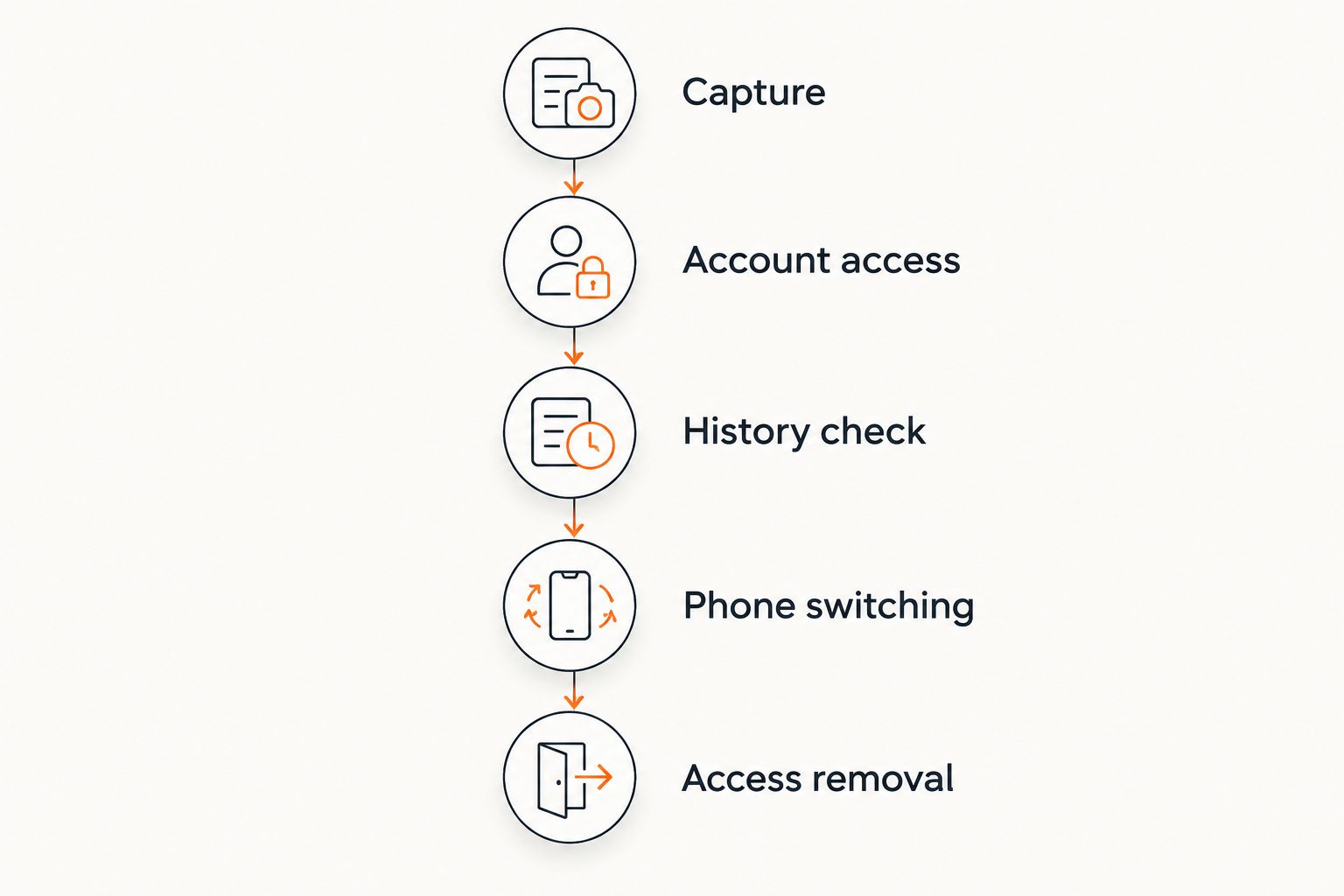
Use a practical sequence rather than a feature checklist. The aim is to follow one captured conversation from its source to the place you expect to use it.
- Capture. Identify whether the wearable or the phone microphone provides the input. Confirm which phone the wearable connects to.
- Account access. Establish which account holds the resulting conversation and which devices can open that account.
- History check. Verify whether the same conversation appears on the second device. Check the transcript and any associated notes separately.
- Phone switching. Ask for the steps required to move the wearable to another phone. Confirm what happens to the earlier connection.
- Access removal. Establish how to sign out of the old device and remove access when you replace or lose it.
Use an ordinary example that matters to you: a conversation about calling a friend, a meeting note, or an idea you want to revisit. The question is whether you can find the same information where you expect it.
Ask for a current demonstration or written explanation in 2026. An announced capability and a working workflow are different kinds of evidence.
Why multi-device sync varies
The word sync covers several parts of a product. These factors determine which question you need answered:
- Capture source. A necklace microphone and a phone microphone are different input paths. Establish which one you are using.
- Supported platforms. An iPhone app and an Android app establish platform support. They do not establish identical behavior.
- Connection rules. Find out whether the wearable connects to one phone at a time and how you change that connection.
- Account sessions. Confirm whether you can sign in on different devices without ending an existing session.
- Stored content. Audio, transcripts, notes and memories are not interchangeable. Ask which records remain accessible.
- Release status. Separate features that work today from features described as planned.
These factors also explain why a short compatibility list is insufficient. It names possible devices without describing how your information moves between them.
Connected information is not identical information
A transcript, a summary and an inferred memory serve different purposes. A transcript records words. A summary condenses them. A memory can represent an interpretation used in a later response.
If you say you should call a friend, that is not the same as agreeing to call tomorrow. A useful next step needs to preserve that distinction. When you talk it through on another device, check that a suggestion has not become a supposed commitment.
The same distinction applies to a one connected health profile: bringing information together does not make its sources interchangeable. For conversation tools, keep captured words separate from summaries, inferences and facts drawn from public sources.
You want to say it once and find it later. That does not mean every later interpretation should be treated as something you actually said.
Luna, Samantha and the phone connection
Moonshot sells Luna, so the product discussion here is not an independent recommendation. Moonshot's AI wearable is best for readers considering a future necklace, not readers who need verified multi-device sync today.
Luna is the necklace. Samantha is the AI and also runs as a phone app on iPhone and Android without Luna. The November 4, 2026 product information says Luna pairs with an iPhone or Android phone; it does not establish simultaneous phone pairing, desktop access or shared history across different devices.
Luna has not shipped. Shipping is expected in spring 2027, so the necklace's planned workflow must remain separate from the phone app that runs today.
The planned necklace interaction includes a glow and a buzz when something matters, with Samantha speaking through earbuds or the phone. That describes an interaction path. It does not establish which device receives a response when different devices are signed in.
The fit and the limitation
The phone app lets you consider Samantha without first needing the necklace. That is relevant if your interest is talking something through rather than wearing another device.
The limitation for this question is specific: cross-device continuity remains unconfirmed. If you need reliable access across a personal phone, work phone and computer, choose another product only after its documentation or demonstration confirms that exact workflow.
Privacy when another device joins
Cross-device access is also an access-control question. A conversation that is convenient to open on another phone can include information about people who were nearby.
The privacy facts accompanying the November 4, 2026 product information distinguish audio from stored records. Samantha streams microphone input through the company's server for processing. Neither the server nor the phone saves that audio, but the server retains word-for-word transcripts and memories until deleted.
Those transcripts include what nearby people say. They are stored in the cloud, not encrypted under a key held only by the user. The details of what Luna itself sends are due to be specified before the necklace ships.
Audio not being saved does not mean no conversation record remains. Before adding another device, ask which records become accessible there and how access ends. Double-tapping Luna is the stated microphone-off control; stopping capture and deleting an existing transcript are different actions.
Can I use an AI wearable with an iPhone and Android phone?
iPhone and Android compatibility does not establish that both phones can use the same wearable simultaneously. Ask about pairing, switching and account history separately.
For Luna, support for pairing with either platform is stated. The behavior between different phones remains unconfirmed.
Will my notes appear on my computer too?
Computer access requires an explicitly supported desktop app or browser workflow. A phone app alone does not establish either one.
Ask whether the computer can open the same transcripts, not merely receive a copied summary. Those are different levels of access.
Do I need the necklace to use Samantha?
Samantha runs as a phone app on iPhone and Android without Luna. That does not establish shared history between those platforms.
Start with the job you need: capture, recall or follow-through. Then verify the device path that supports it.
FAQ
Can an AI wearable sync across multiple devices at once?
Only if the product explicitly supports the simultaneous workflow you need. Multiple account sessions, shared history and simultaneous wearable connections are separate capabilities.
Does iPhone and Android support mean my conversations sync?
No. Platform compatibility establishes where a product can work, not whether the same conversations appear across different devices.
Can I switch an AI wearable to a new phone?
Check the product's phone-switching procedure before relying on that workflow. Confirm reconnection, account recovery and access to earlier conversations separately.
Can I use Samantha without buying Luna?
Samantha runs as a phone app on iPhone and Android without Luna. That statement does not confirm simultaneous sessions or cross-device history.
Does deleting audio also delete the transcript?
Audio and transcripts are different records. For Samantha, the stated privacy facts distinguish audio that is not saved by the phone or server from transcripts and memories retained until deleted.
What should I ask before choosing a multi-device AI wearable?
Ask which devices can connect, which can open your history, and whether they can stay signed in together. Request a demonstration using the device combination you actually need.
One last thing
Test retrieval, not just connection. A successful connection message does not prove you can find yesterday's conversation on today's device.
Before you commit, ask the provider to follow one conversation through capture, account access and phone switching. For a Luna reservation rather than a confirmed multi-device solution, the next step is below.
Reserve Luna
Reserve for $1, refundable. A reservation does not confirm multi-device sync.