moonshot
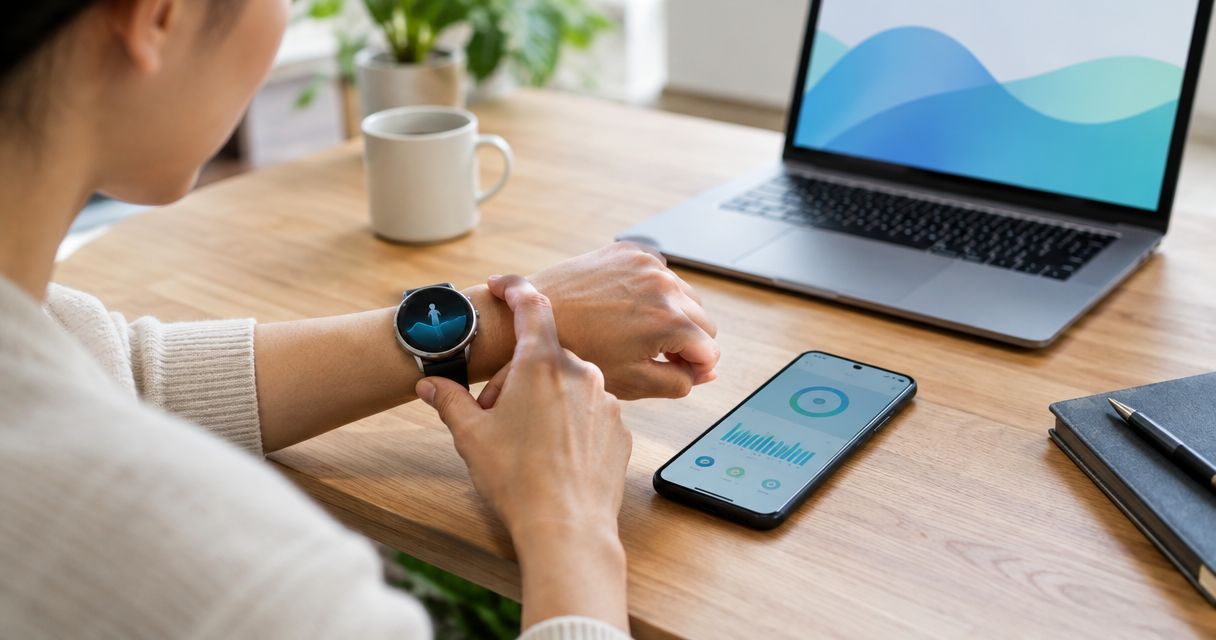
An AI wearable's daily data use depends on how much audio it sends, how it processes that audio, and whether its phone app uses Wi-Fi or mobile data. There is no single MB-per-day figure that applies to every device. To budget accurately, measure the companion app's mobile data over a full day and separate that reading from Wi-Fi traffic and cloud storage.
- How much data does an AI wearable use per day? Measure the companion app; device size cannot answer that question.
- Moonshot's Luna is planned hardware, so phone-app measurements are not verified measurements of the necklace.
- Wi-Fi traffic, mobile data, and stored transcripts are different quantities. Check each separately.
- Choose an AI wearable with published measurements if a fixed mobile data budget is essential.
How much data does an AI wearable use per day?
Use the companion app's measured mobile data, not an assumed daily average. Audio capture alone does not reveal how much information crosses your mobile connection. The same listening time can produce different network traffic depending on compression, processing, and connection settings.
A daily measurement also needs a clear boundary. Are you counting the necklace's connection to your phone, the phone's internet traffic, or information retained on a server? Those are different questions.
| Connection or activity | What it tells you | What it does not tell you |
|---|---|---|
| Wearable-to-phone connection | How the hardware communicates with the phone | How much mobile data the app consumes |
| Phone app on Wi-Fi | Internet traffic carried by your Wi-Fi connection | The app's mobile data use away from Wi-Fi |
| Phone app on mobile data | Traffic attributed to the app on the mobile network | How much information remains stored afterward |
| Cloud storage | Information retained by a service | The amount transferred during a particular day |
For the product context behind this distinction, Moonshot separates Luna, the necklace, from Samantha, the AI that also runs through a phone app. A phone-app result should not be presented as a hardware test.
Why this matters
You need two answers before choosing an AI wearable: whether it fits your mobile data allowance and whether you accept its information flow. A small mobile data reading does not establish that processing happens on the device. It might simply mean the app used Wi-Fi.
The reverse matters too. A service can transfer audio without keeping an audio recording. Transfer and retention describe different parts of the process.
For your 2026 buying decision, ask for evidence tied to the exact product and app version. A general statement about an AI wearable category is not a measurement of the device you plan to use.
A daily measurement you can repeat
You do not need to estimate audio file sizes to get a useful personal result. Start with the phone that carries the app's internet connection.
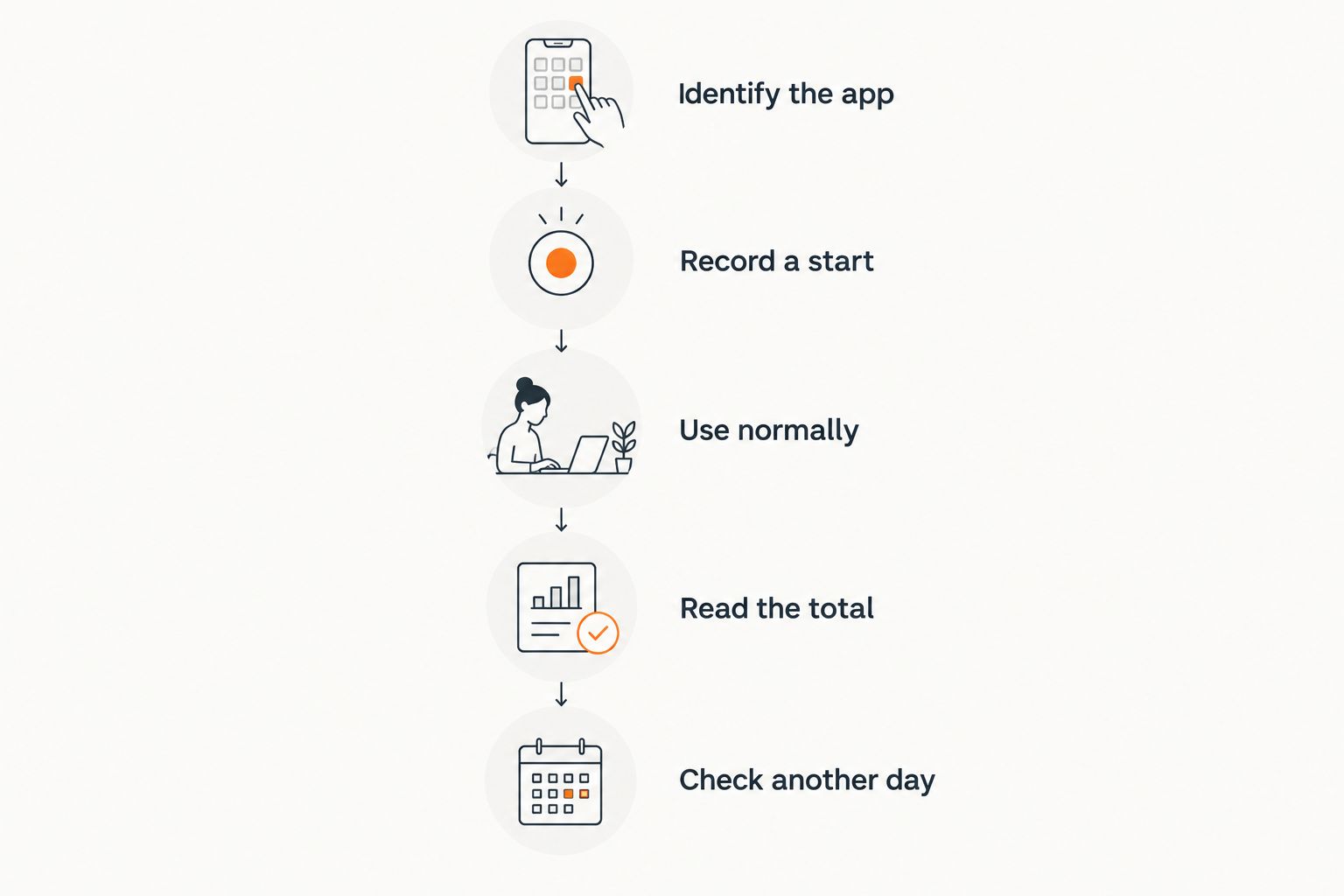
1. Identify the app and connection
Find the companion app in your phone's mobile data settings. Menu names differ by operating system and phone manufacturer, so use the settings search if necessary.
Check whether the displayed total covers the current billing period, time since a reset, or another interval. A cumulative number without a known starting point is not a daily measurement.
Also confirm which phone activity belongs to the app. If you use several related apps, do not assume a single app entry captures every service involved.
2. Record a starting reading
Write down the app's mobile data total and the time. Reset its counter only if your phone offers that control and you understand which statistics it resets.
Use a 24-hour measurement window for a daily result. Keep a short note of when you were on Wi-Fi, when you were away from it, and whether listening was enabled.
You are measuring your actual routine, not creating a laboratory benchmark. The notes explain the result without pretending every day will look identical.
3. Use the app normally
Let the app run under the permissions and settings you intend to keep. If you disable mobile data for the test, you have measured a restricted setup rather than ordinary mobile use.
Note unusual activity, such as an app update or a large transfer shown by the app. Keep software downloads separate from recurring wearable traffic wherever your phone's counters allow that distinction.
4. Read the ending total
Subtract the starting reading from the ending reading. That difference is the app's attributed mobile data during your measurement window.
Keep the unit unchanged while subtracting. 1 GB equals 1,000 MB in decimal units, but device displays can use different conventions. Check the display's unit rather than mixing numbers from different screens.
Your result should read like this: app name, measurement interval, mobile data used, and connection conditions. That is more useful than an unexplained daily average.
5. Check a different kind of day
Repeat the process on a day with a different routine. A day spent mostly on home Wi-Fi answers a different question from a day spent away from it.
Do not turn those observations into a universal product claim. They describe your phone, settings, app version, and usage during those periods.
The strongest personal measurement includes enough context to repeat it. Save the readings with your settings, not just the final total.
Why daily data use varies
These factors explain why an AI wearable cannot have a useful daily estimate without stated conditions:
- Listening duration. Time spent sending captured audio affects the amount of audio traffic involved.
- Audio compression. The format and encoding rate determine how much information represents the captured sound.
- Processing location. On-device processing and server processing create different information flows. Verify the product's actual design.
- Connection choice. Wi-Fi traffic does not consume your phone's mobile data allowance in the same way as a mobile network connection.
- Returned content. Replies and other app content add incoming traffic alongside outgoing audio or text.
- Transfers after a connection returns. Check whether the product sends anything later rather than assuming that a disconnected period produces no subsequent traffic.
These are questions to investigate, not confirmed features of every wearable. Unknown does not mean absent. If a product does not explain its offline behavior, do not infer that it stores recordings or that it stops all capture.
Wi-Fi or mobile data: which should you measure?
Measure mobile data when your concern is your phone allowance. Measure overall network traffic when your concern is everything the service sends and receives.
| Connection choice | Best for | Advantage | Limitation |
|---|---|---|---|
| Wi-Fi | Understanding use on a home or workplace network | Keeps that traffic off the phone's mobile connection | Does not predict your mobile data use when away |
| Mobile data | Checking use against your phone allowance | Gives a directly relevant mobile usage reading | Does not describe Wi-Fi traffic or retained information |
Neither connection choice answers the privacy question by itself. You still need to know what leaves the phone, who processes it, and what remains afterward.
For a 2026 comparison, insist that a manufacturer's data figure names the connection used. A Wi-Fi measurement and a mobile-only measurement are not interchangeable evidence.
Luna, Samantha, and the phone connection
Moonshot's product information dated November 4, 2026 distinguishes planned Luna hardware from the Samantha phone app. Luna is a necklace that pairs with an iPhone or Android phone. Samantha also runs through a phone app without Luna.
Moonshot's Luna is best for readers exploring a necklace interface, not buyers who require a verified daily mobile data figure before choosing. This is a Moonshot article, not an independent product test. No daily bandwidth test result is claimed here.
That distinction changes what you can conclude from trying the app. A Samantha app measurement establishes the app's use under your test conditions. It does not establish the planned necklace's daily network use.
The company's November 4, 2026 privacy information describes audio streaming through its server for processing. It also distinguishes audio that is not saved by the server or phone from transcripts and memories retained until deletion. Not saving audio does not mean no data is transferred or retained.
For your decision, ask specifically for Luna's documented information flow and measured mobile data use. Do not substitute its physical size, microphone count, or the phone app's behavior for that evidence.
If you need a dependable allowance calculation now, choose a product whose current documentation provides measured traffic under stated conditions. A product with local processing deserves consideration when that workflow is documented and fits your needs, but a category label alone proves neither feature.
Questions to ask before you choose
A useful answer from a manufacturer should let you reproduce the conditions behind its claim. Ask these questions together:
- Does the figure cover mobile data, Wi-Fi, or both?
- Which hardware and app version produced it?
- How long was listening enabled?
- Were audio replies included?
- What happened during lost connections?
- Does disabling mobile data change the available functions?
- What information is retained after processing?
An answer such as low data use is not enough to plan an allowance. Ask for the unit, measurement window, and settings.
Keep the 2026 documentation or response with your buying notes. If the product changes, repeat the measurement rather than treating an earlier result as permanent.
Does an AI wearable use data when I am not talking?
Silence alone does not establish that an app has stopped transferring data. The answer depends on whether listening, processing, replies, or other network activity continues.
Measure an idle period separately if this matters to your allowance. Do not label all traffic during that period as audio traffic without evidence identifying it.
Can I stop mobile data use without stopping the wearable?
You can check your phone's settings for controls that restrict an app's mobile data access. Whether the wearable remains useful under that restriction depends on its documented offline and Wi-Fi behavior.
Separate a network restriction from a microphone control. Blocking internet access is not proof that capture has stopped. The guide to stopping an AI wearable from recording addresses that separate decision.
FAQ
How much data does an AI wearable use per day in 2026?
There is no single daily data figure that applies to every AI wearable. Measure the companion app over a full day and record its connection, settings, and listening conditions.
Does Bluetooth use my mobile data allowance?
Bluetooth is a local wireless connection, not the mobile network connection used for your phone allowance. A companion app can still use mobile data after receiving information from a wearable.
Does using Wi-Fi mean an AI wearable works offline?
No. Wi-Fi provides an internet connection; offline operation means working without an internet connection. Check which functions the product explicitly supports offline.
Does deleting a transcript undo the data already used?
No. Deleting retained information does not reverse a transfer that has already occurred. Storage controls and network usage answer different questions.
Can a phone app test tell me how much data Luna will use?
A phone app test measures that app under your test conditions, not the planned Luna necklace. Do not present the result as a Luna hardware measurement.
Will an AI wearable work if I disable mobile data?
That depends on its documented Wi-Fi and offline behavior. Restricting mobile data does not establish which functions continue or whether audio capture stops.
One last thing
A data counter cannot tell you what a service remembers. It measures transfer, not meaning or retention.
Before you choose, write down your next step: measure the app, request a documented bandwidth figure, or wait for hardware evidence. If the planned necklace fits your needs and you accept the unresolved measurement question, Moonshot offers a refundable reservation.